




PNWParksFan
Insiders
-
Joined
-
Last visited
Everything posted by PNWParksFan
-
If you sign up for a subscription then you will be billed automatically each month until you cancel. You would have beta access as long as the subscription is active, and would be removed from the beta after you cancel. It will be released in 2018, but I don't know when yet. Progress was slow this month because I was away from home a lot. Should be able to make a lot more progress in August 🙂
-
I've never had this issue. Post your log. Have you tried calling through Better EMS directly?
-
It is a custom part of the Coastal Callouts scripts which I wrote.
-
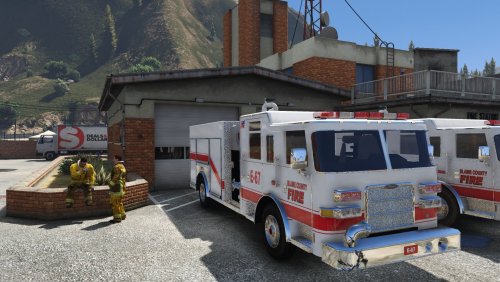 Thank god for a fire truck with LODs and non-ELS!! I haven't had time to download it just yet, but am planning to have this be my new fire truck model for the long term. Great for use with Better EMS as the lights and sirens will actually behave properly as defined by the script.
- 18 comments
- 4 reviews
-
-

- 2
-
-
Use SetOnGround on the Rage.Object instance
-
Don't play scanner audio in OnBeforeCalloutDisplayed, play it in OnCalloutDisplayed. Also you have some lines which aren't doing anything like the GetNextPositionOnStreet calls which don't assign to anything, and you have some hard-coded positions but also some dynamic positions. Note as well that OnCalloutDisplayed and IIRC even OnCalloutAccepted return bools as well. If any of them returns false, the callout won't run. You also need to register the callout when your plugin loads.
-
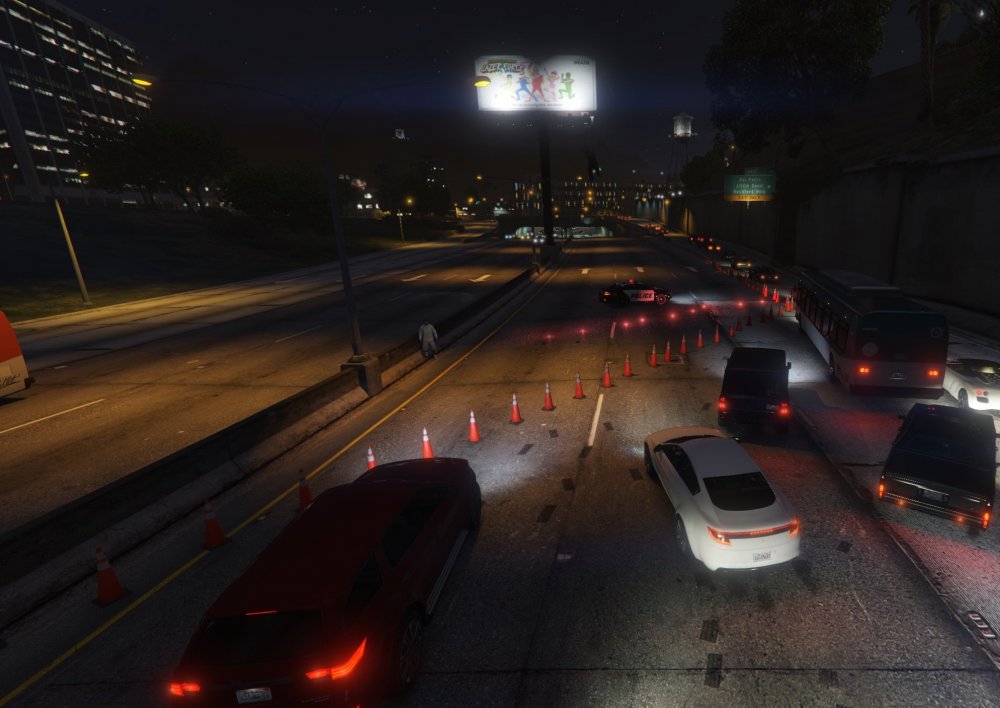
Yep, it's pretty cool functionality. The new version contains a bunch of new traffic barrier options, with both automatic and manual placement options. He's also working on integrating it with Police Tape.
-
Happy Fourth of July! A new Fireworks Display callout is now available to beta testers. Spent most of the week developing that, but will be back to working on plane features shortly.
-
This is a feature in the new version of Roadblocks by Khorio which will be released soon.
-
 Basically, you can add Livery=1 (or whatever number you want) to any <Vehicle> definition in the EMSUnits.xml file. The model has to be multi-livery of course and have multiple liveries configured. You can add as many <Vehicle> entries as you want at each station, so you can have e.g. firetruk, firetruk2, and firetruk3 (or whatever they're called), each with its own livery definition. You can also put the same model multiple times with different liveries if you want 2+ liveries to spawn from the same station. RDE has a very detailed EMSUnits.xml file which is a good example to look at. I think someone may have also already made an EMSUnits.xml file for medic4523's pack, but I'm not sure where it is or if it was released publicly.
- 781 comments
- 85 reviews
-
 Uninstall instructions are on the download page. I will make an OIV uninstaller with the next update, but it'll be a couple weeks til I have time for the update.
- 299 comments
- 25 reviews
-
Most likely you had your cars installed in the original game folders (i.e. you were not using a Mods folder), but when you went to install the Police Tape mod you selected "install to Mods folder" in the OIV package installer. Therefore, the game is now loading from your mods folder instead of your original game files, and it isn't picking up your modified vehicles. What you should do is install all modded vehicles and any other game file modifications to the mods folder, always.
- 299 comments
- 25 reviews
-
It basically checks if it's an emergency/law enforcement vehicle, or if it has flashing lights on. It should allow through towtrucks and coroners if they have flashing lights, but if you're using models that don't then they won't get through. There isn't any easy way to check if those vehicles should be allowed through, but I suppose I could add something to the INI where you could set models to always allow.
- 299 comments
- 25 reviews
-
I will investigate the reports of the INI file not being read for some people. As mentioned at least a dozen times, there isn't anything I can do about the stretching tape currently.
- 299 comments
- 25 reviews
-
-
- 1
-
-
It should get overwritten, but it's possible the file was non-editable for some reason like if the game process still had it locked. Glad that fixed it for you!
- 299 comments
- 25 reviews
-
Read the big bold red text on the download page, or read the bold all caps text in the installer readme.
- 299 comments
- 25 reviews
-
-
Make sure that you have the version of ParksTools.dll that is included with the OIV installer. You can rename the file from .oiv to .zip, unzip it, and then grab the parkstools.dll file from the extracted archive.
- 299 comments
- 25 reviews
-
Please upload your ragepluginhook.log file and I will check it out. Interesting. That seems to be an issue with GWEN Forms or the RPH graphics hook. Does the RPH Console (F4 key by default) work for you?
- 299 comments
- 25 reviews
-
Just updated the readme, nothing else changed in download. Hopefully that helps people figure it out a bit better.
- 299 comments
- 25 reviews
-
Good suggestion. There IS a readme file (assuming I included it in the ZIP upload correctly, I think so), and there is some more readme info in the OIV installer itself. But it sounds like I should include a little bit more info to help new users figure it out. I'm going to be out for most of the day but will add some more info and reupload it later today.
- 299 comments
- 25 reviews
-
-
- 1
-
-
Those use the game's keybindings for various actions. I believe that's the "take selfie" action? Press ESC, go to Settings, and find the Keybindings section, and look in the Cellphone section (IIRC). When you see the middle click icon in there that's the one you need to change. Check out the "Alternative Textures" folder in the download.
- 299 comments
- 25 reviews
-
You need to load the plugin somehow, either auto-load it or load it from the RPH console.
- 299 comments
- 25 reviews
-
The DLL file is installed to the Plugins folder by the OIV installer. If you don't see file extensions, try turning them on in Explorer.
- 299 comments
- 25 reviews
-
To uninstall: Remove PoliceTape.dll and PoliceTape.pdb from your GTA V\Plugins folder Go to (mods)\update\update.rpf\common\data\dlclist.xml, and remove the line with "<Item>dlcpacks:\policetape\</Item>" Go to (mods)\update\x64\dlcpacks\ and delete the policetape folder I will make an OIV uninstaller later this week, but there's the manual uninstall instructions for now.
- 299 comments
- 25 reviews
-
-
- 1
-


