




BlueLine Vibes
Insiders
-
Joined
-
Last visited
Everything posted by BlueLine Vibes
-
 Decent callout pack. I like the variety that this gives to the player. I did get an instant Code 4 on the stolen bike, you can see in the video on the forth callout that I did. Thanks for having great Grammar and sentence structure with the text in the interaction with the peds and also in the callout info screen. I like this callout pack as it gives more variety to people that are just patrolling the city. We do not have many callouts that occur at the beach, so this is refreshing. Look forward to see what else you come up with.
- 24 comments
- 10 reviews
-
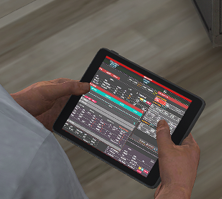 Great work on the CAD MDT. I got tired of looking at the same GTA internet site. This is far more legit!
- 1 comment
- 1 review
-
-

- 1
-
-
Yep as Lenny1161 has posted is correct. Just pick the one you feel comfortable with. Personally I use patchday24ng as it has less vehicles that came with that DLC and I can see my replacement vehicles easier. Just stay away from patchday23ng some issues with that patchday with police vehicles for some reason.
-
Did you install the ELS XML that came with that addon fire truck by chance?
-
I have used all 3 callout packs, but have not seen that happen before. Might be that I have not done that particular callout in those packs. OR it could be your trainer. Check your trainer and make sure you do not have any keybinds enabled under the options menu.
-
I doubt it is your RageNativeUi, as normally it would cause menus like that crash, but is yours updated by chance? Latest update is from May 2022.
-
Folder.thumb.png.783e9e441b3e874bcfedd22c5efca01a.png) Pro Tip: Just install it to the latest patchday = profit. No need to go digging for pathways. Personally I still use Patchday24ng even though we are on patchday27ng now. 24 has never let me down for the past year. If you need the blazer2 to act like a police vehicle (to pull people over) add FLAG_LAW_ENFORCEMENT to the Flags in the vehicle.meta file Have a good day
Pro Tip: Just install it to the latest patchday = profit. No need to go digging for pathways. Personally I still use Patchday24ng even though we are on patchday27ng now. 24 has never let me down for the past year. If you need the blazer2 to act like a police vehicle (to pull people over) add FLAG_LAW_ENFORCEMENT to the Flags in the vehicle.meta file Have a good day- 17 comments
- 9 reviews
-
-

- 2
-
-
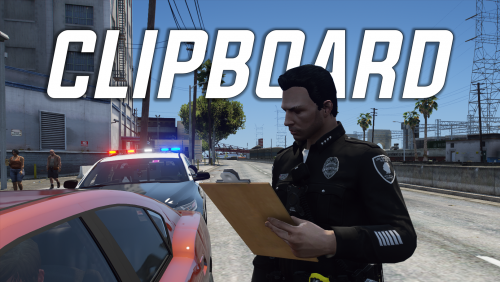 Fantastic Plugin - Love it for RP. Finally get a Notepad and Clipboard that we can walk with, only took 7 years. Thanks @Echooo
 -
-
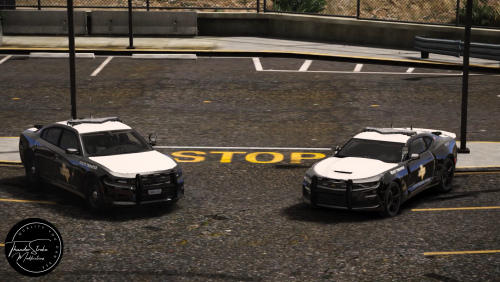 Does Texas DPS use Valor light bars?
 -
.thumb.png.c21fe6a01f2ef0d2bd948626c4a8e03a.png) Thanks for the upload. However, the pants look a bit gray.
Thanks for the upload. However, the pants look a bit gray. -
 Hell I have no idea why I never gave this a review, so my apologies. Fantastic lighting and the vehicle liveries are kick ass.
- 261 comments
- 37 reviews
-
@Faya Oh I think I remember his comment on the YT channel. I was thinking he was referring to the Seat Belt Icon that flashes when starting to drive off. I had mentioned that you had taken it out for a certain reason, but I am using an older version of that plugin.
-
.thumb.png.9d0943161b37f863c291d6d6664edefb.png) Looking at your RagePluginHook Log or shall I say 'War and Peace Novel' I have no idea where to start. Been doing LSPDFR for over 7 years and I have never seen a person have over 25 callout packs. Several callout packs have not been updated in years and are severely out dated. Remember more is not necessary always better 😆
Looking at your RagePluginHook Log or shall I say 'War and Peace Novel' I have no idea where to start. Been doing LSPDFR for over 7 years and I have never seen a person have over 25 callout packs. Several callout packs have not been updated in years and are severely out dated. Remember more is not necessary always better 😆- 368 comments
- 33 reviews
-
-
- 1
-
-
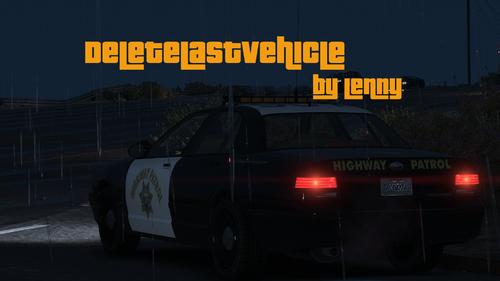 Thank you for explaining that. I can see how it can come in handy to be able to delete your last vehicle from further way.
 -
 Pack is unique and creative. Just a few minor issues with the Active Shooter call, Armed Suspect and some blips not disappearing on the map. More details are on the review video.
 -
Are you referring to that 4 hour live stream Full install? lol Maybe the biggest fail on that live stream was just not testing out the mods more in between installs. However, I felt confident on the installs that I didn't worry about it, but probably should have tried the game out after 1-2 plugin installs. If you were referring to the LSPDFR install - nah everything is exactly the same, Manual install still remains the best way to ensure you have everything in the folder that needs to be there.
-
Thanks for the upload. I am curious how this differs from the other Delete Vehicle plugin that is currently on the site. I have that plugin on a hotkey to delete my last vehicle or any other vehicle if needed.
-
Three things: 1. Try and boot up in Story mode first and look at the bottom right as your booting up and see which version number of GTA 5 you are on. If it is not a current version (2699.16) then your Game is considered Out dated. 2. If you are not sure if you have updated your game, if you have Steam go to Library > Grand Theft Auto V > Right click and drop menu go to Properties > Local Files > then click on Verify Integrity of game files 3. If you have already done step 2, chances are if you have a mods folder, it is reading your update folder inside your mods folder that may be out dated. EDIT: Just read you are on Epic. Not sure if there is a way to verify the integrity of your files. But chances are Step 3 might help as it could be reading an outdated update folder in mods folder. Easiest way to solve that is just to open OpenIV and it should flag it and allow you to copy over the necessary files to your mods folder.
-
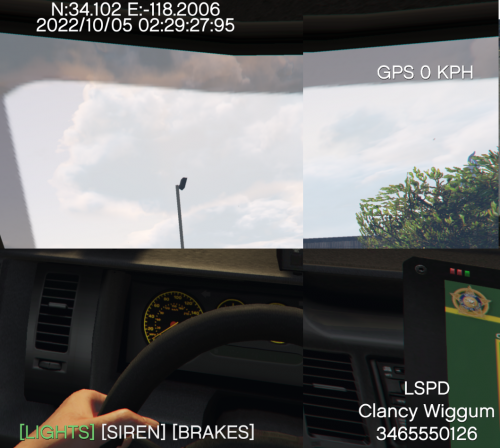 Was interesting to read on this mod. However, you have not posted in over 6 months and you have 0 rep on this site, so I think I will pass for now. Hopefully someone can make something like this work.
 -
Have a mods folder? Rename it to something like mods-copy for example. Working now?
-
When you say update, are you referring to GTA 5 itself or after RPH/LSPDFR update? Are you able to log into Story Mode through Steam or Rockstar Launcher?
-
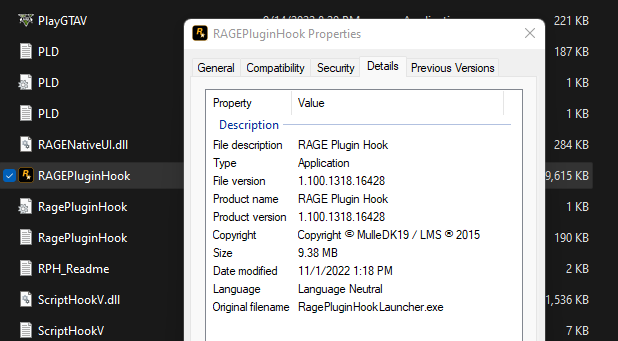
Are you installing this Manually? If not, do that. Look at the details of the version number of the manual install of RagePlugin Hook and see this version number
-
-
Any reason that you are using this particular mod "Persistent Weapon Flashlight"? Stop The Ped plugin does this already. Also you have several outdated mods in your Rage Log.

Folder.thumb.png.783e9e441b3e874bcfedd22c5efca01a.png)
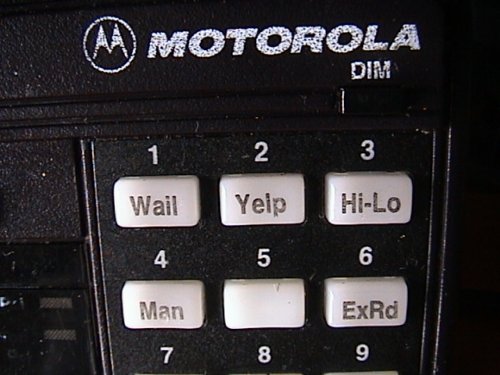
.thumb.png.c21fe6a01f2ef0d2bd948626c4a8e03a.png)
.thumb.png.9d0943161b37f863c291d6d6664edefb.png)
