


AMSAGENT000
Members
-
Joined
-
Last visited
Everything posted by AMSAGENT000
-
 @Thehurk I love how the car actually has the production model wheels. Small detail but awesome nonetheless. I would love to see a spotlight as an extra though. I have to wonder why the interior has a black and white color pattern though? It seems inappropriate for a police vehicle. Thanks.
- 112 comments
- 36 reviews
-
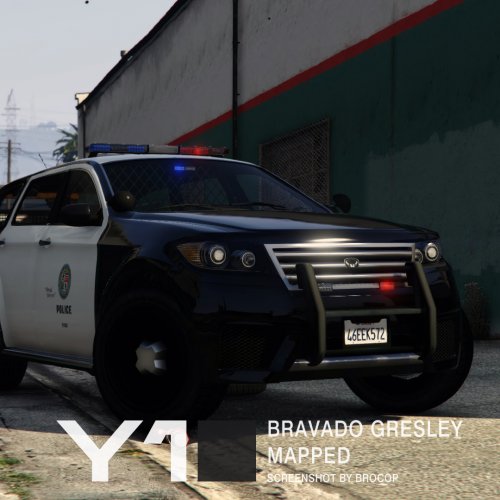 Sorry, I know I've mentioned this before, but could you include (or consider including) a laptop in the vehicle? I know the RDE team likes to use in-game assets and I'm sure laptops already exist that would do the job. The last gen interiors of police vehicles had them too I believe. Thanks for reading.
- 13 comments
- 3 reviews
-
-
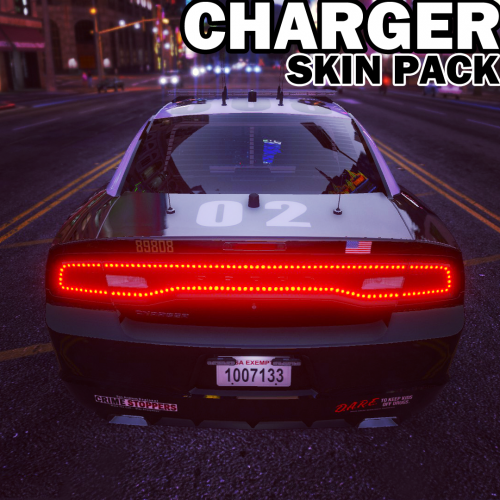 I understand but I hope you add them in eventually :) Also, do you think you could make the Los Santos Seal, "POLICE", and "Obey and Survive" bigger on the doors (for Bxbugs' Charger)? They seem smaller than they should right now.
- 20 comments
- 3 reviews
-
@Krame86 Great work on the 2014 Charger skins but I just wanted to point out that LAPD chargers (and other vehicles) always have black door handles.
- 20 comments
- 3 reviews
-
-

- 1
-
-
.thumb.jpg.61de846de400ca98f85d205992527de1.jpg) Amazing work as always. I'm unfamiliar with the charger but are there supposed to be circular tailpipes within the exhaust tips? EDIT: The documentation mentions 8 liveries but I only see 4.
Amazing work as always. I'm unfamiliar with the charger but are there supposed to be circular tailpipes within the exhaust tips? EDIT: The documentation mentions 8 liveries but I only see 4.- 265 comments
- 83 reviews
-
 Not quite, but I did have a big brain fart when I wrote that last night. Of course the badge is a shield becasue it's a reskin of the LSPD shirt since character model editing is not currently possible. Sorry :(
- 2,341 comments
- 236 reviews
-
-
- 1
-
-
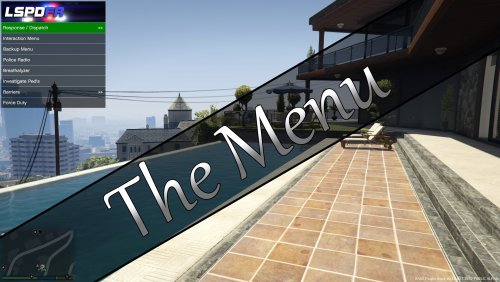 This mod looks amazing but I have no idea what I'm doing! I must have a lack of reading comprehension since I find the configuration of the menu to be difficult and time consuming :(
 -
@Alex_Ashfold Hello, I just wanted to report that the short sleeve shirt for the BCSO has the wrong badge shape. I assume it's supposed to be a star instead of a shield?
- 2,341 comments
- 236 reviews
-
 Cool pic. Where can I find the CHP FPIU on the right?
 -
I think a separate CHP version would be nice. The CHP versions seem to have unique side mirror lights as well as cameras that are sometimes mounted on the roof. They also have a speaker device installed on their push-bars.
-
@Desmond98 Will you be adding a computer and police console to the interior?
-
-
Good to know you're making progress. Thank you for your work. Any chance you can add a police laptop to the interior? Also, the side spotlights seem somewhat small to me. Are they supposed to be that size?
-
Just discovered spotify so I'm having a blast discovering new music.
-
.thumb.png.647a35b217b2e1fe6e15e0ccc0c77b3b.png) @Virzza Love the charger. It seems to be unique from the others released so far. Any way you could improve the interior textures so that it resembles a police charger more? For example, replacing all the white colored sections/parts with black textures.
@Virzza Love the charger. It seems to be unique from the others released so far. Any way you could improve the interior textures so that it resembles a police charger more? For example, replacing all the white colored sections/parts with black textures.- 47 comments
- 18 reviews
-
 First off, thank you for this amazing vehicle. I've been following your WIP thread and it's clear that you have put a lot of time and thought into this project so bravo. I will leave a review in the near future. Suggestions: - Could you perhaps specify the model? It seems like this Bearcat is an amalgamation of different model years. - Wheels should be solid color (like black). A different model for the front wheels would be accurate but not necessary I suppose. - Way too many rivets :( - Maybe add some more lights (like on the side mirrors). - Add front fog lights - Add proper steps on the side and rear - Add handles on either side of the hood and front windows. These handles seem to exist on almost every bearcat I have seen. - Windows should be flat and borderless - Make some extras like a different rambar/winch setup. Turret hatch open/closed. Lightbar on/off. Also, I've seen some images of Bearcats that have some pole like objects on the sides. Thanks again.
- 80 comments
- 19 reviews
-
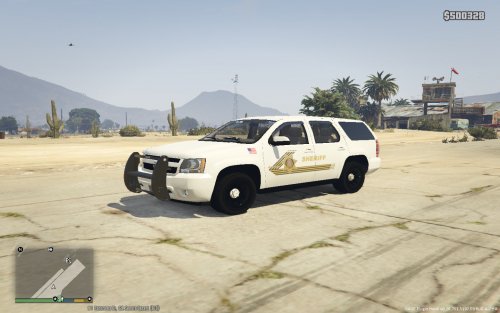 Looks good. Can you please make a livery for the 2015 Chevy Suburban/Tahoe too?
 -
I've always wanted to see a LAPD version of the 2012 Taurus. POLICESCO made one back in November but hasn't supported it since release. I've been waiting for a taurus/FPIS that has accurate wheels (5 hole design like on the FPIU), Arjent S2, laptop, working extras, and no external antennas.
-
I'm not sure why this feature wasn't included in 0.3. Great stuff! Keep us updated.
-
I have a request but it involves completely replacing the wheels and the light bar on a certain vehicle. Is that something you would consider doing or is your current focus just various parts and accessories?
-
-
Super excited for the stand-alone gresley! Do you plan to add some extras like a laptop, gun rack, and trunk equipment?
-
@Yard1 Hey there. Looking forward to RDE 2.3. Any chance you guys could incorporate the Oshkosh M-ATV, replacing the insurgent-pickup, by fantazer_rnd (with his permission of course)? https://www.gta5-mods.com/vehicles/oshkosh-m-atv
-
I wouldn't mind seeing a few more handles. Based on images of newer bearcats, you could add one on either side of the hood aswell as either side of the windshield.


.thumb.jpg.61de846de400ca98f85d205992527de1.jpg)
.thumb.png.647a35b217b2e1fe6e15e0ccc0c77b3b.png)
