


A Stranger
Members
-
Joined
-
Last visited
Everything posted by A Stranger
-
Rename mods to _mods. If you don't have a mods folder -> Verify.
-
 Make sure PostFx and Shader quality are on at least Very High / Ultra in the ingame settings.
- 253 comments
- 53 reviews
-
And you can use the vanilla one, because it updates automatically. But once you start using your own DLC / start adding cars, you need a costum gameconfig, which needs to update whenever the game does.
-
It's needed when the game updates as well, which it did this year. 😉
-
sigh Why not? Build Name Once More Wasted Money Operating System Microsoft Windows 10 Pro x64 Case NZXT S340 Black Windowed Edition Motherboard GIGABYTE GA-AB350-Gaming 3 Processor Ryzen 5 1600X 6x 3.6Ghz Memory 16GB G.Skill RipJaws V schwarz DDR4-3200 DIMM CL16 Dual Kit Graphics Card(s) XFX RX 480 GTR Black Edition 8GB Removable Drive(s) 2x WD 4TB External USb 3.0 Drives Power Supply SeaSonic S12II 620 Watt Cooling System Multiple tower cooler Noctua NH-U12S SE AM4 Edition CPU Cooler Monitor(s) AOC F22+; Samsung S24F356F 59,8cm, Toshiba TV, Panasonic TV Keyboard Sharkoon Skiller Pro+ Mouse Speedlink Decus Gaming Mouse Peripherals/Other Auna MIC-900B Microphone HTC VIVE VR Headset 2016 Edition Logitech G430 Gaming Headset XBOX360 Controller
-
-
Do you have OpenIV.asi installed? And are all your other cars installed into Patchday15ng's vehicles.rpf in your mods folder? How does it look with AdvancedHook?
-
Wasn't there an Update on GTA4 a while ago that broke all mods?
-
Also, make sure you installed the Car's .xml into GTAV/ELS/Pack_Default. And make sure ScrollLock is turned off.
-
Open the CopHolster.ini in /Plugins and change //For those with the "Emergency uniforms pack" by Alex_Ashfold //You may remove this entry if you don't have that mod [Ped:MP_M_FREEMODE_01] FuncHolster=False FuncIntim=True FuncIntimMesh=7:8 to //For those with the "Emergency uniforms pack" by Alex_Ashfold //You may remove this entry if you don't have that mod [Ped:MP_M_FREEMODE_01] FuncHolster=True FuncIntim=True FuncIntimMesh=7:8
-
Gehe nach Rage Settings -> Game Settings -> Command Line Switches und checke "Force Windowed mode". :)
-
-
-
 What visualsettings / lightning mod do you use? I have MVGA and do not experience this.
- 2,706 comments
- 241 reviews
-
I did, but it sucks. I had it for a reason. And no, I use the Camera Action for Screenshots in MVGA. A shame it was removed.
- 2,706 comments
- 241 reviews
-
Free My Controller breaks ELS. Is there any way around it? I agree. It would also be great to fix the issue with "Free My Controller"
- 2,706 comments
- 241 reviews
-
-
-
-
I thought I could live without this, oh boy, how wrong I was. Sorry, SirenMastery, but ELS is back to take its spot.
- 2,706 comments
- 241 reviews
-
-

- 3
-
-
It has a modifier. CTRL+P. Also, make sure you put your Police.xml in Grand Theft Auto V/ELS/Pack_default/ folder. I recommend using CTRL+U instead CTRL+P. To change that, simply open up ELS.ini and look for: TogInfoPanl. Change it to 85 instead of 80.
- 2,706 comments
- 241 reviews
-
Pretty sure it is outdated. Wait for a fix.
-
Works perfectly fine with Cop Holster.
-
As of now, I use the "only phone"-version and it's really helpful. But I'd love to have the minimap one freed too. So the keys "Up" and "Down" on the Controller. Any chance?: P
- 40 comments
- 16 reviews
-
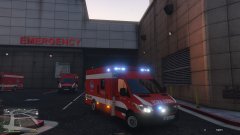 Where did you get the Skin from? :D

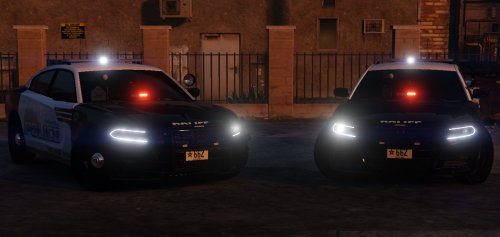

.thumb.jpg.61de846de400ca98f85d205992527de1.jpg)
