Creators: Due to background reprocessing of files, approvals and file security checks may be delayed. Thanks for your patience.


A Stranger
Members
-
Joined
-
Last visited
Everything posted by A Stranger
-
I do not want to argue in here, so I apologize in advance. But you have been doing that for a while now. 🙂
-
A bunch of people have this issue lately. 1. Remove the OpenIV.asi; opencamera; asiloader files manually from your GTAV folder. 2. Try and do a clean reinstall of OpenIV. 3. Reinstall the files.
-
Good. Now you can stop copy & pasting my solutions. Thank you.
-
Not quite true. The latest and most recent log, the one you need to determine the crash is not in the /logs folder. It's the RagePluginHook.log in the GTAV folder. Also, @kristovision, please stop copying my stuff from the RagePluginHook Discord. Much appreciated.
-
Rename mods to _mods, if you got it. Other than that: Wait for LSPD:FR to fix their latest update. It's currently broken-
-
It's an issue with the latest LSPD:FR update. Wait for G17 to fix it.
-
Make sure you remove ScripthookV.dll and dinput8.dll. You will no longer be able to use SHV-Scripts, like: ELS, Trainers unless you use the alternative: AsiSupport.
-
It's a LSPD:FR issue. Wait for them to update.
-
No need for that as we've already done all of it. I assume a bunch of others will come forward as I've seen many have already.
-
Not really having an issue but it seems like with the 0.45 Update of LSPD:FR as soon as you arrest a ped, the game will crash. Walking up to a car and pressing E: Crash. Arrest a ped and pressing E after cuffing them: Crash. Vanilla + Modded: Crash. Vanilla only: Crash. Seems like everyone is having this issue. The plugin itself runs fine, like accepting callouts works + bliping peoples cars. Let's all hope there will be a fix soon and make the amount of new topics short. 🙂
-
You're very welcome!
-
The log will say E:\ even if you do NOT have an E:\ drive. It's the virtual LSPDFR drive.
-
E:\ is LSPDFR. He has been helped in the RagePluginHook Discord.
-
Thanks to the RPH Discord. Like I said, it's your mods folder, if it works fine without. Also gave you some things you need for your add-on cars.
-
We need to see the folder you have Rage installed in. If GTA5.exe is really missing, verify.
-
SHV has nothing to do with Callouts. OpenIV mods folder will still work. But they will need to be updated, yes.
-
Launch GTA, go into SinglePlayer, once spawned, tab out and launch Rage.
-
Do you have Steam or Retail?
-
This is strange since yesterday I told you to install the gameconfig, heap and limit adjuster on Discord. You said you did. Apparently not.
-
-
-
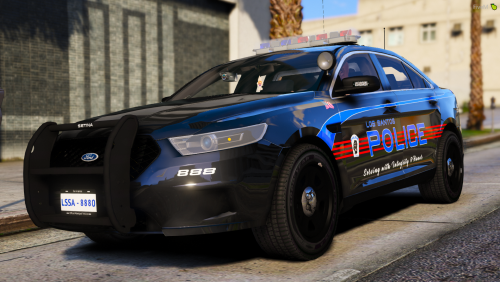 Been looking for a Durango for a while now...sad that it's shown so much and not included. One of the reasons I would have downloaded this skin pack. Anyone know how to get that model? if it's available.
- 10 comments
- 3 reviews
-
No need to re-download GTA5.
-
-
Then there is your issue. Make sure to never replace .meta files as well.