


BlaineBug
Members
-
Joined
-
Last visited
Everything posted by BlaineBug
-
 Yes I understand this, but does it have the capability to do this, perhaps in the future? Is it remotely possible? When I do this it just engages the horn full time.......selecting 0 (which is for my horn because i have 9 siren tones + horn for each vehicle) plays the horn tone continuously. I am also experiencing another issue, when exiting the vehicle and going on a foot pursuit while having the .ini file set to play the siren when out of the vehicle. You hear the siren audio no matter where you are on the map. Although it seems as if this only affects one of the tones that is playing. If running dual-tone sirens before exiting the vehicle, one of the two siren tones will fade away the further you get from the vehicle. The other will not......
- 851 comments
- 108 reviews
-
What is the reason for exporting and copying the vehicles folder with all of the audio files into the SirenMastery directory, if one is going to use custom sirens in the other folder anyway? When using custom sirens, are the siren tones for AI vehicles pulled from the SirenMastery vehicles folder, or from the "vanilla" GTAV vehicles folder? I am curious, because, I am wondering if the vehicles folder within the SirenMastery directory would allow a loophole around the ~15 mb file size restriction, and allow higher quality and/or lengthier siren tones for the AI vehicles. Is this the purpose of the vehicles folder within the SirenMastery directory or not? By the way, I fully understand that the CustomSirens folder only allows for custom sirens to be utilized by the game player only, and not AI.....obviously I am aware of this fact. I am curious about the vehicles folder, though. Hope my question makes sense, let me know if it doesn't.
- 851 comments
- 108 reviews
-
 Excellent! A superb section of sirens to choose from with some pretty fantastic quality if I may say so myself!
- 51 comments
- 13 reviews
-
-

- 1
-
-
Sounds great. I look forward to the implementation of the new units. This is going to be so epic........thanks for providing the community with a fantastic mod that totally alters GTAV and is just about essential to playing LSPDFR!
-
Progress is progress! What are you doing with the agencies fleets? Please elaborate.
-
I'm not all that far off. See the above comment by NefariousBonne! Swell news indeed!
-
Hopefully the next release of RDE will be out in not too long...........fingers crossed.
-
 Would it be possible to release these siren tones individually and not in vehicles.awc so that I can use them with SirenMastery? I know you included the audio files in the "samples" folder but I don't know if those are high quality or not. Thanks in advance!
- 4 comments
- 8 reviews
-
Awesome plugin. Up to 9 sirens with one horn per vehicle. No longer have to hold down key to use secondary siren tones. Fantastic! Hoping that this script will continue to expand to be able to allow higher quality recordings and more diverse siren tones for the AI vehicles as well and remove the issue of balancing siren sound quality and file size for the AI vehicles. Keep up the great work!
- 851 comments
- 108 reviews
-
-
- 1
-
-
 I too noticed this with the rap music while going through all of the available siren tones.
- 316 comments
- 31 reviews
-
Looks good! I believe that I see a Highway Patrol livery added for the Granger. Are you still working on the Sherriff Bison as well? Looks fantastic and I can't wait for more. I think that RDE is by far the best add-on to LSPDFR.
-
Are you changing any of the siren tones around or are you trying to install it exactly as you downloaded it?
- 316 comments
- 31 reviews
-
Good to know! I reverted back to stock models due to the constant pain in the arse that it is when rockstar releases new updates.
-
Thanks for the tip. I have input the realistic dispatch.meta and FiveStarResponse_Realistic.ini as directed. These go in the GTAV scripts folder. However, do these files override the backup.xml file located in the GTAV/LSPDFR folder. This is the file I edited previously. I still do not see the new RDE vehicles spawning outside of what I edited in that file. For instance, I added FBI to spawn when I call state patrol, which it does. I also removed POLICEB from spawning when I request state patrol. According to the dispatch.meta file, hwaycars should spawn on the highway. Do I still need to add these vehicle names manually to backup.xml? I do not see any other backup.xml files listed. I doubt they would, since RDE is separate from LSPDFR.
-
Can someone please help with the file names for spawning the added RDE vehicles? I'm editing dispatch.met and would like to add the RDE vehicles and possibly the ped models as well for LSPDFR gameplay. I never play vanilla GTAV so unfortunately, unless I spawn the custom added vehicles through the trainer, I never get to use them.
-
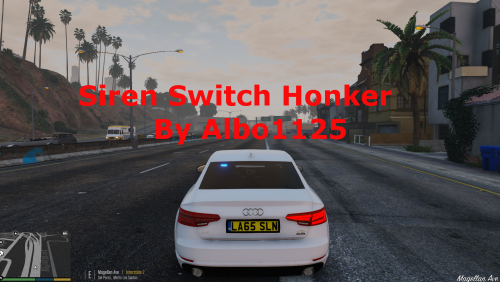 Neat. I do not have any experience with the brand new cars like that with all of the new technology.
- 48 comments
- 18 reviews
-
Interesting. I thought that the new Ford vehicles had additional buttons on the steering wheel that could be customized to control different functions.
- 48 comments
- 18 reviews
-
How do they work now? Are you saying the horn beeps when you switch siren tones with the horn switch now?
- 48 comments
- 18 reviews
-
I look forward to being able to choose a siren tone. Holding the button screws up my driving style.
- 48 comments
- 18 reviews
-
I have installed sirens in the United States before and most of them have a feature called "horn ring transfer" which basically uses the vehicle's horn button on the steering wheel to cycle through tones. This makes it easier for the driver, not having to take his hand very far off of the steering wheel. The horn button can also be used to activate the air horn and/or a short blip of a siren tone if the siren is turned OFF, while in manual mode. The horn button cannot be used to take the siren out of manual mode, though. The horn button can only be used to cycle through the available siren tones after the siren is manually activated, directly from the siren controller. Additionally, the horn will not beep. The siren controller will bypass the factory horns while the box is switched on and in manual mode. If the box is switched off entirely, then the basic OEM vehicle horn functionality will be restored to the horn button on the steering wheel.
- 48 comments
- 18 reviews
-
Is it possible to use the RDE vehicle models as backup vehicles for LSPDFR and other mods that have the ability to configure custom backup vehicles? Where can I find a list of names for the RDE vehicles for the purpose of spawning them?
-
Thanks. I look forward to it!
-
Does RDE add a Sheriff Bison and Buffalo? I saw somewhere that the Sheriff Bison was police5 or something like that, but I am unable to spawn it. Also, is there a list of what all of the added vehicle names are? Currently I can only spawn them with the simple trainer "added vehicles" edited configuration file, but the Sheriff Bison is not listed there either. Lastly, how can I change my character's uniform/skin to one of those that RDE added?
-
 Yes I have, many thanks. I didn't see it until later. Hopefully nobody else missed it!
- 1,515 comments
- 85 reviews
-
I believe that this mod is not compatible with the latest Rockstar GTA update. It is the only item in my mods folder that was apparently not allowing GTAV/LSPDFR to launch. Once I deleted my mods folder, everything was once again playable. Only started happening directly after last week's Rockstar update. I'm willing to bet that it is related to Realism Dispatch Enhanced. Has anyone else experienced this just like I have? Same, experiencing this here as well. The logs did not point to RDE as being the culprit, but as it being the only thing in my mods folder, and when I deleted the mods folder, everything cleared up again. So I suppose that confirms RDE as being the culprit since last week's Rockstar update.
- 1,515 comments
- 85 reviews

