BlaineBug
Members
-
Joined
-
Last visited
Everything posted by BlaineBug
-
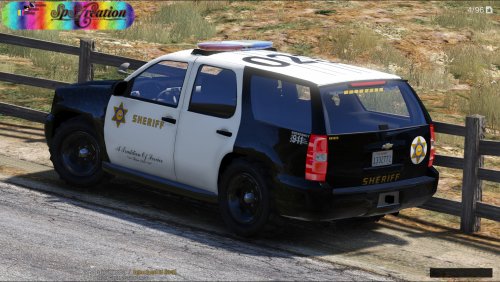 Thanks for the response, better late than never. I had found one or two photos on the net of an all white LAPD vehicle. However, the LAPD Charger in question actually needed to have the body color changed to BLACK for the black and livery to display in game properly. So, it was never intended to be an all white car. This is the only vehicle model that required me to change the body color for some reason, the rest of my models seemed to work as is. Anyway, I fixed that a long time ago. But thanks again :)
- 63 comments
- 10 reviews
-
-
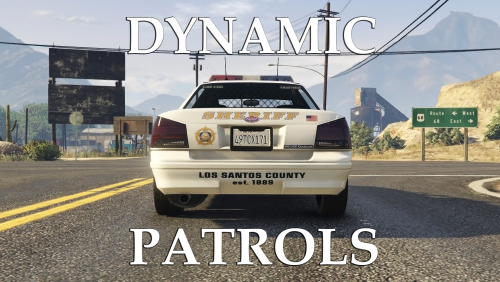 I mean, can you add more cars to spawn, not just replace? Like if I could have all of my models, or a significant portion of them, randomly spawning?
- 57 comments
- 8 reviews
-
Any way to incorporate add-on cars? I have about 50-60 custom cars installed, so that's at least 35 add-on models.
- 57 comments
- 8 reviews
-
-
-
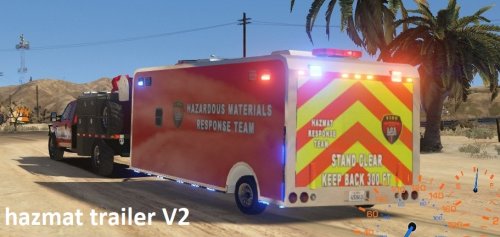 Is there a <FLAGS> entry that must also be included? I am trying to get your ESU trailer able to tow.
- 12 comments
- 1 review
-
Oh. So you add every single trailer that the vehicle can tow. Which is why the Semi Trucks can only pull the large trailers and why the pick up trucks can only pull the small trailers.
- 12 comments
- 1 review
-
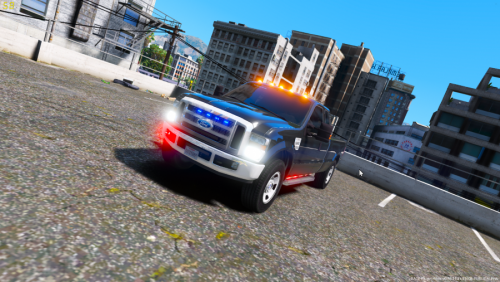 I also notice that the SCENE LIGHTS on this truck activate the tool box in the truck bed as well as antennas on the roof. Obviously ELS is controlling EXTRAS that aren't lights. Although they do put out an illumination beneath the truck. Can this please be fixed?
- 15 comments
- 3 reviews
-
 This model appears to only be BLACK, as I cannot change the color in the trainer. Is this correct or did I do something wrong?
- 85 comments
- 45 reviews
-
 What FLAGS do you have for these add on vehicles? Can you copy and paste the FLAGS line from vehicles.meta?
- 267 comments
- 36 reviews
-
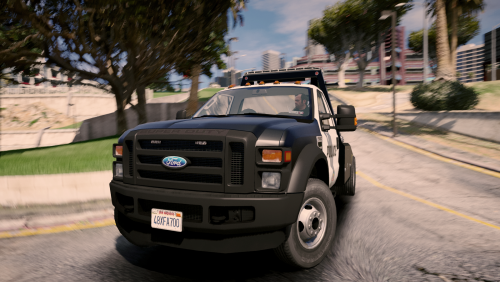 I am using this as an add-on model with its own carvariations and vehicles.meta entry. I have done the same for 50 other add-on vehicles that all work. However, I am unable to ENTER this model. What am I doing wrong or what else do I need to change?
- 26 comments
- 24 reviews
-
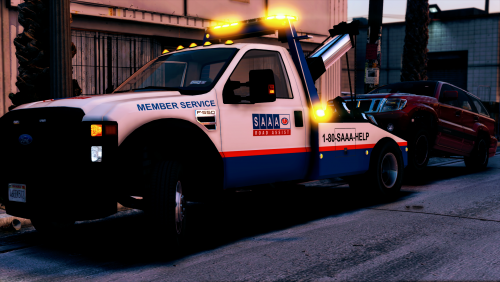 Do you know if the textures are compatible with the F550 Wrecker made by Thero? It has a different lightbar than the model in your description (although I have that model as well.)
- 15 comments
- 5 reviews
-
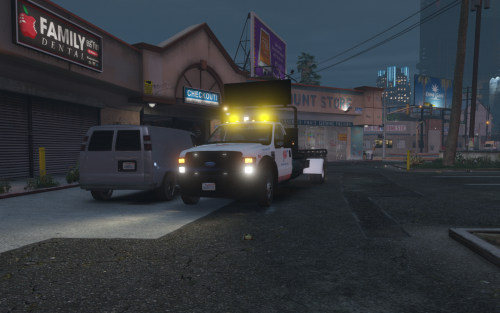 I installed this model as an add-on. What do I have to edit to be able to enter the vehicle? For whatever reason, I am unable to enter this vehicle. Thanks!
- 45 comments
- 12 reviews
-
 Is it possible to use more than one tow truck model for each category? For example, two different models for towtruck and two different models for flatbed?
- 1,915 comments
- 242 reviews
-
Maybe in a future update more customization would be allotted to the user. I also notice that there is an issue with LED and strobe coronas (not halogen), it seems as if the flash pattern is biased to one light more than the other, sometimes it steady burns in between flashes. It's odd.
-
-
I second the issue with the front take down LED light bars having illumination to the rear of the vehicle, and also the placement of the lights which appear to be floating outside of the vehicle's body to the left and the right.
- 15 comments
- 3 reviews
-
-
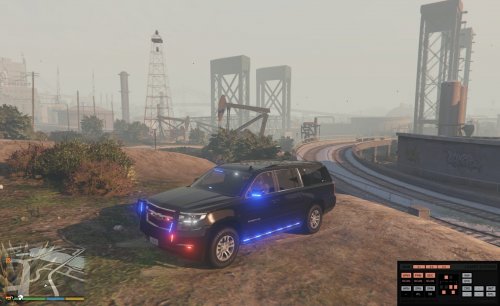 Can you send the texture to me? I can swap it over and test it out. Feel free to PM me.
- 87 comments
- 22 reviews
-
I don't know why but it is definitely missing. You can see where the glass begins and ends. I don't know what to tell you other than what I am seeing. Test it out for yourself. I normally use this diffuse tint line because tints seem to affect lightbars and headlights on other models. Some models have a tint texture that can't be removed with the diffuse tint line, and I think that works better. For example, I have some slicktop CHP cars in my list. I use the no tint diffuse tint line, and the windows still have tint, but they have a slit cut in the tint where the lights are near the trunk. The glass isn't missing in these cases, though. All I can suggest is that you try it out by altering your vehicles.meta for this vehicle model and then trial it in game. Other than that, it is a phenomenal model, but for the time being I had to replace it with something else because it's too noticeable to forget.
- 87 comments
- 22 reviews
-
 GTAV>Plugins>LSPDFR>EasyLoadout>Configs You will find EasyLoadout.ini and 3 Loadout configs (Loadout1.ini, Loadout2.ini, Loadout3.ini). Inside of EasyLoadout.ini you will be able to alter the ammunition counts.
- 58 comments
- 12 reviews
-
-

- 1
-
-
It appears as if by removing the tint, you removed the glass. I have my vehicles.meta file set to have no tint for the diffuse tint line (<diffuseTint value="0x00FFFFFF" />), and you can clearly see that the glass is literally cut out around the lightbar. There is glass everywhere else for the rear window except the cutout around the lightbar. I use this diffuse tint line for all vehicle models that I have installed, and it appears as if it is specifically an issue with this vehicle model alone.
- 87 comments
- 22 reviews
-
 Looks like you need to change your sirensetting to 13 for the carvariations file slot for this model.
- 2,698 comments
- 239 reviews
-
There is an issue with this model, in regards to the rear window. There is NO GLASS directly behind the lightbar mounted to the headliner.
- 87 comments
- 22 reviews