


Compeast
Members
-
Joined
-
Last visited
Everything posted by Compeast
-
@strike, Have not seen the movie, but it seems freakin' awesome!
-
-
-snip-
-
-snip-
-
-snip-
-
No need to purchase IMHO. As San Andreas has a great model, which is actually the one strike shared with us, but converted.
-
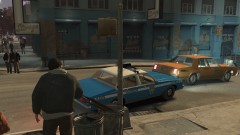 Nice. I see you really need an '80s Caprice with Aerodynic. Gonna try to get you one as soon as possible.There's a difference between a 1994 and a 1997.1; I did not downvote you. 2; We're trying to make a pointNot what he was searching for I think. :PSo, as I said: There's NOT.
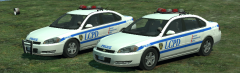 Non ELS? I start to respect you more and more... *I'm also a non ELS do-er, you see*
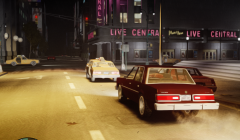 I hate that bugged Taxi, with its doorbug. Not correctly made. use mine! ;)There isn't one.
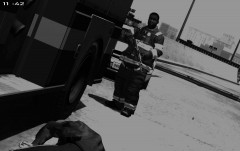 AK is soviet. (:-snip-
You stumbled yourself on a tiny rock, while you were running towards the Firefighter. Your trap turned fatal, you died. Meanwhile you fell, your gun went off from your hands, straight into the Firefighter's hands by accident. Police arrives, thinking the Firefighter is a killer.Best wishes. Unfortunate your latest work hasn't been released. Go catch 'em bad boys now, bud'. And as Sam states, we are all grateful for your work. Take careSgt.Kanyo: When I have that problem with one of my mods, I re-export it, and then it's solved. Seriously, it works. Mostly that bug comes once I added something, like a cage or lightbar.This would be neat working inside LCPDFR. Good job anyways!-snip--snip-
AK is soviet. (:-snip-
You stumbled yourself on a tiny rock, while you were running towards the Firefighter. Your trap turned fatal, you died. Meanwhile you fell, your gun went off from your hands, straight into the Firefighter's hands by accident. Police arrives, thinking the Firefighter is a killer.Best wishes. Unfortunate your latest work hasn't been released. Go catch 'em bad boys now, bud'. And as Sam states, we are all grateful for your work. Take careSgt.Kanyo: When I have that problem with one of my mods, I re-export it, and then it's solved. Seriously, it works. Mostly that bug comes once I added something, like a cage or lightbar.This would be neat working inside LCPDFR. Good job anyways!-snip--snip-


