


Compeast
Members
-
Joined
-
Last visited
Everything posted by Compeast
-
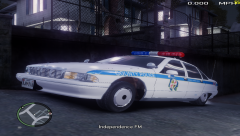 Nice job on those textures.
 -
Someone dislikes the police.. O.o Seriously, never seen this kind of behavior before, ever. Really odd, but cool in some way...
-
I just use OpenIV to get my textures working on the new models, and then extract them to desktop, and install them with SparkIV. OpenIV is too advanced to do all modding with. I simply remain with SparkIV for the installing stuff.
-
 A lightbar.
 -
I'd focus on getting the model correctly ingame first, but oh well. As Kevin stated, you could borrow, or create it yourself. A desicion that's up to you. By the way, I'm very glad someone started on a '94 FCV for IV.
-
-
-
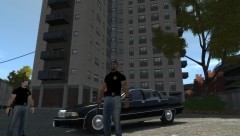 Caprice! My true obsession!
 -
I have changed the settings, and now 0 of them will spawn as responding, to make sure they will drive normal. Plus: I have changed the chances to 80 to all of the vehicles inside my file. I did that because they spawn very rarely, and wanted to make sure they will spawn. But they still spawn rarely. What do you advice to put in the .ini file, to make them spawn more often? Note; some vehicles still spawn frozen, as shown underneeth: EDIT: Okay, very odd. It wildy starts to work great, and tons of the vehicles I wanted spawn, for like one minute? Then it stopped again. Sample shown underneeth:
-
I'll give that a try a.s.a.p. Ty (:
-
Oh, yeah, we used some program what made my friend and I test the steering wheel, and create it as an .asi file. Unfortunately it failed.
-
We sir, are on the same page! Flip the page, and it will continue with ''Dodge'' and ''Chrysler'' in my book. Ghehe
-
Sorry. not quite sure what an emulator exactly is.
-
-
Now we've mentioned hardware for IV anyway, I made a topic a pretty while ago in the support section about a steering wheel for PC & PS3 I have purchased. Hoping it'll work in IV. It doesn't. Drivers installed etc, it works in GTA San Andreas, but not in IV. I guess that's normal?
-
Looks boss. +1
-
-
-
-snip-
-
 Lookin' boss...
 -
-
-snip-
-
I would change the order. First rebuild, then save.
-
-
-snip-


