


Compeast
Members
-
Joined
-
Last visited
Everything posted by Compeast
-
-snip-
-
-snip-
-
-snip-
-
-snip-
-
You can always shout: ''WOOF''.
-
-snip-
-
-snip-
-
-
-
-
-
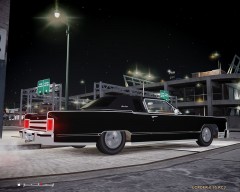 Epic Lincoln is epic.
 -
-snip-
-
-snip-
-
-snip-
-
-snip-
-
Will probably be coloured by default. Sample: Yellow on a taxi.
-
I'd love to see a mod with wigwag front lights, also working on AI traffic myself.
-
-snip-
-
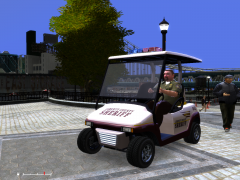 Say whatever you want, but it most certainly is a nice livery!
 -
I know it's very difficult to script such a thing, so very good job. Perhaps to expand the system; drive up into a certain position in front/behind the vehicle, so it will look like it'll load up? A position like below After that parkup, then warp it on top of the vehicle. Still like the system though, keep it up.Looking forward for more.
-
-snip-
-
-snip-
-
-snip-
-
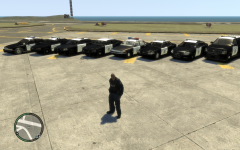 Well, there is one fictional CHP Caprice, by Cj24. I'm gonna make mine real. And make two versions.


