


Compeast
Members
-
Joined
-
Last visited
Everything posted by Compeast
-
-
Ahh damn, no inspiration at all. This became the result :/ teaser: logo: Sorray, inform me if it sucks, (what it kind of does), and tell me a certain style, because I had no idea... so I went ''awards'' style.
-
Yeah, I know, but as the title says: ''The First Response'' Machinima. Anyways, no worries, bud'.
-
I'll be willing to make one. Bored anyways, but not gonna name it Machinima, because that's an already existing name in use.
-
-
-
If you say so.
-
I recently wondered the same thing! But I'm not gonna use SNT any more. Animations and stuff will bug while using LCPDFR, and driving in a car. Even when you turn it off.
-
Hmm, 4GB Ram isn't that much... It might will cause lag, maybe even on low settings. And about the Intel Pentium Dual Core. I'd say take a Quad Core, then you'll be able to run it properly. GTA IV requires minimum 2, plus the fact there's always random software running while you play that will cause lag for sure. So I'd say; go Quad Core. About the Error.. Don't really think it's due to an incorrect Graphic Card. I know some people who often have issues according to incorrect videocard, just requires a certain update. Don't ask me which one, google it, maybe that'll help.
-
Great, seems long, but definitely gonna try it!
-
-
-snip-
-
Title says PPM..?
-
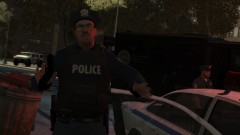 You don't say... Haha epic as always! 5stars!
 -
-
Perhaps an ESU/NOOSE mode? An option to make you get the NOOSE skin, and a 3 man team. Your vehicle will be choosen outside, like always. You get a NOOSE weapon, or an M4, whatever you guys like. Once the team is setup, you get the heavy call-outs, for example a shoot-out or an armored robbery. Perhaps you guys can advance the callouts with a Hostage situation in the museum or something? Or open the Bank, close the area, and make it a bank robbery? Just an idea, anyways, you guys get the idea of the NOOSE mode. (: Hope you guys will make that an option ^^ ______________________ Next; idk if it's fixed, but when I die, during a shoot-out or something, things become buggy. For example the target blips remain, even though the callout has end. When I go back to the scene, and try to kill the ''targets'', I am able to kill them, but they remain alive somehow. If you know what I mean... lol
-
Not a problem. ;)
-
Press the layer where the word is in. Following: Control+T. *A square will come around your text, which makes you able to move the text and edit. Right mouse in that square: Flip Horizontal.
-
-snip-
-
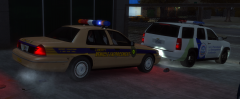 Like all the upcoming will be, Dhruv! ;)
 -
-snip-
-
And that's why I went non ELS myself...
-
-
LOL, that's literally in the middle of the street. Not against a tree, no middle of the sidewalk! Awesome!
-
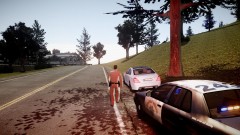 OMG, What map is that?! O.o



