




Slendis
Members
-
Joined
Everything posted by Slendis
-
Its some specific models like BxBugs's charger where the spotlight mod does not work.
-
I'm pretty sure he has how to fix that in the Readme.
-
Not to GTA V. But i think a couple of modders are in the making of a LVMPD Vehicle pack.
-
 Can i add these to sheriff and sheriff2? If so, what sirensetting should i use to make it work correctly?
- 779 comments
- 187 reviews
-
Did you install the .oiv or did you install it normally?
-
You can either turn windowtint to ''None'' in your trainer, or edit the .META.
-
I never said there wasn't enought models, i just said i think we need more variety. Yes i am aware of the ELS Style light pack and i have it in my game atm. I posted my oppinion on that we should have more FPIU's and FPI's, more slicktops and more vehicles with wraparounds.
-
In my oppinion we have way much CVPI's and Charger's in the game. I would love to see more - FPIU's - FPI's - 15 Charger's In my oppinion we have way to much arjent vehicles. I would love to see more variety with Valor's, Liberty's and so on. I also think we are lacking slicktop vehicles and vehicles with wraparounds. I love slicktop's, especially FPIU's and i also love wraparounds. Since the CVPI is not being made anymore should the CVPI stop on LCPDFR aswell? ;) I understand it's probably very hard to find parts and good quality models to make slicktops, and cars with wraparounds but i feel modders should be more ''loyal'' and let trusted modders use their vehicles? Even if you moddeled the car from scratch yourself i feel like the modder could send the model to some other trusted modder on the website so they can create good quality mods without using a shit base. Feel free to comment if you feel the same or just read and leave if you feel like it xP I still love CVPI's but i think we need more variety
-
There is alot of 2013 Tahoe's out there with diffrent templates so a link to a specific model would probably help
-
Oh shit you a real mad man
-
I was about to post a comment saying ''You do realise this is Him1250?'' but then i saw the
-
Any ETA on the 16 FPU, Tahoe and FPI? Christmas is only like 2 months away so maybe... maybe an early christmas present from Santa?
-
-
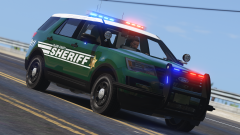 Will the Sheriff pack be released at the same time as the PD pack? Or will they be released at different times?
 -
Try to use the Visualsettings that came with this mod That worked for me.
-
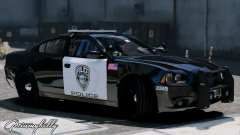 What department is this based of?
 -
.png.e8436bfdbb232040b35102ced75b8b57.png) Nope, think that is Carper's charger.
Nope, think that is Carper's charger. -
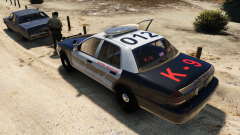 I think @Bxbugs123 added a feature to his CVPI that made you able to add diffrent skins through your trainer. You went into your trainer, changed something in the vehicle mod menu and just like that you got K9 text all over your windows. They would not show up on AI cars but you could add it yourself. Maybe that would be something to think about? :) So pls master bxbugs help us
 -
Oh, didn't think about that x) But it could probably even get re-moddeled to make it look like tape.
-
That might be possible with re-skinning the barriers that you can place with Traffic Policer or whatever plugin/script it is? Not sure tho
-
Oooooo looking forward to this
-
Yeah thats what is was thinking to do if only i could find the right value :)
-
Yea, but i'm using Captain14's LSPD pack and with RadianceV the lights look like shit same with Brighter Lights and i saw Techengage say he had his visualsetting set to almost a 1000 or something so i was thinking if i could change that on my own :)
-
So i've been searching for a while on LCPDFR.com for what value i should change in the visualsettings.dat to make my emergency lights brighter or less bright but i can't seem to find what value to change? Someone nice that can help me? ;)
-
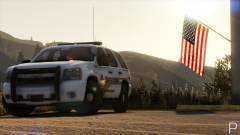
(Admin move if wrong section) Sooooo, i'm planning on doing a Seattle based LSPD skin pack for Captain14's LSPD ELS Style Lightning pack but i'm having struggles on what style i should make, so i'll provide two screenshots of two of the designs i can't choose from and you can vote. :) (Very, very VERY loosley based of Seattle PD) STYLE 1 STYLE 2


.png.e8436bfdbb232040b35102ced75b8b57.png)
