Slendis
Members
-
Joined
Everything posted by Slendis
-
 LOL
LOL -
-
-
-
Have you edited any form of carvariations.meta or vehicles.meta recently?
-
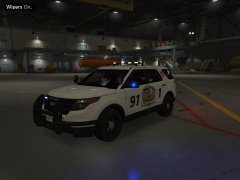 ''It should be noted that the body paint is a fictional paint, do not reproduced the reality of the vehicle.''
 -
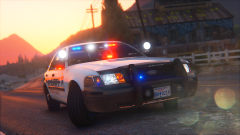 Specs and visualmods? Soooo hawt
 -
I also had that issue, not sure what changed but i just reinstalled the .metas and the vehicle file and it worked
-
Thats true, but thats only if he has edited it before right? Becuse if he has let's say default police2 carvariations and handling it should work without him changing anything?
-
Why? It's a very simple install on all of the vehicles. It's just drag and drop and you don't even have to edit .metas. Only on the FPIU but thats simple.
-
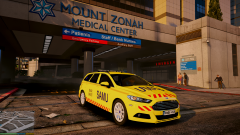 I guess SAMU is some type of paramedic?
 -
-
-
-
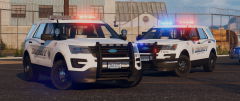 Wow really? I much more prefer these new ones, they just look so much more clean and modern.
 -
Any more updates my brother?
-
Happy birthday!
-
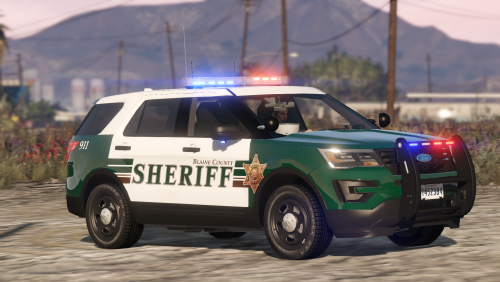 I use sirensetting 1 for both sheriff2 and sheriff3, and i use the default sirensetting (13) for the CVPI. I'm gonna try and change the CVPI sirensetting to 1 aswell and see if that fixes it. EDIT: That actually fixed it!
- 77 comments
- 32 reviews
-
@Black Jesus You would not mind maybe including a carcols in the next update? Since all the carcols i've tried only works on the Utilitys not on the CVPI.
- 77 comments
- 32 reviews
-
 ooooo i like this EDIT: What graphical mods are you running?
 -
Hmm, that's weird.
-
So as i'm writing this i'm thinking of what i should get for christmas or what to get after christmas, and ofcourse its gonna be PC upgrades! I've for a long time wanting to buy two SSD's so i can have one for games and one for other shit, but lately i've been very very interested in buying a GTX 1070. And ofcourse i've been watching videos when people are playing GTA V in 2k and 4k with a 1070. So you could maybe help me descide what i should get? And what 2k/4k monitor i should get? (Please 144hz) Right now i'm rocking a Intel-Core i7-4770k Gigabyte GTX 970 4GB Crucial 8GB RAM DDR3 1TB Harddrive BenQ XL2411Z 144Hz 144Hz is a must for me, i've been using 144Hz for half a year and i will never be able to go back. So fuck the price just link me any good 2k/4k 144Hz monitors and also help me descide if i should get two SSD's or a GTX 1070. :)
-
You don't have to make one from scratch. I don't even think you can. Just use a program like OpenIV and most of the times there will be either a carvariations.meta file or a bit of text you should put into a carvariations.meta file included. And it should then also say where to install it.
-
Just go to the plugin Then click ''See changelog'' And then just click the version you want and then klick download.
-
Well i just fixed it. Seemed like it was one of my .meta's that was incorrectly installed.