Slendis
Members
-
Joined
Everything posted by Slendis
-
Yep, doubt it's gonna happen
-
Good luck! Merry christmas and happy birthday aswell! :)
-
-
 Oh, bad on my part. Here is his discord https://discordapp.com/channels/172499982975369216/185820968239759361 click ''lspdfr'' in the left bar and scroll up until you see the LSPD Pack carcols that he uploaded :)
- 779 comments
- 187 reviews
-
-

- 1
-
-
-
I have no school from yesterday till Jan 10th
-
Check Jeff's discord, he uploaded a edited carcols file to make the reflections more realistic. No, not what i know. But maybe you can edit the popcycle or something to make it spawn in traffic. Yep there is alot of different skins for these vehicles.
- 779 comments
- 187 reviews
-
-
- 1
-
-
-
-
I guess you can call it a bug, becuse when you replace your visualsettings.dat to make your lights brighter the taxi signs get brighter then satans butthole. I don't think anyone has found a fix for it yet.
-
Thats a big ass pushbar
-
-
First of all you should have changed the title, making the title ''Hey'' might not be the best choise. Making it something like ''Boston Police car GTA IV?'' would be better. Second of all you should have used the search bar and you would have found alot of different cars. This time i looked it up for you and i'll link some down below :) And also if you click this link you can find even more Boston vehicles. http://www.lcpdfr.com/search/?&q=boston&type=downloads_file&nodes=10,16
-
 Beautiful tahoe mm okay lool
 -
-
 Oh okay :) Thought you didn't know this was arma :)
 -
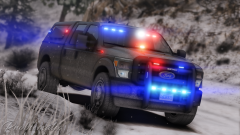 Just make one your own, make a 4096x4096 file in photoshop and make it blank and save it as a PNG and bang you have a unmarked skin
 -
This is for arma not gta if you didn't notice.
-
-
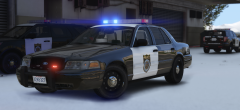 thegrethah pls rlse skins how to istal
 -
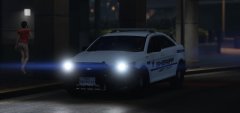 Probably GTA IV skin
 -
Probably
-
No
-
So my game worked worked last night before i went to bed, but when i tried to start the game today it crashes before the game even starts. I started the game normally through RPH and it loads up and it logs into Socialclub and then it loads for a bit then it says ''Grand Theft Auto V Launcher has stopped working''. I've tried to restart my computer, rebuild my mods folder, tried to reinstall my game and tried this thing where you disable your graphics thing in the Device Manager. But no luck. So if somebody knows how to fix this please let me know. Also let me know if you need a log or something else and i'll try my best to provide it :) EDIT: Think i fixed it by installing social club again
-
Oooh, im excited for this