Slendis
Members
-
Joined
Everything posted by Slendis
-
Why sooo many cars!! I don't have enough vehicle slots bro lol
-
 God damnit, if it does not include one use the default one that came with ELS.
- 40 comments
- 12 reviews
-
-
Yep, think it's down. Every time i download something it downloads a corrupted file or empty file.
-
The reason it has 20 extras is becuse ELS uses extras as lights, when you go on duty through the garage make sure every extra is set to on otherwise the lights won't work.
-
-
-
 I feel it comin' babe
 -
 Perfect. Perfect. PERFECT. It was great having the opportunity to test these babies out!
- 85 comments
- 28 reviews
-
-

- 3
-
-
 Looks great! Also still using VisualV and QuantV? If not what are you using atm?
 -
My RAM is touching my 970 so i had to take it out to put more RAM in. But it shouldn't be a problem. I gues you could measure it but if you buy the same model of RAM as you already have it should not be a problem.
-
Most of the RAM Brands has unique shapes, but they all come in the same size. So all RAM sticks should fit in all motherboards. I guess you could check the pictures and see what shape they have.
-
Oh god, these look hot as fuck. Might have to use these cars insted of yours ;)))))) im kidding bae
-
I think @Black Jesus has Vertex's since i think he added them on his Redmond cars. Maybe ask him?
-
I think you could, i've never tried it but it should work. Just make sure they are the same brand and model as the other two.
-
Well you could take out the current two sticks you have in your computer. And by two new ones with more GBs and put them in the same slots.
-
If you have two RAM sticks in slot 1 and 3 you can put two more sticks in 2 and 4. But the RAM sticks have to be the same as the ones you already have.
-
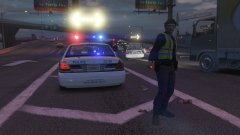 Yep car crash
 -
From the album: Slendis Screenshots
WIP Vehicles by @DriX Designs goddamn montreal police with their military camofluage pants god damnit© Slendis
-
It uses OfficerUnderwood's template.
-
Maybe Modesto Police for these?
-
He is asking for GTA IV Support not GTA V.
-
You install it via OpenIV
-
Through EUP Only if you use it in Multiplayer.
-
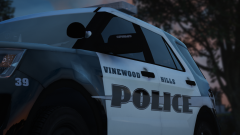 Looks hot. Also visual mods?