Slendis
Members
-
Joined
Everything posted by Slendis
-
Actually i have no idea. I just started using RDE so i don't know where all .meta locations are, you'll have to ask a RDE pro about this.
-
-
-
It's in steamapps\common\Grand Theft Auto V\mods\update\update.rpf\common\data\levels\gta5 for me atleast. Are you looking for ''sheriff3'' handling or normal ''sheriff and sheriff2'' handling?
-
mods/update/update.rpf/common/data/levels/gta Should be the right location for the vehicles.meta file :)
-
LSPDFR+
-
PROBLEM SOLVED! ADMIN/MOD PLEASE DELETE THIS TOPIC!
-
-
-
-
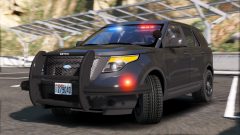 You really gotta stop making cars this fucking sexy
 -
If you are using MVGA, use the no motionblur setting.
-
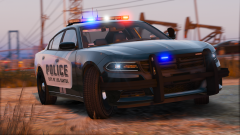 MVGA?
MVGA? -
So glad i finally got RDE working so i can fill all the slots with some new Albuquerque vehicles <3 Loving the models
-
It's amazing to see how far you've come in such a short time and i'm really proud over how fast you've developed! All of the vehicles you've been making are top notch models and i'm always so excited to see what you have in store next!
-
Thanks :)
-
Kinda off topic but, @Him1250 do you use RDE? If you do, when you wanna install fbi2 or police4 do you install it in the RDE folder or a normal patchday folder?
-
Yep agree. Do the older vics
-
It's motionblur. You can turn it down via the in-game settings.
-
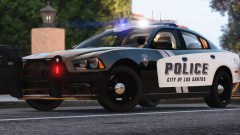 Oh god. My inner love for the 14' Charger just exploded
 -
Oh god. I need this
-
Looks great!
-
If you have ''FixedWheelTurnBack'' installed, go into the .ini and change ''VehicleEngineOnFeature=1'' to ''VehicleEngineOnFeature=0''
-
 For those that are still having issues with memory crashes here's another gameconfig I've created for you. Let me know if it helps. https://www.mediafire.com/?jw7jw6jb7iu1vw8
- 1,518 comments
- 85 reviews
-
 Vehicle configuration file