


davelaric
Members
-
Joined
-
Last visited
Everything posted by davelaric
-
Go into your main directory of GTA IV, then find the file called trainer.ini and open it with notepad. Press Ctrl + F and its should be up a search bar. Search in Keybindings and keep pressing find next until you see KeyBindingsDisabled=1. Change the 1 to 0 and save it and done!
-
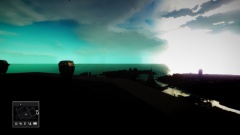 Here it is: http://www.gta4-mods.com/misc/minimap-f25204 Took me a long time to find this hud mod but finally found it and love it so far :)
 -
Here are some pictures of it: http://postimg.org/gallery/8i2ksiui/
-
Here is the BCAS Ambulance and I will try and get a a Vancouver firetruck. BCAS: https://www.mediafire.com/folder/ipklak73yflqs/BCAS_Ambulance_(GTA_IV) (To download it, click the top right green down arrow and it should start)
-
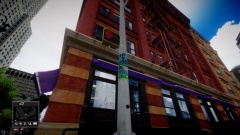
From the album: WIP ENB
-
Just a showcase of an ENB I'm working on.
-
From the album: WIP ENB
-
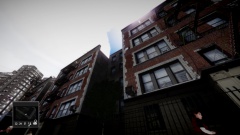
From the album: WIP ENB
-
Download this launcher and replace it into your GTA 4 directory and launch GTA from the new launcher. http://www.mediafire.com/download/uvvqdd4h7i4c515/LaunchGTAIV.rar
-
http://www.xbox.com/en-CA/Live/PC/DownloadClient
-
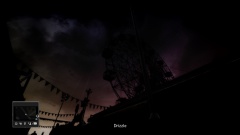
From the album: WIP ENB
-
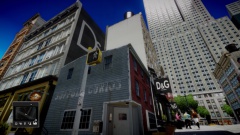
From the album: WIP ENB
-
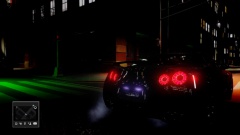
From the album: WIP ENB
-
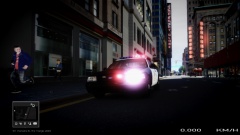
From the album: WIP ENB
-
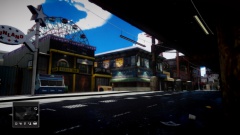
From the album: WIP ENB
-
You download the installer from LCPDFR 1.0B and run it. You dont need to complete any mission except the first one if you dont want to keep repeating it over and over when you start the game. Try deleting your save game by going into C:Users**YOUR NAME**AppDataLocalRockstar GamesGTA IVsavegames and delete everything inside and try again. Do NOT save a game with lcpdfr as it will corrupt it. Also make sure you have 1.0.7.0. I think doesnt cut it so if you dont have it, thats why. Dave
-
Go into the visualsettings.dat in Common/Data in GTA 4. Open it with notepad and search "other" and there should be a line called Other emissive lights. Under it shows this line "car.defaultlight.emissive.on" with a value beside it. To make your lights brighter make that number bigger. Hope this works!
-
uninstall the game and make sure you delete the leftover GTA 4 folder and reinstall. Try one of the enbs I listed before and see if that works. It could be a script error so could you post your scripthook.txt please?
-
Press P or go into your graphics and turn definition ON.
-
ok thanks anyways
-
Nope.
-
yes I have already.
-
Yes im using trainer 6.5 and no I have not changed the key in the config.
-
It does work in multiplayer!
-
I dont use multiplayer, so I dont know. Ill test it and get back to you on that.

