


davelaric
Members
-
Joined
-
Last visited
Everything posted by davelaric
-
.thumb.jpg.0349c60fdbc8a9b9a401f94f41059bb8.jpg) Sent you a message boss!
Sent you a message boss! -
Installed of them already :(
-
Hi Keaton! The models looks amazing! Just had a super quick question, when I install a DLC add on version for cars, my game crashes at loading. I've added the DLC list, tried a fresh mods folder, downloaded the heap adjuster, traffic increase and etc but cannot seem to fix it. Any insight into this by chance?
-
-
-
-
-
-
-
-
-
-
-
-
Go into the Nvidia control panel and turn off Adaptive V-sync if its on.
-
Hello, in my game, all the AI police cars don't move. I could have five stars but all the police cars are bugged and they just cant move or backup in LSPDFR are frozen. It's like they are stuck in place. I replaced the update.rpf with an original one and still same thing happens. This happens with original cars too so I have no clue why it is doing this. Also, I can't jack the police cars as I could before so I have no clue what's causing this issue. Happens both when launched with ragehook or regular game launcher. Removed all mods and tried that but still didn't work so really stumped now :/ Cheers Dave
-
Hey, no worries. Pretty solid actually! Yes of course the prices are going to be much higher but as you said, you can't do much about it. Solid for your first couple years at max settings. And you can also upgrade your parts in the future if you ever want to as that case is pretty good. If you have any questions on why/how, feel free to msg me here and I'll be glad to help out. Also, I HIGHLY recommend you overclock your GTX 970. You can get an easy 10+FPS boost. Once again, feel free to ask anything via PM if you have any questions. Enjoy your new rig!
-
No worries, that's not a bad CPU. Do you have a link to the PC? An I5-4460 and a GTX 970 is a pretty strong match. It's pretty close to what my rig now and I'm fine with GTA V maxed out @ 1080P 60FPS+.
-
Ah okay, er what model of an I5?
-
that cpu is good but GPU is really weak. I'm guessing this is a pre built? Trust me, for whatever you are paying for this, you'll get a lot more by building yourself :)
-
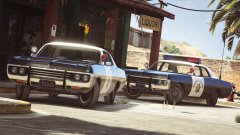 sorry, got too excited :(
 -
omg omg omg omg omg omg omg omg omg omg omg omg omg omg omg omg omg omg omg omg omg omg omg omg omg omg omg omg omg omg omg omg omg omg omg omg omg omg omg omg omg omg omg omg omg omg omg omg omg omg omg omg omg omg omg omg omg omg omg omg omg omg omg omg omg omg omg omg omg omg omg omg omg omg omg omg omg omg omg omg omg omg omg omg omg omg omg omg omg omg omg omg omg omg omg omg omg omg omg omg omg omg omg omg omg omg omg omg omg omg omg omg omg omg omg omg omg omg omg omg omg omg omg omg omg omg omg omg omg omg omg omg omg omg omg omg omg omg omg omg omg omg omg omg omg omg omg omg omg omg omg omg omg omg omg omg omg omg omg omg omg omg omg omg omg omg omg omg omg omg omg omg omg omg omg omg omg omg omg omg omg omg omg omg omg omg omg omg omg omg omg omg omg omg omg omg omg omg omg omg omg omg omg omg omg omg omg omg omg omg omg omg omg omg omg omg omg omg omg omg omg omg omg omg omg omg omg omg omg omg omg omg omg omg omg omg omg omg omg omg omg omg omg omg omg omg omg omg omg omg omg omg omg omg omg omg omg omg omg omg omg omg omg omg omg omg omg omg omg omg omg omg omg omg omg omg omg omg omg omg omg omg omg omg omg omg omg omg omg omg omg omg omg omg omg omg omg omg omg omg omg omg omg omg omg one more omg its so sexy
-
? MSI is not that bad, they changed their manufacturers and their quality has gotten a lot better since then. I've used 10+ MSI boards in the past month or so (building PC's for people) and no one has reported any issues. Still ,your choice. There are a lot of options on the market that you can choose from, this is just from my personal experience.
-
No worries. Are you comfortable with overclocking? These two are both solid boards with great features. Just pick the one you like better in terms of looks/branding etc as they are pretty much the same in function. http://www.amazon.co.uk/dp/B00K8KPXUO/?tag=pcp0f-21 http://www.aria.co.uk/Products/Components/Motherboards/Intel+Socket/Socket+1150+-+Intel+Z97/Gigabyte+Z97X-Gaming+7+Intel+Z97+(Socket+1150)+DDR3+ATX+Motherboard+?productId=60519&source=pcpartpicker *For me personally, I'd just get the MSI board as it looks slightly nicer and is a bit cheaper* And this PSU is a better choice cause of its modular cables which make cable management A LOT easier and look much nicer, trust me. http://www.amazon.co.uk/dp/B00ALYOTTI/?tag=pcp0f-21
-
An I5 and the 980 Ti will last you a long time with an easy 60FPS+ max settings on even upcoming games. Dunno where you heard that the I5 is bad but that isn't true.

.thumb.jpg.0349c60fdbc8a9b9a401f94f41059bb8.jpg)



