
Gelse16
Members
-
Joined
Everything posted by Gelse16
-
-
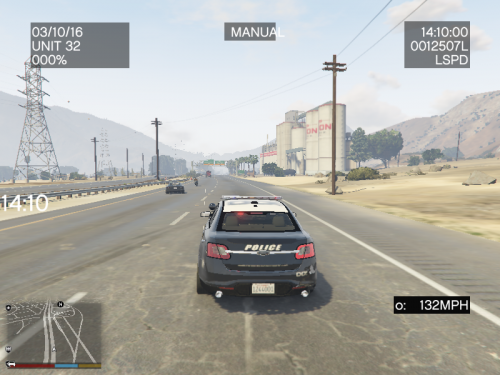 i'm using the latest version and gta legacy. and still - nobody moves around my car when stage 3 lightning is on. no matter if i'm in the car or outside. would love to have this function work.
- 538 comments
- 42 reviews
-
 any chance you implement an option to acivate and deactivate during gameplay?? in a small .ini to set they keybind to individual likings. that would be very useful. edit: never mind. this file doesn't work at all for me.
- 5 comments
- 2 reviews
-
 works great and looks fine. great job!
 -
you're welcome, got this hint from another user (LSPD Hoodman) after a long search for the issue. have fun playing again!
-
do you use the mod "extended camera settings"? if yes, get all three files of it out of your main gta directory until the mod gets updated. this solved it for me.
-
thank you for sharing! this mod crashed my game.
-
same here. absolutely nothing has changed overnight but i got an instant ctd after loading into the game. something is coing on. i'm sure that it's not rph but rockstars. the logfile doesn't point anything out to help fixing it or getting aclue of what's going on. same happens with a clean installation without any mods, plugins and scripts.
-
 yes i know and i've set it to true. i'll try to find a way to make it work. also this setting worked best for me to have the traffic not acting like fools: SameSideYieldWaitDurationMs=4500 great job and keep up the good work! 👍
- 115 comments
- 20 reviews
-
-
place your replacing cars always into the LAST patchday directory. by the date of early October 2025 it should be this one: \mods\update\x64\dlcpacks\patchdayg9ecng\dlc.rpf\x64\levels\gta5\vehicles.rpf edit: i'm sorry for confusing you, copied the wrong path. the right one is: \mods\update\x64\dlcpacks\patch2025_01\dlc.rpf\x64\levels\gta5\vehicles.rpf
-
.thumb.png.b9e18d9931090871b064059f2c315cf8.png) i have absolutely no doubts that you're right. but as i said, i haven't investigated it any further since i know this modders files are 100% trustworthy.
i have absolutely no doubts that you're right. but as i said, i haven't investigated it any further since i know this modders files are 100% trustworthy.- 705 comments
- 24 reviews
-
maybe it's depending on a Chrome issue. havent tried it yet with Firefox to be honest since i know that this flag is nonsense.
- 705 comments
- 24 reviews
-
-

- 1
-
-
yeah, just deactivate the win antivirus. you can trust this download is 100% not a virus. it's a false flag by ms defender.
- 705 comments
- 24 reviews
-
-

-

- 2
-
-
for some strange reason your latetst version (1.1.8.2) is getting displayed as virus after downloading it. i know it's a false flag but i've never experienced this with any of your files. just want to let you know.
- 705 comments
- 24 reviews
-
thanks for keeping this great mod updated! edit: cars do not go around me if my emergency lights are on.. no matter if i'm in the car or not.
- 538 comments
- 42 reviews
-
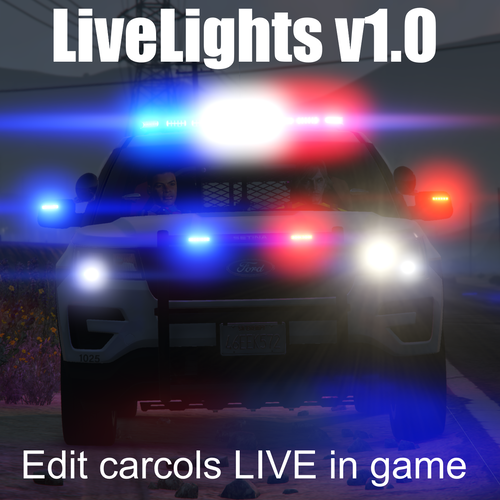 still loving this one very much in sept 2025!! i can highly recommend it to change your carcols easily when it comes to emergency lightning. it's so small and simple but still one of the very best tools ever been made for modding. i can't do without it.
- 39 comments
- 4 reviews
-
- rph
- open source
- legacy
- rph
-
Tagged with:
-
that's great! thx for the fast response. now it's even more perfect since it offers a nice roleplay in the county too! this is great news for me! 👍
- 705 comments
- 24 reviews
-
i've been away from gta for a year. is there already any private home available around sandy shores to rp sheriff there?
- 705 comments
- 24 reviews
-
-
hi there! lspdfr crashes a few seconds after going on duty. rph log is fine but ends eith these lines: since i have no clue of how to solve the issue help would be very appreciated! ----------------------------------------------------------------------------------------- EDIT: that's resolved. i accidentally installed an older version of LSPD First Response.dll and LSPD First Response.pdb. sorry for confusing you!
-
-
 can you bring back the ini.file config in your latest version? IGNORE that - should be in the callout pack thread, sorry
 -
-
 controller option would be great

.thumb.png.b9e18d9931090871b064059f2c315cf8.png)