


MrGhostman
Members
-
Joined
-
Last visited
Everything posted by MrGhostman
-
The siren sound mod has been updated and I've also included the hi-low version. What are your thoughts on this so far? I've worked on getting the wail perfect for quite some time. =3
-
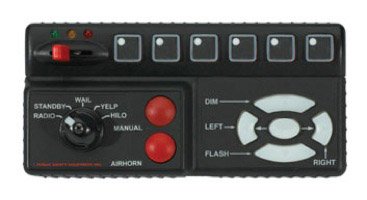 The Code 3 RLS Siren Mod has been updated. Note that I made several attempts to make the mastercom wail sound decent in quality while making the volume equally as loud as the yelp, hyper-yelp, and hi-low are. However it's not perfect so please let me know what you guys and gals think about this update. =3
- 13 comments
- 3 reviews
-
I plan on uploading a hi-low version of this siren sound mod soon. Plus the wail/yelp will be slightly tweaked to fix any possible clipping/looping issues.
- 13 comments
- 3 reviews
-
I kinda have to agree. The original sirens for the main police cars are kinda....ugh in my personal opinion. I'm glad that there are siren sound mods such as the Federal Signal SS2000, Code 3 RLS, and the Whelen Cencom to make the main police sirens sound less grating. ^^ Even then regarding the original FIB Sirens for GTA 5 on PC, I have the Whelen Beta to replace the original FIB sirens in game mainly because of personal preference.
-
I do have several siren sound mods for FIB vehicles such as Whelen Beta and GTA 3 Siren. I plan on making a Whelen Cencom and a Whelen Howler siren mod (along with the fire truck version) for the FIB vehicles fairly soon.
-
You're very welcome. I have CCleaner and Tuneup Utilities (Not AVG Tuneup) to help clear out some junk and to improve performance for general use. =3
-
Try one of these things (I know it's old fashioned but it does work from time to time): Try closing some background programs running in the background via task manager, try disabling some programs on startup that you don't need. Also try to free up some free space on your hard drive. CCleaner will probably help on most if not all of those things to at least clear up some stuff that might prevent your laptop from running at its maximum.
-
This. Thank you.
-
Probably not. Well......wait... "its a Alienware 15, with a desktop GPU: the 970." How did you manage to get a desktop GPU paired up with the notebook CPU? O_O
-
It's a notebook type of processor I see.
-
Huh. Try doing some benchmarking prior to overclocking and after overclocking on either from your Intel Core i5 or your GPU.
-
Do you have v-sync on? If you do, try turning it off.
-
Happy Birthday Yard1. <3
-
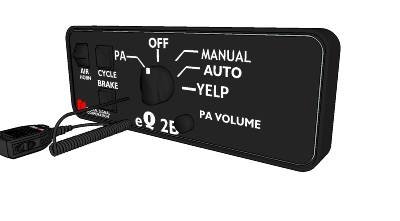 Good to know. I plan on making a Whelen Howler siren sound mod for the Fire Trucks in GTA 5 very soon. The Howler is basically the Whelen Cencom with a rumbler effect. It sounds quite awesome if you ask me. =)
 -
I noticed there weren't a lot of Fire Truck siren sounds mods. I think this one is one of the very few ones for GTA 5. I have two fire truck siren sounds mods both Federal Signal PA-5 and the Code 3 V-Con.
-
I really dislike the higher pitched e-q2b sirens so much nowadays but this one on the other hand paired with the powercall siren sounds pretty damn awesome. =3
-
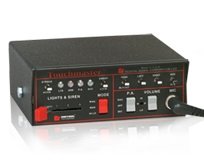 The looping of the wail and yelp are perfect. However the hyper-yelp could've been the the priority tone instead of the scan tone from the touchmaster delta siren. That's just me though. Regardless, you've done a great job on this siren mod and for your first time too. =)
- 23 comments
- 12 reviews
-
It probably sounds like the Code 3 V-Con siren 'cept it's slightly lower pitched.
-
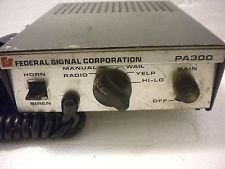
Recently I've re-worked on fixing and tweaking the wail and yelp of the PA-300 D&R Intimidator version siren sound mod. What are your thoughts on this revised siren sound mod for the Sheriff SUVs so far?
-
 There are reports that certain audio archives have been muted in game regardless of rather the sound mods were installed properly or not. To ensure that the audio archives for vehicles won't be muted in game make sure that the vehicle.oac file or the vehicle.awc file doesn't exceed over 15.75 MB in size (you can check the size of the vehicle.awc file in OpenIV under RESIDENT.rpf) and make sure that the siren sound audio files have the appropriate bitrate/sample-rate/etc (32000hz, 16bit mono, 512kbps) for the vehicles.awc file. Hopefully this will resolve the issues regarding muted sirens in game. If not then please let me know so I can farther troubleshoot this. Other than that, please enjoy this siren sound mod!
- 5 comments
- 1 review
-
True that. I've recently revised my Federal Signal PA-300 older D&R Intimidator siren mod and I had to slightly reduce the wail looping length by a few milliseconds to make the .awc file size not go over 15.75MB. Trust me, it was a pain in the arse to work with even with audacity.
-
It's probably the filesize that's over 15.75MB or sometimes it's the longer length compared to the vanilla length. Maybe even both in some cases.
-
Thanks. <3 I personally think that out of all the siren mods I've worked on for Ambulances in the game, the Whelen Alpha along with the Federal Signal PA-15A 1D Series are my favourites although the D&R Intimidator isn't that far from being my favourite as well. =)
-
Now it's up and ready! =D
-
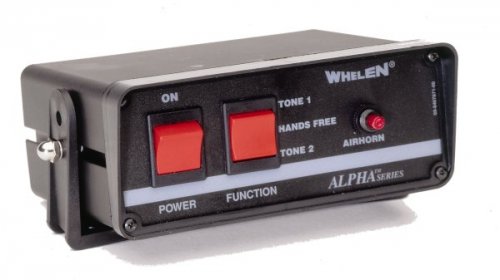 Warning: There are reports that certain audio archives have been muted in game regardless of rather the sound mods were installed properly or not. To ensure that the audio archives for vehicles won't be muted in game make sure that the vehicle.oac file or the vehicle.awc file doesn't exceed over 15.75 MB in size (you can check the size of the vehicle.awc file in OpenIV under RESIDENT.rpf) and make sure that the siren sound audio files have the appropriate bitrate/sample-rate/etc (32000hz, 16bit mono, 512kbps) for the vehicles.awc file. Hopefully this will resolve the issues regarding muted sirens in game. If not then please let me know so I can farther troubleshoot this. Other than that, please enjoy this siren sound mod! This is a Whelen Alpha siren sound mod to replace the ambulance sirens in the game. Preview: Be sure to download the latest version of OpenIV and run it as administrator. Also be sure to backup your data before installing this siren mod. 1 – Run OpenIV, Select GTA V for Windows. However be sure to locate the folder where the game have been installed. 2 – Find audio file you want to edit by going into x64 folder 3 - Then click on audio folder where you should see one folder and two files. 4 - Click on the sfx folder and then select and click on the file: RESIDENT.rpf 5 - Upon opening the RESIDENT.rpf file, you should see 16 items shown. One of them is the vehicles.awc file. 6 - Right click on vehicles.awc and export to openFormats (.oac) to any folder you like (e.g downloads folder). 7 - Extract the vehicles folder from the .rar file to the same folder that was exported in. 8 – Afterwards, go to edit mode in OpenIV. There will be a warning upon editing mode so be careful. 9 - Import the .oac file by either draging the file to OpenIV or go to new and click on Import openFormats to select the .oac file then click on open. 10 - Click on ok 11 - Click on edit mode again (if you are in edit mode already) to exit edit mode. 12 - To ensure everything works, click on the vehicles.oac file twice and click on either 0x159C9182 or 0x161768E7 to see if the files were successfully replaced. 13 - Exit OpenIV and play GTA V. Just in case that you might need better understanding on how to install and/or replace sounds using OpenIV, here's a video that will definitely help a lot better: https://www.youtube.com/watch?v=ymLrNTjGBXA If you have any questions regarding this siren mod please let me know in the comments below. I hope you all like this. =) Tools Used: AVS Audio Editor (for file conversion and sampling) Audacity (for audio editing and tweaking)

