


MrGhostman
Members
-
Joined
-
Last visited
Everything posted by MrGhostman
-
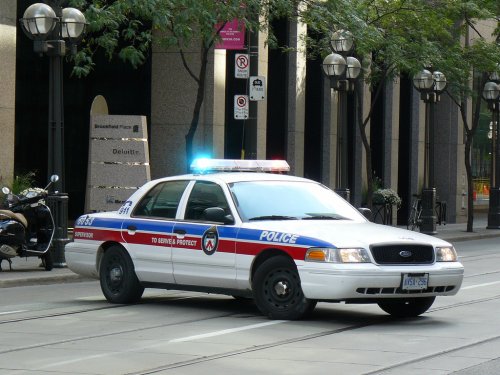
Is it possible to use the Federal Signal Smart Siren on Ambulances and/or EMS vehicles instead of the usual Whelen ones? Does the FS SS2000 siren fit the EMS vehicles better than the Whelen 295/Cencom/Beta/etc sirens we use today on most of Canada's emergency vehicles?
-
 Thanks. =3 I do have something like that in the works but it'll take a little while before completion.
- 26 comments
- 3 reviews
-
Hello everyone! The upcoming v1.4 update for the siren pack will not only fix any of the sirens that sound quiet compared to some others/or have muted sirens when going over 15.75MB in size of vehicles.awc but will also include several new sirens to play with such as the Whelen Howler for both Ambulance and Police cars, Whelen Alpha/Federal EQ2B combo for the Fire Trucks, Whelen 295/Whelen Q+Powercall for Ambulance, Federal Signal PA4000 for the police bikes, and more! So far, I have the Whelen Howler police version ready and the Whelen 295/Whelen Q+Powercall almost finished. Expect the update to come out in less than two weeks.
-
Thanks. =3
-
This is my second attempt on creating a siren mod for an emergency vehicle in GTA 5. However, this time it's a little different. It's a whelen siren but this time with a Whelen Q/Powercall siren combo! =D Here's what I have at the moment. Feel free to try it out while I continue tweaking on the Whelen Alpha + Federal EQ2B siren mod for the fire trucks this week. Please enjoy! (WIP) Whelen 295SLSA6 + Whelen Q-Powercall Combo Siren.rar
-
Here's the preview of the siren mod in progress. =P
-
I've managed to get some progress on the siren combo mod. It's currently in a Work-In-Progress so it's not the final release just yet. A preview video will be out by tomorrow morning.
-
I think something like this will provide a much better build for the money. http://pcpartpicker.com/p/HTnr4D
-
Sound pretty badass right? I plan on not only making a Whelen X-Ecutor mechanical wail siren mod standalone for GTA 5 but I also plan on making a Whelen Alpha Q siren mod as well! =D Expect those fire truck siren mods to be out by next week.
-
Remember the Whelen X-Ecutor and its mechanical wail wind-up that scared the pants out of you while sounding badass? I was thinking of making a standalone siren mod for GTA 5. What are the best videos for me to sample its tones from?
-
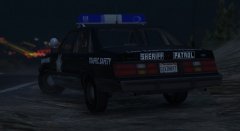 Old school police cars rock! <3
 -
This.
-
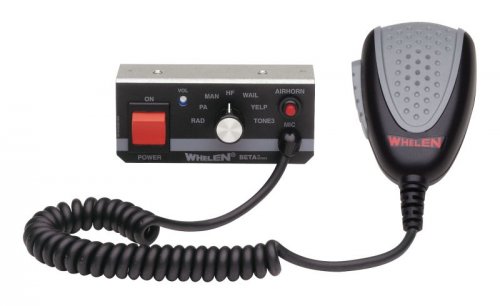 No. Just the FIB police cars.
 -
I remember trying out Sony Vegas Pro a few years ago on my old PC. However at the time, I didn't know much of its features and tools as I only knew the very basics of editing (i.e rendering the raw .avi recorded footage to its compressed in sized video files of mp4, mpeg, etc). I'll try out the trial version to see if it's more easier to work with than AVS Video Editor.
-
Since I've been using AVS Video Editor for a while and used FRAPS to record gameplay, I was wondering if there are some other, much better video editors that aren't too system intensive but have all the features needed to render videos in HD and easy to use since I don't do advanced editing but some of the more basic ones. And no not Windows Movie Maker nor Windows Live Movie Maker. I'm trying to avoid those. My Specs: Intel Celeron G1840 2.8Ghz 4 GB DDR3 RAM Radeon HD 7770 1GB GDDR5 Windows 10 Pro Western Digital Caviar Blue 1 TB Hard Drive
-
For those who don't know, I've recently updated the GTA 3 FIB Sirens mod for GTA 5 since I personally think that the wail and yelp needed some re-tweaking and better sampling rate. What are your thoughts on this siren mod for GTA 5's FIB vehicles?
-
I've recently updated my Canadian Siren Sound Pack and I wanted to re-work/re-sample/re-tweak the Code 3 RLS siren for the pack. Do you think this would be the right source to take siren samples from? And I wish to sample the wail/yelp/hyper-yelp of the real siren and not the fake demos from the code 3 website. =T Video belongs to: Quinn Dickinson (Youtube)
-
Not a problem and I'm glad you're enjoying my siren sound pack. I'll be adding some more tones some time soon. =3
- 26 comments
- 3 reviews
-
Some of the audio files cause the total size of the .oac audio vehicle archive to go over 15.75MB in size causing the sirens in game to be automatically muted.
-
.thumb.jpg.1c0694e0a203c20f1dbec33f8f03aa26.jpg) Try creating a mods folder. Here's a tutorial on how to do that. http://openiv.com/?p=1132
Try creating a mods folder. Here's a tutorial on how to do that. http://openiv.com/?p=1132- 7 comments
- 4 reviews
-
-

- 1
-
-
I'm afraid not although there are some videos that'll show you how to successfully install the sirens for GTA 5. https://www.youtube.com/watch?v=JnclF303uHY https://www.youtube.com/watch?v=ymLrNTjGBXA
- 26 comments
- 3 reviews
-
Awesome job! =3 I used to actually have the Whelen 295 siren for the FIB Vehicles but it wasn't working out in terms of quality so I had to scrap it and make a Whelen Beta siren instead.
-
Sorry. I don't have a video of this siren pack just yet. I haven't recorded some gameplay yet but it's coming quite soon.
- 26 comments
- 3 reviews
-
Well, here it is. My first fully made siren pack for GTA 5 (well technically my second siren sound pack since I had to delete my Federal Signal Vintage Siren Pack for heavy revisions). Please enjoy!
-
--Important: Other sirens are available in this pack such as the D&R Magnum (including multiple tones) for the Sheriff Granger, Code 3 RLS Siren for both the main police cars and FIB vehicles, Carson SA-361 for the Ambulance and the Code 3 V-Con for the Fire Trucks.-- --Also Important: For those with the rockstar version or non-steam version of GTA 5, you must create a mod folder to avoid having the game to auto-update and remove any mods or changes made to the game's data via OpenIV. For more information on how to create a mod folder successfully, visit openiv.com (http://openiv.com/?p=1132) -- Note: I was not able to create a Federal Signal PA500 siren for the police bikes as the file sizes of the two modded audio files would cause the audio vehicles archive to go over 15.75MB thus causing the sirens to be muted in game. A separate police bike siren mod will be included in a .rar file. List of sirens ------------------- Whelen Cencom - Ambulance/Police Code 3 RLS - Main Police Cars/FIB Vehicles Code 3 Scorpion - Sheriff Granger D&R Intimidator - Main Police Cars/FIB Vehicles D&R Magnum - Sheriff Granger/Main Police Cars E-Q2B - Fire Truck Code 3 V-Con - Fire Truck Federal Signal PA-500 - Police Bike Carson SA-361 - Ambulance Federal Signal Smart Signal 2000SM - Main Police Cars Whelen Beta - FIB Vehicles Federal Director PA-15A series 1D - Fire Trucks Whelen Alpha - Police/Ambulance *Coming Soon in v1.3 with some tone re-tweaking and new siren additions! Please note that the looping might contain clipping sounds and the sounds themselves are not perfect in terms of quality, volume, etc. Be sure to backup the vehicles and vehicles.oac file and folder respectively before installing this siren sound pack at your own risk. 1 – Run OpenIV, Select GTA V for Windows. However be sure to locate the folder where the game have been installed. 2 – Find audio file you want to edit by going into x64 folder 3 - Then click on audio folder where you should see one folder and two files. 4 - Click on the sfx folder and then select and click on the file: RESIDENT.rpf 5 - Upon opening the RESIDENT.rpf file, you should see 16 items shown. One of them is the vehicles.awc file. 6 - Right click on vehicles.awc and export to openFormats (.oac) to any folder you like (e.g downloads folder). 6.1* If you have 7-zip or winrar, create a new .rar and rename it to something like vehicles_backup.rar. 6.2* Then copy the unmodded vehicles folder and the vehicles.oac to the .rar file (e.g vehicles_backip.rar) just in case something goes wrong regarding file/folder size of the vehicle folder/vehicle.awc file. 7 - Extract the vehicles folder from the .rar file to the same folder that was exported in. 8 – Afterwards, go to edit mode in OpenIV. There will be a warning upon editing mode so be careful. 9 - Import the .oac file by either draging the file to OpenIV or go to new and click on Import openFormats to select the .oac file then click on open. 10 - Click on ok 11 - Click on edit mode again (if you are in edit mode already) to exit edit mode. 12 - To ensure everything works, click on the vehicles.oac file twice and click on either 0x1C98C4D5 or SIREN_2 to see if the files were successfully replaced. 13 - Exit OpenIV and play GTA V. *Optional but necessary to do. Credits --------------- Danman16 Laikmuay Prophet flyer2359 Tools Used ------------------ Audacity AVS Audio Editor MP3 Converter OpenIV
- 26 comments
- 3 reviews
-
-
- 2
-

.thumb.jpg.1c0694e0a203c20f1dbec33f8f03aa26.jpg)