




Albo1125
Insiders
-
Joined
Everything posted by Albo1125
-
No. Checking the log out, there are quite a few other modifications running, like better ems, code red callouts, other RPH plugins etc.
-
 @Th3Beard Thank, will look into this. For now, I recommend following the vocal dispatch installation instructions as a problem seems to be happening there.
- 379 comments
- 113 reviews
-
In that log, it appears you have other modifications installed. Please do the tests with only my modifications running.
-
Please post your RAGEPLuginHook.log file. Can you try each of those plugins by themselves and see what the results are?
-
-
 If you're talking about Controller Unbinding, a backup file is included in that :) The game is meant to work with XBox controllers - thus PS4 controllers can't be officially supported by GTAV software. Sorry about that.
- 851 comments
- 108 reviews
-
-

- 1
-
-
Hey, are you sure you're on the latest version? This was fixed in 1.2.2.0
-
If you could be a bit more specific than 'albo's plugins' and determine exactly which plugin is causing out of the ordinary FPS drops I could take a look. Please note that most of my plugins do a lot more than just register callouts with LSPDFR and it is therefore expected for them to be slightly more resource intensive.
-
Brilliant article style! Hope to see more of these over the upcoming weeks - oh, and appreciate the nice mention too
-
-
-
You might want to try this:
-
This is already possible via Plugins/SirenMastery/Config/UIConfig.ini. Regs.
-
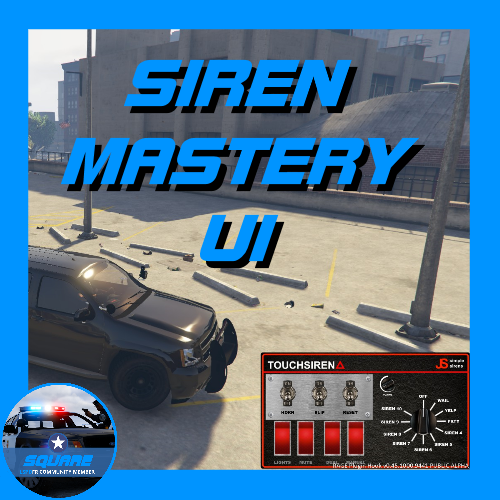 Amazing work on this! Very differently styled than I had in mind for the original UI. Beautiful that you've managed to come up with this and get it working!
- 6 comments
- 4 reviews
-
-
- 4
-
-
 Hey, try this: if that doesn't help please post your RAGEPluginHook.log file.
- 1,915 comments
- 242 reviews
-
 Hey, everything is working fine on RPH 0.41 and higher - if you're having issues please post your RAGEPluginHook.log file.
- 1,081 comments
- 166 reviews
-
-
Q will make a random 'primary' siren play. If you want a specific siren, you can use the 1, 2, 3 etc. keys or whatever you set them to.
- 851 comments
- 108 reviews
-
-
- 1
-
-
Yes. 0.04 is the default, so try increasing it marginally (e.g. 0.08) and tweaking it a bit.
- 851 comments
- 108 reviews
-
The siren sounds themselves may just be a bit less loud. You can set the volume per siren (take a look at the examples) to solve this. The panel interface is fully customisable. Please check the end of the documentation :)
- 851 comments
- 108 reviews
-
-
-
-
-
1.2.1.0 (22-08-2016) - It's your lucky day! Added in a few much requested features. Pressing the 'force siren' button while that siren is active will now switch off your sirens. Fixed an issue that caused a crash if in a vehicle without a siren. Dual Sirens now turn off if you press the Dual Siren button for the currently active dual siren again. Please post the full XML file and your RAGEPluginHook.log file.
- 851 comments
- 108 reviews



