


Pumpk1in
-
Joined
-
Last visited
File Comments posted by Pumpk1in
-
-

Hi !
lspdfr crashed after calling for transport and medical backup on a gang attack. (3-4 suspects deceased and 1 in custody).
If it can be fixed: nice !
[9/20/2020 11:59:13 AM.515] LSPD First Response: ==============================
[9/20/2020 11:59:13 AM.515] LSPD First Response: UNHANDLED EXCEPTION DURING GAME FIBER TICK
[9/20/2020 11:59:13 AM.515] LSPD First Response: ------------------------------
[9/20/2020 11:59:13 AM.515] LSPD First Response: Origin: Game fiber "GangAttack [UnitedCallouts]".
[9/20/2020 11:59:13 AM.515] LSPD First Response: ------------------------------
[9/20/2020 11:59:13 AM.515] LSPD First Response: Exception type: Rage.Exceptions.InvalidHandleableException
[9/20/2020 11:59:13 AM.515] LSPD First Response: Exception message: Operation is not valid because the specified  Rage.Ped is invalid.
[9/20/2020 11:59:13 AM.515] LSPD First Response: ------------------------------
[9/20/2020 11:59:13 AM.515] LSPD First Response: Inner exceptions:
[9/20/2020 11:59:13 AM.515] LSPD First Response: ------------------------------
[9/20/2020 11:59:13 AM.515] LSPD First Response: Stack trace:
[9/20/2020 11:59:13 AM.515] LSPD First Response: at Rage.Entity.get_IsDead()
[9/20/2020 11:59:13 AM.515] at UnitedCallouts.Callouts.GangAttack.<Process>b__15_0()
[9/20/2020 11:59:13 AM.515] at Rage.GameFiber.Main()
[9/20/2020 11:59:13 AM.515] LSPD First Response: ==============================
[9/20/2020 11:59:13 AM.515] LSPD First Response:
[9/20/2020 11:59:13 AM.517] LSPD First Response: [FATAL] Forced termination
[9/20/2020 11:59:13 AM.517] LSPD First Response: [TRACE] Released 0 entities from DefaultContentManager
[9/20/2020 11:59:15 AM.154] LSPD First Response: [INFO] LSPDFR has shut down
[9/20/2020 11:59:16 AM.298] LSPD First Response: UB All Police Partners are removed
[9/20/2020 11:59:16 AM.484] LSPD First Response: STP: RELEASE PED FROM STOP (FORCED)
[9/20/2020 11:59:16 AM.495] LSPD First Response: STP cannot activate traffic control
[9/20/2020 11:59:16 AM.517] LSPD First Response: UB Ambulance unit is removed
[9/20/2020 11:59:16 AM.528] LSPD First Response: STP Transport unit is removed
[9/20/2020 11:59:16 AM.561] LSPD First Response: STP Transport unit is removed
-
Hi @Vincentsgm !
Could you add a "little" delay (some ms) when opening the menu ?
When using a controller, with DpadUp/Down, it will send the input to the menu right after opening it.
So if you assign it to DpadUp + A for example, it will scroll up maybe 2 lines in the menu after opening.
The STP menu does not have this problem, it does not open immediately.
Thanks ☺️
-
 On 4/6/2020 at 4:53 AM, Matt Cameron said:
I want to use it!
As long as you don't use EnableRelay it should work without any problems.
I'm using it as a simple background chatter and it works pretty good
@khorio last visit is september 2018. Sadly, I think he will never update this 🙁
-
@Sebo Strange problem for me : Graphics menu crash.
If I load your plugin at launch (in startup.rphs), the game crash as soon as I go to the Graphics menu.
If I load it after game launch, no problem.
What the hell ? 😛
(I tried with all my rph mods, then with only lspdfr and yours. No matter if it loads before or after lspdfr, same crash if auto-loaded at launch)
Thanks 😉
-
Edited by Pumpk1in
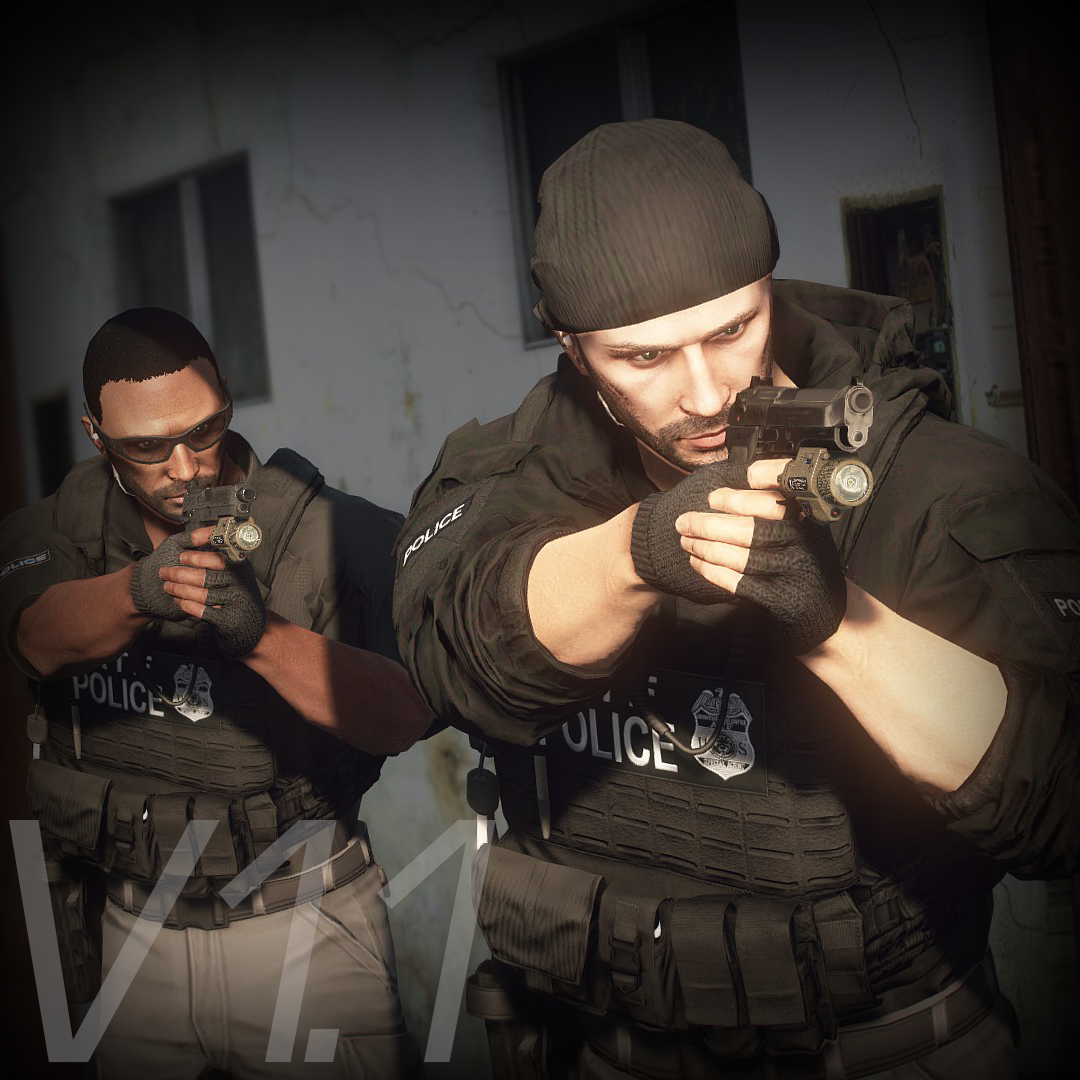
This mod is now used every day here.
Thanks for the work ! 😍
IMO, there is something to fix : The sides pouches.
They collide with the player arms because of their size. It really disturb my brain 🤯
You first JPC is nice. Smaller model, small right side pouch, left one is still too big, but not a huge problem on that model.
Also, maybe you could tighten the JPC a bit ? The rear of the plate carrier is not in contact with the back of the player. (with a police shirt or a T shirt)
Then you added the "little big JPC" with the two sides pouches, again, too huge, at least, in my opinion.
As always, my opinion is not everyone opinion so you're free to ignore me 😋
And again : thanks for your work !
-

Hi ! Nice to see an update on this content 🥰
Simple question : if it is easy, could you add an option in the INI to lock the wheels straight when we push the modifier button on the controller ?
As the left stick also controls the wheels, you can't go in a straight street and use the light without turning with the vehicle.
I know there are two other options, but the right stick controls the camera, so it's worst. And the D-Pad is not a viable option.
Thanks 😉
-
Edited by Pumpk1in
Hi, Thanks for your work 🙂
I'm mainly using it for trunk opening and blinkers. Work like a charm with automatic blinkers !
But... this engine stuff is really annoying me. Could you add an option to turn that off ?
Two reasons : the player still do the animation to start the engine. It's a nonsense. Also, it shuts down the engine when I exit my vehicle on a traffic stop.
Thanks !
Ps : the default keys are only working on an US keyboard. All the "oem_whatever" keys does not exists on other layouts.
(Ex I use Divide instead of OemPipe, Substract instead of OemMinus... and so on.)
-
 13 hours ago, Sentinel55 said:
If it's something I have messed up then yes I will. But I think that's a problem with the base model.
I'll look into it.
Yes, it is a problem with the base model. All vehicles using it have this problem.
But I thought you were able to fix it with Zmodeler ☺️ If not, then nevermind ! -
-
On 3/12/2019 at 10:32 PM, JJ9856 said:
Those 4 are replaced with custom sirens. I placed your CHP siren on Siren_Quick_2/3/4 and Siren_Wail_2/3/4. My ELS VCF only recognizes Quick 3 and Wail 3. 2/4 revert back to my LAPD siren. I replaced those actual file names.
Not a fix to your problem but beware when you replace FBI slots (SIREN_QUICK_02, SIREN_WAIL_02) as the sound will be slowed down ingame.
Generally, a speed increase of 15% with audacity will be close to the original speed. -
Hi @RustyHarper ! 🙂
There is no 4096*4096 livery for the FPI, only 2048*2048
Do you have the 4096 ? 🙂
Thanks !
-
Hi,
Do I have a plugin conflict ?
Every time I ask something to the driver during traffic stop, I crash.
I already have scripthookdotnet2.
Thanks 🙂
-
-
-
-
-
-
Edited by Pumpk1in
5 hours ago, GoForDutch said:Hi,
Okay, so I didn't knew this! Thanks for the correction. I'll change this to (I think) "Eclairages prioritaires"! I'll add you to the translators list!
Haha thanks :)
You're not forced to change the translation, it was just my opinion

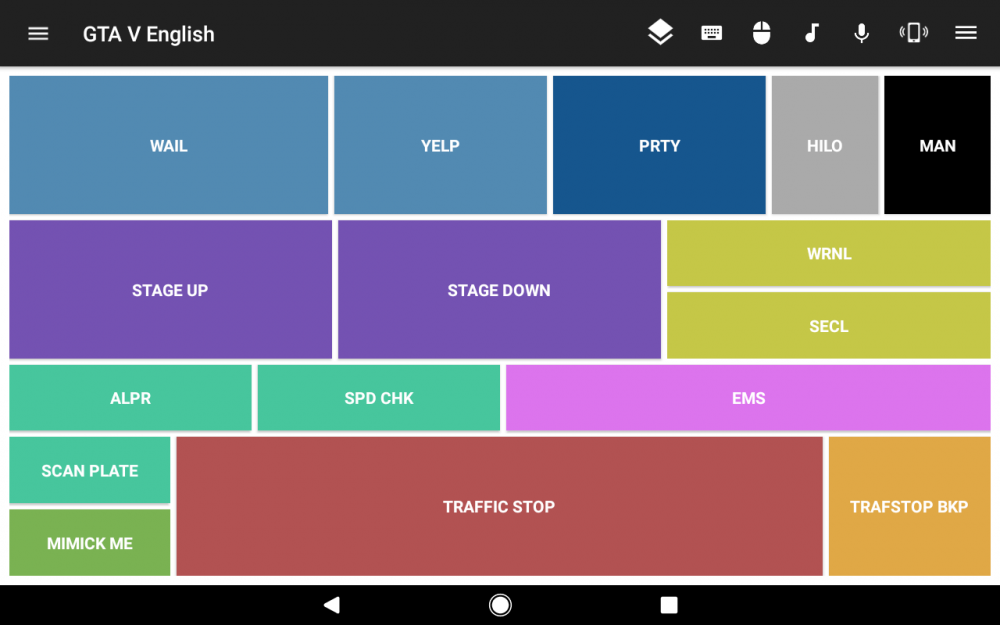
BTW, thanks for letting me know about Unified remote, I'm playing with it :D
"blauwblauw"

-
Edited by Pumpk1in
On 08/01/2018 at 9:26 AM, Officer Zebra 21 said:Again, very good job!
French translation :
- Sound : Sirène 1
- Sound 2 : Sirène 2
- Lights : Gyrophares (it's better than "Lumières")
- Back Up : Renforts
- Scan Plate : Vérification de Plaque
- Traffic Stop : Contrôle Routier
As a French Foreigner, It really drives me crazy when I hear "gyrophrares" when someone is talking about stationnary led lightings

Gyrophares... this term is really coming from other times
 (and litteraly means "rotative beacon")
I don't know... something more generic, like "Barre de LEDs", (LED bar) or "Eclairages prioritaires" (Priority lighting).
Yeah I know, this term "Gyrophares" is officialy used by manufacturers, even for stationnary/beacon led lightings... but for me, it's only because we are 10 years late compared to the USA in emergency lighting industry.

-
-
-
Edited by Pumpk1in
14 hours ago, ModHD said:Oooofff.
What ? Don't patronize me, Kid.
If you know how to do it, tell me, instead of being a prick. -
-




.png.d33720d5a3c77f083137644b8e95c1f1.png)


Fedsig Vision/Vision SL/ 3Pod
in Lightbars
1,674 15😭😭😭😭😭😭😭😭😭😭😭😭😭😭😭