


c13
Friends of LSPDFR
-
Joined
Everything posted by c13
-
Based on the lightbar, most likely a federal signal siren. I'm guessing a smart siren.
-
Well that's one hell of a photobomb
-
Like I said before, it would help people a lot if you took the time to attach images or links to images of the agencies you're looking for. Not only does it make it easier for anyone looking to help you find stuff, it shows that you care enough to make it easy for them.
-
You're using a different trainer. Use the one in the link at the top of this page. You don't lose weapons and you can choose attachments
-
Topics aren't closed unless they violate community guidelines or it's a no longer relevant news topic.
-
There's never going to be an announced release date. Therefore, "when it's done" is the only answer that will ever be received to a question like that. The closest thing to a release date that would happen would be a countdown timer.
-
He does?
-
Good thing there's coffee. I wouldn't be downloading it without that feature.
-
Even more, the banner was made with a trainer
-
It was a joke, referring to how people claimed videos were staged using the trainer.
-
It's a behind the scenes video of how we staged everything with the trainer. Happy late April Fools!
-
.jpg.24f03612dd7e30f750f982a3ad831d3c.jpg) So beautiful
So beautiful -
-
Model changing without losing weapons, able to choose/remove each weapon and weapon customization. I'm sold.
-
Personally, I use current events forums to get immediate information about anything going on, then vet any articles that are linked related to it. I also look at some major news networks and try to get as unbiased of a take as I can from an article.
-
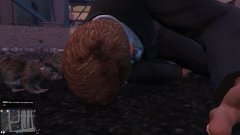 I don't think even rats would want Ineseri's corpse. It's too dense for them.
 -
The point wasn't that it was news, it was to contradict the idea that FOX is a reliable news source. Can't we all agree that all major news agencies have strong bias and we should only truly trust what we see for ourselves?
-
If you're referring to how to start LCPDFR, go in game and press alt+P
-
http://www.lcpdfr.com/files/file/7571-better-police-weapon-loadouts/
-
Those replies were because of this guy:
-
No. If a cop knows there's a chance he'll have to shoot some one (which happens in most police involved shootings), he'll have his gun out before he needs to shoot.
-
Because the tools to make car models don't exist yet.
-
Are you not generalizing by lumping together the protests immediately preceding riots with the very large percentage of peaceful protests that occur in this country? These are 2 entirely different situations. I haven't seen US police immediately respond to a protest with riot gear, and I've only seen that type of response happen after violence has been shown.
-
The DROT feature on that car uses the default GTA 4 rotators. Therefore, it will only work properly on the slots "police," "police2," "police3," "firetruk," and "ambulance." Nothing can be done to fix that besides installing it in one of the aforementioned slots.
-
Your posts were showing peaceful protests. Mine were showing riots. The difference between those photos is only time. A rather large percentage of those peaceful protests turned violent enough to warrant a more heavy response from the police. Based on those protests often turning violent, the police response should be the same in terms of staging equipment.


.jpg.24f03612dd7e30f750f982a3ad831d3c.jpg)
