


NeOnLaZeR
Members
-
Joined
-
Last visited
Everything posted by NeOnLaZeR
-
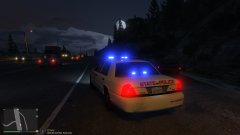
From the album: NeOn's Pics
-
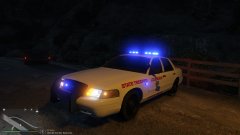
From the album: NeOn's Pics
-
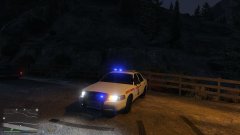
From the album: NeOn's Pics
-
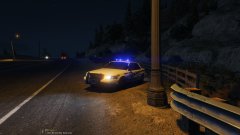
From the album: NeOn's Pics
-
-
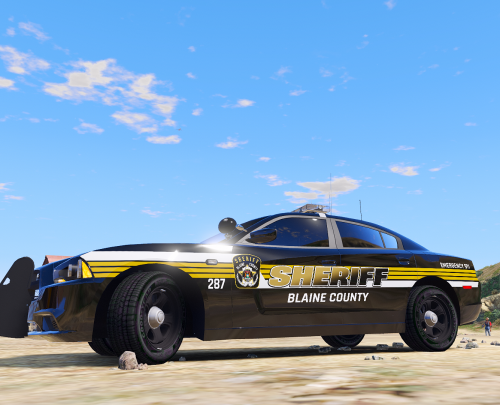 Is the 2014 Charger skin correct? It doesn't match my other skins/template. CVPI looks awesome!
- 3 comments
- 2 reviews
-
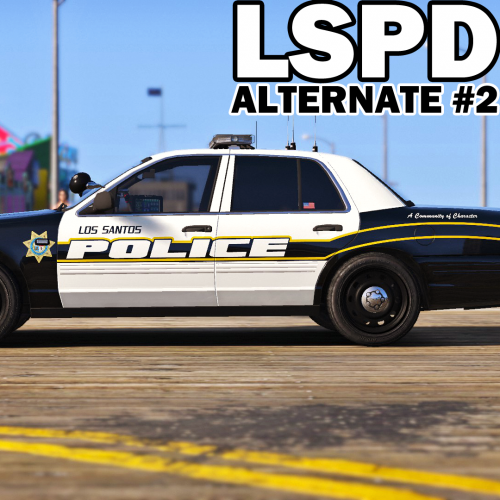 I agree, there seems to be less LSSD skins than anything else. Who knows why. Lol
- 51 comments
- 14 reviews
-
.thumb.png.dc90ab7a45eff572c76140356e46b329.png) Not bad! I thought of making a LSP skin for the CVPI. Sadly I couldn't find a good enough quality logo to satisfy myself. Just need to add State Trooper to hood and see about making the text shorter vertically and you will be very good!
Not bad! I thought of making a LSP skin for the CVPI. Sadly I couldn't find a good enough quality logo to satisfy myself. Just need to add State Trooper to hood and see about making the text shorter vertically and you will be very good!- 1 comment
- 2 reviews
-
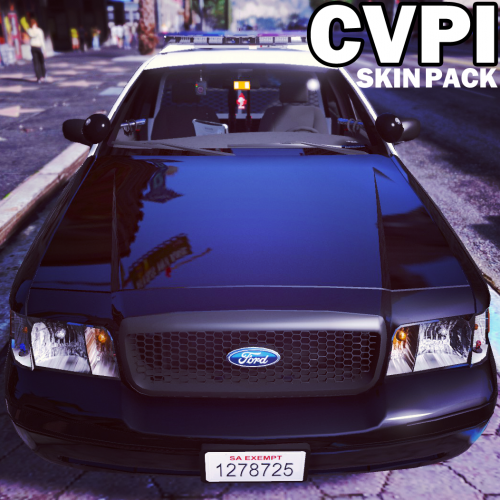 Hey Krame, I assume(and pray) you plan to tweak a set of liveries to work with Caperino's new CVPI. He hasn't uploaded it on here yet for some reason so I think that's why I haven't seen anyone making skins for it yet. I thought about tweaking some myself but since you do skins so well, I thought I would be patient and let you do it correctly. Lol Here is the download for his vehicle http://gtapolicemods.com/downloads.php?do=file&id=4407 Whoops, just realized the model is from F5544, maybe nothing is needed. Lol
- 64 comments
- 18 reviews
-
-
Looks nice! What causes the lower brake light o be yellowish? The other tahoe model has the same issue. Other than the heavy tint on rear window causing the rear lights to have no corona, it looks awesome.
-
Cause they know it will likely not work. My 617 Revert is crashing too..yayyyy
-
 Lately, I have been having issues dealing with liveries and the carvariations.meta. I replaced it with the one provided in readme but still reads -1 when I get ingame. I had the same issue for the first time with another vehicle as well. Any ideas on what would cause this?(Tried to find a good tutorial on explaining carvariations but there isn't a really thorough one.) Figured it out, I had to add FLAG_HAS_LIVERY in vehicle.meta. :P
- 563 comments
- 116 reviews
-
 Unsure if this was intended, but the download has the plugin under \Plugins\LSPDFR instead of \Plugins. The new spot breaks the backup spawns.(they just spawn in motionless)
- 101 comments
- 40 reviews
-
 Great update! Like the new features on the Traffic stop backups. One question that has probably been asked already. Can you stop the officer from shooting a vehicle that runs away while ticketing?
- 1,081 comments
- 166 reviews
-
 I would like to say congratulations for Nutts and Albo for making me find positions, more than I have actually played the last few days. Lol! I seem to having an issue though, on zones, I made it with the editor(to make sure I was not manually doing it incorrectly. It does not appear on map.(should be yellow blip on master mode?) Ah, just figured it out. You can only see zone patrols when you are within their zone, you cannot see them map wide.
- 270 comments
- 19 reviews
-
-

- 1
-
-
San Andreas Highway Patrol [State Police: Great Ocean Highway @ Banham Canyon Drive] Emergency Vehicle=sheriff Vehicle Livery Number=4 Extra IDs= Peds Spawned in Vehicle=True Ped Model 1=S_M_Y_HwayCop_01 Ped Model 2= Ped Model 3= Ped Model 4= Sirens Active=False Activation Boundary=400 Patrolling=False Patrol Area Size=50 X=-3087.239 Y=1152.268 Z=20.2446 Heading=23.49708 Shift Start Time=00:00 Shift Stop Time=00:00 Vehicle Blip=False [State Police: Great Ocean Highway @ Procopio Drive] Emergency Vehicle=police4 Vehicle Livery Number=4 Extra IDs= Peds Spawned in Vehicle=True Ped Model 1=S_M_Y_HwayCop_01 Ped Model 2= Ped Model 3= Ped Model 4= Sirens Active=False Activation Boundary=400 Patrolling=False Patrol Area Size=50 X=153.5763 Y=6560.44 Z=31.40976 Heading=290.0863 Shift Start Time=00:00 Shift Stop Time=00:00 Vehicle Blip=False [State Police: Senora Freeway @ Union Road] Emergency Vehicle=sheriff Vehicle Livery Number=4 Extra IDs= Peds Spawned in Vehicle=True Ped Model 1=S_M_Y_HwayCop_01 Ped Model 2= Ped Model 3= Ped Model 4= Sirens Active=False Activation Boundary=400 Patrolling=False Patrol Area Size=50 X=2593.693 Y=5331.768 Z=44.14047 Heading=33.57571 Shift Start Time=00:00 Shift Stop Time=00:00 Vehicle Blip=False [State Police: Senora Freeway @ Senora Way] Emergency Vehicle=police4 Vehicle Livery Number=4 Extra IDs= Peds Spawned in Vehicle=True Ped Model 1=S_M_Y_HwayCop_01 Ped Model 2= Ped Model 3= Ped Model 4= Sirens Active=False Activation Boundary=400 Patrolling=False Patrol Area Size=50 X=2902.609 Y=3833.816 Z=52.15925 Heading=187.796 Shift Start Time=00:00 Shift Stop Time=00:00 Vehicle Blip=False [State Police: Los Santos Freeway @ Dam Pumping Station] Emergency Vehicle=sheriff Vehicle Livery Number=4 Extra IDs= Peds Spawned in Vehicle=True Ped Model 1=S_M_Y_HwayCop_01 Ped Model 2= Ped Model 3= Ped Model 4= Sirens Active=False Activation Boundary=400 Patrolling=False Patrol Area Size=50 X=1548.14 Y=886.8406 Z=76.91177 Heading=339.7956 Shift Start Time=00:00 Shift Stop Time=00:00 Vehicle Blip=False [State Police: Palomino Freeway @ Sustancia Road] Emergency Vehicle=police4 Vehicle Livery Number=4 Extra IDs= Peds Spawned in Vehicle=True Ped Model 1=S_M_Y_HwayCop_01 Ped Model 2= Ped Model 3= Ped Model 4= Sirens Active=False Activation Boundary=400 Patrolling=False Patrol Area Size=50 X=2424.728 Y=-169.5218 Z=87.64561 Heading=164.1398 Shift Start Time=00:00 Shift Stop Time=00:00 Vehicle Blip=False [State Police: Los Santos Freeway @ Vinewood Park Road] Emergency Vehicle=sheriff Vehicle Livery Number=4 Extra IDs= Peds Spawned in Vehicle=True Ped Model 1=S_M_Y_HwayCop_01 Ped Model 2= Ped Model 3= Ped Model 4= Sirens Active=False Activation Boundary=400 Patrolling=False Patrol Area Size=100 X=932.3798 Y=257.9705 Z=79.99751 Heading=172.0542 Shift Start Time=00:00 Shift Stop Time=00:00 Vehicle Blip=False [State Police: La Puerta Freeway @ Del Perro Freeway] Emergency Vehicle=Policeb Vehicle Livery Number=0 Extra IDs= Peds Spawned in Vehicle=True Ped Model 1=S_M_Y_HwayCop_01 Ped Model 2= Ped Model 3= Ped Model 4= Sirens Active=False Activation Boundary=400 Patrolling=False Patrol Area Size=100 X=-421.2169 Y=-660.938 Z=36.5772 Heading=176.6404 Shift Start Time=00:00 Shift Stop Time=00:00 Vehicle Blip=False [State Police: La Puerta Freeway @ Olympic Freeway] Emergency Vehicle=Policeb Vehicle Livery Number=0 Extra IDs= Peds Spawned in Vehicle=True Ped Model 1=S_M_Y_HwayCop_01 Ped Model 2= Ped Model 3= Ped Model 4= Sirens Active=False Activation Boundary=400 Patrolling=False Patrol Area Size=100 X=-404.3665 Y=-1166.903 Z=36.52134 Heading=177.8917 Shift Start Time=00:00 Shift Stop Time=00:00 Vehicle Blip=False Federal Protective Service [Federal Protective Service: Noose Front Gate] Emergency Vehicle=police4 Vehicle Livery Number=7 Extra IDs= Peds Spawned in Vehicle=True Ped Model 1=S_M_Y_HwayCop_01 Ped Model 2= Ped Model 3= Ped Model 4= Sirens Active=False Activation Boundary=400 Patrolling=False Patrol Area Size=100 X=2552.269 Y=-600.7777 Z=63.95545 Heading=102.8375 Shift Start Time=00:00 Shift Stop Time=00:00 Vehicle Blip=False [Federal Protective Service: Noose Entrance] Emergency Vehicle=police4 Vehicle Livery Number=7 Extra IDs= Peds Spawned in Vehicle=True Ped Model 1=S_M_Y_HwayCop_01 Ped Model 2= Ped Model 3= Ped Model 4= Sirens Active=False Activation Boundary=400 Patrolling=False Patrol Area Size=100 X=2567.993 Y=-292.0891 Z=92.61503 Heading=152.9212 Shift Start Time=00:00 Shift Stop Time=00:00 Vehicle Blip=False [Federal Protective Service: Fort Zancudo North] Emergency Vehicle=fbi Vehicle Livery Number=0 Extra IDs= Peds Spawned in Vehicle=True Ped Model 1=S_M_Y_HwayCop_01 Ped Model 2= Ped Model 3= Ped Model 4= Sirens Active=False Activation Boundary=400 Patrolling=False Patrol Area Size=100 X=-2388.769 Y=3578.006 Z=17.11894 Heading=31.80401 Shift Start Time=00:00 Shift Stop Time=00:00 Vehicle Blip=False [Federal Protective Service: Fort Zancudo South] Emergency Vehicle=fbi Vehicle Livery Number=0 Extra IDs= Peds Spawned in Vehicle=True Ped Model 1=S_M_Y_HwayCop_01 Ped Model 2= Ped Model 3= Ped Model 4= Sirens Active=False Activation Boundary=400 Patrolling=False Patrol Area Size=100 X=-1308.673 Y=2555.615 Z=17.48061 Heading=190.5492 Shift Start Time=00:00 Shift Stop Time=00:00 Vehicle Blip=False Private Security [Private Security: Humane Labs] Emergency Vehicle=Police3 Vehicle Livery Number=2 Extra IDs= Peds Spawned in Vehicle=True Ped Model 1=S_M_Y_Cop_01 Ped Model 2= Ped Model 3= Ped Model 4= Sirens Active=False Activation Boundary=300 Patrolling=True Patrol Area Size=100 X=3435.393 Y=3774.731 Z=30.1839 Heading=115.0021 Shift Start Time=00:00 Shift Stop Time=00:00 Vehicle Blip=False
-
Simple answer is patchday8ng, put everything in that vehicle.rph. It overrides all previous DLC's. *Tested by yours truely*
-
It will be hard to make V feel like IV, one way is to mess up the files to make it crash as often.
-
-
Ahhhhhh, that's funny cause I been updating the plugin after each time. LOL. Good to know that. I apologize! Use Enhanced Native Trainer and forward "DAYS" until you get to month 1(aka 01.01.2016) Month must be 1 not 0(aka 24.00.2016 which is impossible and crashes the script)
- 270 comments
- 19 reviews
-
-
- 2
-
-
Question, as it seems you are updating the files just a few minutes ago. Could you make it 1.0.0.0.0.1 so we know it is the updated version. Lol
- 270 comments
- 19 reviews
-
If your ultra lazy about finding DLC's to place vehicles. I placed all mine in the latest DLC and they have all worked perfectly.(patchday8ng i think atm)
-
[1/24/2016 4:10:36 PM.430] ERROR: Could not load plugin from "C:\Program Files (x86)\Steam\steamapps\common\Grand Theft Auto V\Plugins\PoliceRadio.dll". Could not load file or assembly 'PoliceRadio, Version=0.45.0.0, Culture=neutral, PublicKeyToken=null' or one of its dependencies. The system cannot find the file specified. For some reason it cannot see the file. As to why, I am unsure. I would redownload police radio and reinstall it and see if that helps. I don't see what else it could be.
-
If the vehicle came with any extra stuff like the carvariation/vehicles info, you may need to rename to use the police4 slot. If they do not include that information and you installed both .ytd and .yft files, it is due to one of those files not being updated to work with said vehicle.

.thumb.png.ad2d11e154b3e1e5aa94f641dbfc5768.png)
.thumb.png.dc90ab7a45eff572c76140356e46b329.png)

