


NeOnLaZeR
Members
-
Joined
-
Last visited
Everything posted by NeOnLaZeR
-
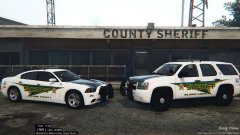 Haha! Nice! It's a new design they implemented with the new sheriff in town. I liked it alot vs the old design which they have had since I think the mid 90's. So far 100% 2016 Explorers.
 -
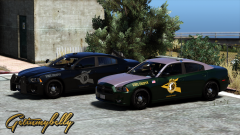 Beautiful shade of green!(or green reflection on black..lol)
 -
Slightly unfair, but..MY LOCAL SHERIFF! that I was wanting to make in the future. I liked how they had the sheriff logo on the hood as well, not sure if you noticed that. Although, sure it's probably another dept that you based it off of.
-
I would suggest Eurostile or similar font to better match the real life vehicle and look less plain. I know you used a generic font, but i can't think of the name.
-
Vehicles will be built to support the ELS system. So if someone wants to build an ELS compatible Arjent, sure! :)
-
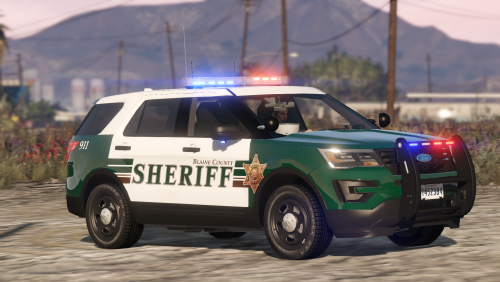 Another very nice pack! My only complaint(abit OCD related) is the coronas do not match the lightbar correctly.
- 77 comments
- 32 reviews
-
-

- 3
-
-
 Overall very nice pack!! AWESOME light bar pattern! Finally a new Impala to play with! Tahoe lighting is a bit meh to be honest, bars could use to be a bit larger on front and brighter. Coronas for the LED's in the turning signals/break lights on some of the vehicles are overly bright as hell for me.
- 779 comments
- 187 reviews
-
-
- 1
-
-
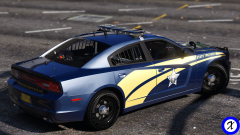 That reflection....
 -
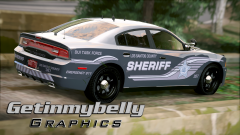 Very nice! I missed your seeing your...ahem..porn..ever few days. :D
 -
Yes, Grand Theft Auto V\plugins\SirenMastery\Config\KeyboardConfig.xml Name is: NumPad0-9
-
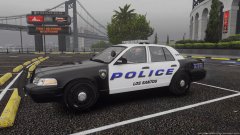
From the album: NeOn's Pics
Let me know what you guys think of this being my next pack. It is based on another one of my local PDs. -
Latest update broke it, he has to be updating it.
-
I have been trying to figure out how to make a simple DLC so I can easily install all my vehicles.(replacements and addons) Layout config.xml, setup2.xml, files, levels/gta5/vehicles.rpf DLC setup2.xml - http://pastebin.com/i66BFCmy config.xml - http://pastebin.com/HpaRHUvc I have checked my .meta's to make sure there are no syntax errors and I did install the expanded gameconfig.xml.(from Hurks CHP pack) Be glad to upload it for someone to test and maybe figure it out.
-
.thumb.jpg.6c80ecc7060134b39a0d153a8d09ac1f.jpg) Just noticed someone else mentioned it in their review, for me, custom carcols or stock siren 1, the rear window lights do not work. Everything else works great. Only difference I see is the rear window lights are different.
Just noticed someone else mentioned it in their review, for me, custom carcols or stock siren 1, the rear window lights do not work. Everything else works great. Only difference I see is the rear window lights are different.- 107 comments
- 24 reviews
-
This is custom carcol's not ELS. :P
-
-
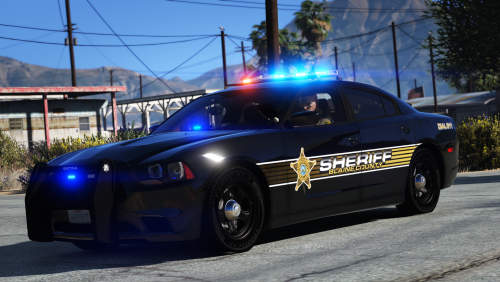 These are a good start. His latest quick basic tutorial. And much more helpful.(when you slow the video down to .25 speed so you can see what he is actually doing. This is his SPEEDART playlist.
- 16 comments
- 14 reviews
-
-
- 1
-
-
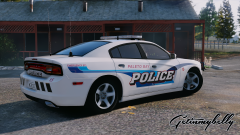 Now if we can just get Gump to update it so it can support multiple liveries. :)
 -
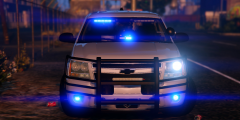 May I suggest leaving this behind and not filling ever related topic with it. No sense beating a dead horse, so to speak.
 -
Unable to release said tahoe due to permissions being revoked on some of the parts used.
-
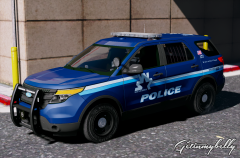 Very unique design. Very sexy as always!
 -
PostFX setting to high or more?
-
The main thing we still don't have is LSPDFR with multiplayer, who knows when that will come, but we now have early ELS stuff with SirenMastery covering sirens and edited carcols for custom patterns.(altho can't change but with new RPH plugin it will be possible). For me, LSPDFR, yes, it sucks without much multiplayer options but the graphics and engine upgrade make it worth it for me. I know alot of guys still playing LCPDFR are in roleplaying units that still use it.
-
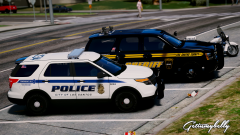 Gawd, that LSPD skin is beautiful! If you release all these as a Christmas Yard Sale, I don't think I will need anything else for Christmas. LOL
 -

.thumb.jpg.6c80ecc7060134b39a0d153a8d09ac1f.jpg)

