HappyJoker
Members
-
Joined
-
Last visited
Everything posted by HappyJoker
-
Are you kidding me? I have NEVER had problems installing cars. I don't get paid for helping people. Sometimes I don't even get a 'Thank you!' I really don't need people like you to tell me that "I don't know how to install car mods" which in fact is one of the easiest things to do. @Deputy Rourke and I have taken time out of our days to try and help you and even after you didn't make any sense whatsoever, I STILL tried to help you. So please, people on this forum don't get paid to help others, we just like to help. We really don't need people like you to tell us that "we don't know what we're doing."
-
No it doesn't matter
-
Yes but you are installing the car into patchday3ng. INSTALL THE CAR INTO PATCHDAY14NG. DRAG AND DROP THE FILES FROM THE CAR DOWNLOAD INTO PATCHDAY14NG. THE PATH WILL BE: openiv>mods>x64>dlcpacks>patchday14ng>dlc.rpf>x64>levels>gta5>vehicles.rpf
-
Try uninstalling Redux. See if that fixes it.
-
yes but install it into patchday14
-
Ok. Try installing it inside the mods folder. So: mods>patchday14>dlc.rpf>x64>levels>gta5>vehicles.rpf
-
The car.
-
Did you install it inside or outside the mods folder?
-
Navigate to patchday14>dlc.rpf>x64>levels>gta5>vehicles.rpf. Drag and drop the car files into vehicles.rpf. You do not need to replace car files (100% of the time).
-
Do you have assassinationV installed?
-
Try starting the game first, then when it gets to the copyright screen, launch RPH.
-
-
-
Not sure what this error is, but I'm getting it when trying to launch the game. I just updated all my mods to .52 compatible and installed PoliceSmartRadio and LSPS. Probably should've ran the game in between each but too late for that :/ any help appreciated. Log below. launcher.log
-
no, GTA Redux is pretty much a complete overhaul of graphics, sounds, textures, etc. you can't only download one part.
-
do you hear the els beeps when activating light stages?
-
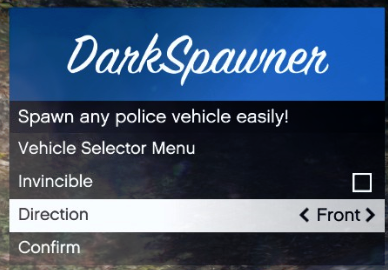 i like it :)
 -
 Albo, you never fail to impress me! Another great piece of art! I will definitely be using this to make my life much easier :)
- 266 comments
- 36 reviews
-
-

- 2
-
-
can you hear the els beep when you toggle the light stage? if so, disable the vehicle tint with the trainer. if you don't have a trainer, go into your vehicles.meta file and look for the model of whatever car's lights don't work. find the line under the model that says "diffuseTintvalue" and replace the line with "<diffuseTint value="0x00FFFFFF" />" without quotes.
-
-
can we get a screenshot?
-
if you think about it, his computer can't run the coronas it requires, so what would they be substituted with?
-
not with those specs man... sorry
-
yeah your specs aren't good at all. your pc can't handle the graphics...
-
do you have a visual mod installed?