



Sameer
Members
-
Joined
-
Last visited
Everything posted by Sameer
-
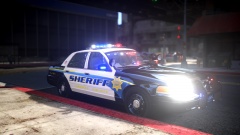 Beautiful!
 -
-
Make sure the shaders were set up appropriately in zmodeler. Also make sure there are no errors when exporting the model out of zmodeler. For further help on this issue please take a look at this very detailed and awesome UV MAPPING TUTORIAL by corleone. This tutorial will properly guide you through the whole process step by step. Regards.
-
-
![2006 GMC Savana Cargo Van 3500 [WIP]](//s3-gallery.int-cdn.lcpdfrusercontent.com/gallery/album_3065/sml_gallery_86082_3065_149763.png) Awesome mate!
Awesome mate! -
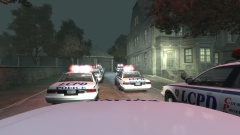 I am surprised to see the LCPD responding in such a disciplined manner! I mean look how they have nicely lined up all the cars and also the cars don't look damaged. New police chief in town eh? I hope they did not run over fellow cops and innocent civilians this time.. :P
 -
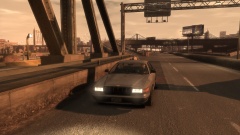 No one noticed it okay? Good job LCPD! :P
 -
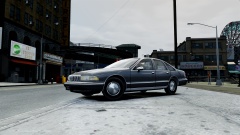
From the album: FREEDOM MODIFICATIONS
----Models will be released as Classic LSPD/LSSD cruisers with FS Aerodynic lightbar exclusively on LCPDFR. Stay Tuned for further updates--- -
Looks good!
-
-
-
-
-
-
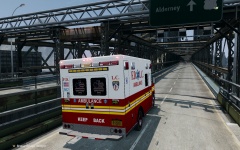 Looks cool! Nice job.
 -
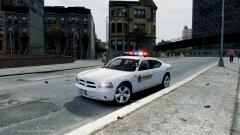
From the album: FREEDOM MODIFICATIONS
Lot of work is still left. Will probably be released as a pack with a 2013 charger and Durango. -
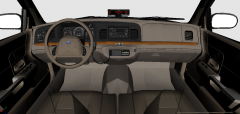 Here i used it in this model: '?do=embed' frameborder='0' data-embedContent>> There is no unlocked version available atm.
 -
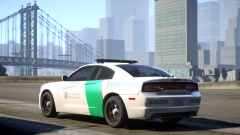 Oh this is cool!
 -
For modding police cars and ELS related mods you need Zmodeler and not Spark IV. Spark IV/ OPEN IV can only be used to replace default cars with modified cars and changing textures.
-
You don't need a saved .psd, all you have to do is replace the police.wtd from the download and then export the texture via OPEN IV and redo it. :D
- 7 comments
- 1 review
-
I like this texture, it's plain and simple. Good to see a simple skin once in a while here and there. You might wanna add one more stripe below that stripe IMO, it will look more good. 4/5
- 5 comments
- 1 review
-
Agreed with Arapahoe. Overall the model is good. The skin is not neat though. You have to improve on the skin. Other than that the overall model looks good.
- 7 comments
- 1 review
-
-

- 1
-
-
-
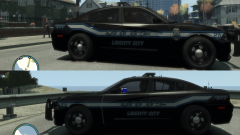 Overall the skin looks amazing! and i think you should go with the badge version it looks cool.
 -
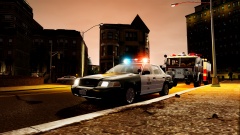
From the album: TMJ
ENB WIP. CVPI Model by: SGT. Kanyo

![2006 GMC Savana Cargo Van 3500 [WIP]](http://s3-gallery.int-cdn.lcpdfrusercontent.com/gallery/album_3065/sml_gallery_86082_3065_149763.png)
