




Starmix
Members
-
Joined
-
Last visited
Everything posted by Starmix
-
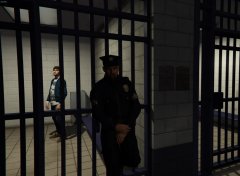 Hmm, im thinking a more in depth Prisoner Dropoff?
 -
Do you have ELS installed?
-
Yes, you have more customisability and depending on what you choose, it would be more future proof than Shitware.
-
Build it yourself or get the parts and get your local pc shop to build it, better value.
-
 no, GTA clearly needs the power of a raspberry pi
 -
-
Try to use xliveless.
-
Which EXE are you trying to check and launch?
-
Post a screenshot! Does it look like a PS1 game?
-
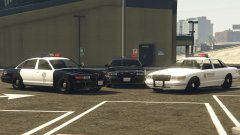 I'd prefer the NYSP Rancher settings with it though, something about me likes the DROT feel.
 -
Try repairing the installation of all above components.
-
-
 i dont know how to breath though :(
 -
 Yeah, whoever comments first is occasionally glitched to the owner.
 -
wait, last time i checked, this wasn't yours... hax
-
Probably just another case of GTA IV stability at work.
-
Try reinstalling it using the manual installation package.
-
Try downloading the manual installation package and installing it that way.
-
Then you have not installed the items that will linked to.
-
Honestly, with file structures, you'd need somebody who has the steam version of the game. Post a screenshot of your root folder.
-
I believe it should be in the root Grand Theft Auto IV folder. Is the game itself with AdvancedHook.dll? As in GTAIV.exe and all of that.
-
I'll tag @Double Doppler since he is usually the 'British guy'
-
Yes, but it said for updates like 393.3 to 4 According to people, its now 440.
-
Do you have AdvancedHook.dll in your game folder?
-
.png.1f23c635147cb50082f86412e616f1ca.png) EVERYBODY UNDERSTANDS!
EVERYBODY UNDERSTANDS!

.png.1f23c635147cb50082f86412e616f1ca.png)