


OJdoesIt
Members
-
Joined
Everything posted by OJdoesIt
-
 Send me your log file. There could be a way to make this happen, but I'm unsure if it'll work with ELS vehicles.
 -
CodeRed Callouts is not within this mod page. You need to contact the developer of that mod.
-
.thumb.png.9d0943161b37f863c291d6d6664edefb.png) Set the modifier key in the INI to the same number as the regular key. So: ToggleMenu=120 ToggleMenuModifier=120
Set the modifier key in the INI to the same number as the regular key. So: ToggleMenu=120 ToggleMenuModifier=120- 368 comments
- 33 reviews
-
To open the menu?
-
Set Player as the target to have it indefinitely follow the player. Or before the 90s, use Update Heli.
- 368 comments
- 33 reviews
-
You keep creating a new pursuit instance and requesting backup on every tick/frame while your on scene. Easiest solution is to use a boolean variable. bool bSomeGenericBool = false; public override void Process() { base.Process(); //This states that if the player is less than or equal to 100 meters away from SpawnPoint, then it will do whatever is in the brackets. if (!bSomeGenericBool && Game.LocalPlayer.Character.Position.DistanceTo(SpawnPoint) <= 100f) { bSomeGenericBool = true; //Create the pursuit. this.pursuit = Functions.CreatePursuit(); //Add mySuspect to the pursuit. Functions.AddPedToPursuit(this.pursuit, mySuspect); //Request backup for one air unit and one local patrol unit to join the pursuit Functions.RequestBackup(Game.LocalPlayer.Character.Position, LSPD_First_Response.EBackupResponseType.Pursuit, LSPD_First_Response.EBackupUnitType.AirUnit); Functions.RequestBackup(Game.LocalPlayer.Character.Position, LSPD_First_Response.EBackupResponseType.Pursuit, LSPD_First_Response.EBackupUnitType.LocalUnit); } }
-
Make sure to have RageNativeUI installed. Make sure you are pressing both of the ToggleMenu and ToggleMenuModifier keys.
- 368 comments
- 33 reviews
-
I have no plans to adapt air/water vehicles with this mod. Sorry.
-
 It's just for flavor. The mod is very simplistic, so the units are just randomly driving around.
- 93 comments
- 18 reviews
-
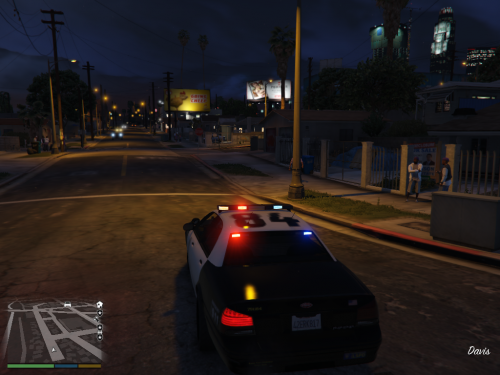 Post the Rage log.
 -
-
Already tried, but callouts aren't on one accord with how they set the blip and/or blip color.
-
-
 This causes behavior issues when the suspect is considered arrested. For example, the suspect will continually follow the player around instead of staying behind the squad car until the felony stop is over.
- 241 comments
- 18 reviews
-
-
Now you need to install this: https://www.lcpdfr.com/downloads/gta5mods/misc/10294-albo1125common/
- 241 comments
- 18 reviews
-
I'm assuming this is while you were in Observer mode? Someone else reported this crash. I will have a fix for it in next update.
- 368 comments
- 33 reviews
-
-

- 1
-
-
From the log, the crash is from a plugin that uses PoliceSmartRadio API. One way to fix it is to install PoliceSmartRadio plugin.
- 241 comments
- 18 reviews
-
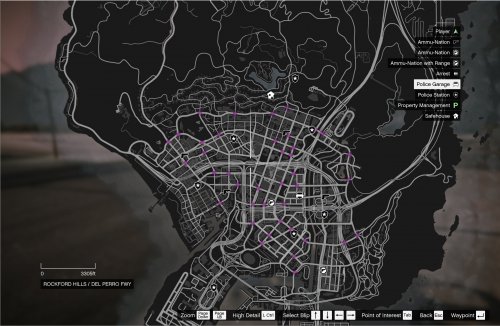 If you didn't change the INI settings, then by default, you need to press CTRL and D. You press the ToggleMenu and ToggleMenuModifier keys.
 -
The only working callout is the Officer In Distress. The other two are still work in progress. I forgot to remove them from the list. The Manhunt should be released in the next update.
-
What's the issue/problem?
-
I put the percentage within LSPDFR API as Low since, realistically, you will not get this type of call often. You could always force the call within the pause menu. I'm also unsure on what percentage other developers are setting their callouts.
-
Get into a vehicle and press the ToggleMenu and ToggleMenuModifier keys.
-
It should work.
-
Sorry, forgot to be clear. For usage with ELS vehicles, you need to set ElsTrfCtrlOn = false in the ELS.ini

.thumb.png.9d0943161b37f863c291d6d6664edefb.png)
