


Gerhart67
Members
-
Joined
-
Last visited
Everything posted by Gerhart67
-
-
Grant I'm not trying to be a jerk or anything but I have to ask. What is up with you necroing all of these topics that are months old? Honestly I'm genuinely curious as I find it a rather odd behavior. EDIT: sorry for the off topic
-
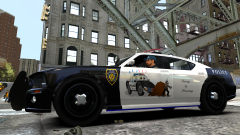
From the album: Gerhart67's custom textures
Thought I would make another texture that would appeal to the citizens of Liberty City. -
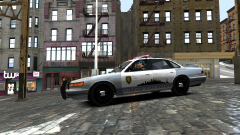
From the album: Gerhart67's custom textures
Up close shot of my Vapid skyline texture. I believe my Vapids are now up to nine colors in the carcols and 3 skins. Need to make one more skin. -
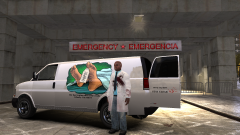
From the album: Gerhart67's custom textures
I just had to make a texture for the speedo to go along with Abraxas METT/Coroner mod. It's simple but I really like this one. -
That's a great feature since I already do stings with the street walkers. Man I've been eagerly waiting for this. Do you know if it plays nice with the K-9 script of his too?
-
May I suggest giving this mod a try '?do=embed' frameborder='0' data-embedContent>> It's the one I use and it will work with any gun except for the sniper.
-
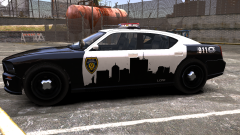 Thank you. I have another on the Vapid that I made a while back but I need to take a close up of it and upload.
 -
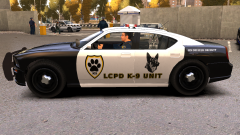 He's only wanting a hug..... go ahead hug him........ I dare ya'. Muahahahaha
 -
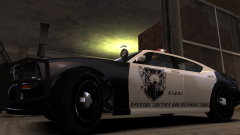 Thank you
 -
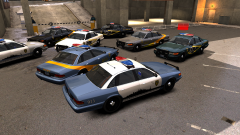
From the album: Gerhart67's custom textures
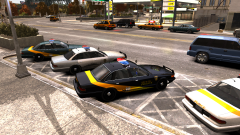
The Vapid fleet so far -
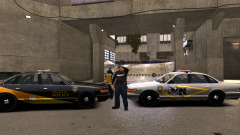
From the album: Gerhart67's custom textures
-
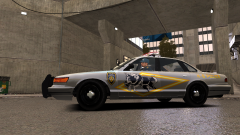
From the album: Gerhart67's custom textures
New Vapid K-9 Unit -
 Here's a video I did while doing a texture. It's basically the same process but I can make another if you like.
 -
I actually didn't think anyone would be interested in them to be honest. Seems like most want replicas of some department or something familiar. Those are your mods for the most part except for the nstockade. Was hoping you would do the patrol with a different light bar, keeping my fingers crossed.
-
From the album: Gerhart67's custom textures
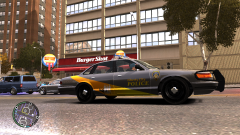
Same vapid same texture but different color from the carcols data -
From the album: Gerhart67's custom textures
Small example of taking advantage of the carcols file to use as the base paint for the vehicle. I believe my vapid uses 5 different car colors and so far 2 different textures with 2 more forming in my head. -
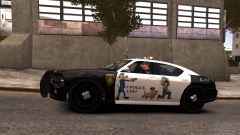
From the album: Gerhart67's custom textures
New K-9 theme. This one was done with thinking of helping children to feel more comfortable with the K-9 unit. Hopefully to encourage more positive interaction with the public. -
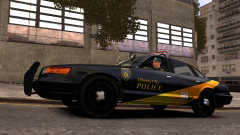
From the album: Gerhart67's custom textures
I like how this one turned out and it actually fits with all the car colors I have for the vapid -
From the album: Gerhart67's custom textures
New city theme -
If that doesn't help then check out my video, can't be any simpler. http://www.lcpdfr.com/page/tutorials/index.action/_/vehicle-modification-tutorial/how-to-install-a-vehicle-using-open-iv-extremely-simple-r53
-
Make sure your game is updated to the latest patch
-
Download the latest scripthook, Google for scripthook 1.7.1.7 and make sure you install the latest patch for the game.
-
When running the installer just choose the ELFC folder, the folder will actually be EFLC.
-
From the album: Gerhart67's custom textures
My K-9 unit for Officer Fuzzy Knuckles... still a work in progress

