




RyWilson
Members
-
Joined
-
Last visited
Everything posted by RyWilson
-
do you have different virus protections on each? Try disabling your anti virus and re installing then get back to us :)
-
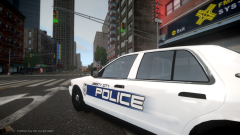 I like that. It so simple and clean. Nice.
 -
hahahah perfect :D I got my lol for the night. Good post :)
-
hey trevor :D welcome to the forums!! always good to see new members..especially if they are active members. as stated above there are plenty of things to look at and check out here. ask questions before you do anything if you aren't sure and ALWAYS make backup copies of your game before you add mods. If ya need one-on-one support, i am also available to help via messaging. good luck and be patient when trying out this mod. its subject to crash from time to time and as always beware of the paramedics in the game they are deadly lol.omg is all i can say http://www.dailymail.co.uk/news/article-2939251/Comic-book-fan-implants-face-nose-CHOPPED-fulfil-dream-looking-like-Captain-America-s-enemy-Red-Skull.html
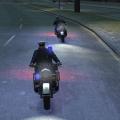 ooh i just found this. im downloading a bike right now. i can't wait to try it!!
- 25 comments
- 4 reviews
in this menu here see how low you can take your game without it doing to much to the quality. '> change some of them and then play a bit and see how things run. also if your game needs a little boost you can download something i use called Game Booster. basically it just shuts down processes not needed to game for a short time so you can play. i played tonight miracously for almost two hours..some nights only an hour..but those things i mentioned above have definitely helped my game run pretty frickin smooth. good luck!i had a problem like this too but i cant remember how i fixed it. but until we can figure it out have you tried using the ~ menu? i use it all the time if i need a spare car. just type spawn police or spawn police2, etc for the car ya want.the only thing i can think of is when you are ingame press ~ button and type forceduty now im not sure if that will work for that or not but i have been reading up on some threads in past few minutes. so hopefully that helps..if not someone brighter than me should be by shortlyhey i have been wondering whether the callouts mess with each other? currently all i have is wouters and the vp callouts. for the first time ever the vp callouts are giving me kidnappings and attempted murder which is awesome. but i wanna try the others out. anybody else using all of them?i can push the LB button six or seven hundred times and eventually i'll search the car. here lately i've been letting the K9 do vehicle searches :Domg that sounds amazing!! i haven't had one of those in ever..they are like fourteen dollars each at the mall thoughwell as long as we stay in the borders of america we should be just fine. if our biggest problem is deciding which salad dressing to use then i am good...i prefer ranchi just find it ironic that there are billions of people on earth but IS is still killing people. people can gather by the millions to see the pope but can't amass long enough to over run cities taken by terrorists. yes they will lose a few during the takeover, but i can assure you six million people running toward a city would scare the shit out of those terrorists. i think its high time they started taking actions to cover their own asses instead of laying down weapons and running away..which is the dumbest thing i've ever heard of ever.if anything i can say that i am more concerned about people using religion in politics. if that continues i can't say that i am optimistic about anything. i am just glad that christians don't run around blowing people up. at least im in america is all i'll say :PI thought this was pretty cool so wanted to share. everybody have an amazing day!!!!!!yeah. one day hopefully we will have paramedics that are not insane. maybe in GTA V they are better trained hey to put that picture in there click that picture frame and put this ttp://i69.photobucket.com/albums/i49/jg45042/Guppy-Care1_zpshuojg8yd.jpg just add the h i erased from the beginning of http :) thats the direct link ooh wait..lemme resize that for the forum. then i will post the other link. nevermind i guess you can use any size pic you want. i guess just use that code above.i can only imagine what would happen here. i already look both ways at a crime scene when i see an ambulance..god forbid we have to look skyward too..could you imagine a helicopter ambulance doing 100mph and crashing into the middle of an intersection, exploding, and killing like everybody on the screen let's try it once!!lol that guppy care one is here: the first one i made is here:haha I made you a siggy before this one too :POoooh :D I don't know why I love police cars :/As long as I got fingers I'll be playin gamesi usually play a video from one of the guys on here who has a youtube channel. sounds weird but sometimes they are having a better game than i am..the streets are very quiet sometimes..oddly enoughhello CD2. thanks for posting :) the game will crash regardless of anything anyone does. no matter if your computer is amazing or low end. it's a mod and because of that it can't work seamlessly with the GTA IV game all the time. How often are you getting to play before a crash? Are you able to get a good half hour or hour out of it? Something you can do is to go to Graphics in the GTA main menu after you start the game and lower some of the standards. This will help your game run smoother by lowering the CPU needed to run it. i am not very proficient at logs yet so hopefully a smarter guy will come by and take a look at those and see if there are any major issues.


