




CouthInk4
Members
-
Joined
-
Last visited
Everything posted by CouthInk4
-
Your topic has been moved to GTA V Support, this is not LSPDFR related. Please post in the correct location in the future.
-
This topic has been moved to the appropriate forum. Please post in the correct location in the future.
-
Ahh. nevermind then. that isn't your issue :D Try the Anti virus method.
-
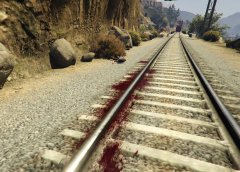 I guess you could say she.... *puts on sunglasses* Got taken for a ride. YYYEEEAAAHHH. No? Ok.. i'll see myself out.
 -
Download and install this - https://www.microsoft.com/en-gb/download/details.aspx?id=5555 Also make sure your Anti-Virus isn't detecting it as a false positive, it maybe disabling the .dll file due to the AV program thinking it's a virus (obviously it's not). To fix that you can disable your AV program before playing or make an exception to said file (i have no idea how to do that so you'll need to use google for that)
-
Hello there -- welcome to LCPDFR.com and thanks for trying out LCPDFR! Please do the following: Make sure you aren't using a crack - We don't support cracks or people using pirated softwareUpdate GTA IV to 1.0.7.0 (the latest version of the game, or 1.1.2.0 for EFLC) - These patches are needed. Make sure that you run the game as an administrator.Make sure that your GTA IV root folder (and every subdirectory) is not set to "read-only"Ensure that AdvancedHook.dll, ScriptHook.dll, ScriptHookDotNet.asi and Dsound.dll OR Xlive.dll are in the GTA IV ROOT folderEnsure that there is a folder titled 'LCPDFR' in the ROOT GTA IV folder.Check that all the above files exist, if they do not, reinstall LCPDFR with the MANUAL installation.Ensure that you are using up to date versions of every LCPDFR dependency and LCPDFR itself.Install these: https://www.microsoft.com/en-us/download/details.aspx?id=30653 , https://www.microsoft.com/en-us/download/details.aspx?id=30679 In some cases, your issue is resolved after following the above steps. If it did help, please let everyone know in the topic that your issue is resolved. If you do have to post a topic, do the following; Give a clear, detailed description of the problem.Explain any circumstances surrounding the problem.State what solutions you have tried.Post ALL relevant logs (LCPDFR.log, Scripthook.log, ScriptHookDotNet.log, AdvancedHook.log).Include as much information as possible.Post your system specifications.Post what other mods you are using. This includes car and script mods.Post a screenshot of your GTA IV or EFLC game directory. Please note that failure to follow these instructions may cause this thread to be closed.
-
Everything seems to be in order, there have been times that files have been known to get corrupted for some reason. Delete SlimDX.dll from your directory, redownload LSPDFR 0.2b and put the SlimDX.dll from the new download into your directory.
-
Can you attach a screenshot of your directory? Something is up with your SlimDX, the download should have fixed it.
-
Did you restart your PC after installing it? also make sure a file named SlimDX.dll is in your GTA directory.
-
Considering the error he is getting, chances are he doesn't have SlimDX installed on his computer, Which is needed to run the SlimDX.dll file.
-
Download and install this - http://slimdx.org/download.php it should fix your SlimDX.dll issue.
-
This topic has been moved to the appropriate forum. Please post in the correct location in the future.
-
Is this a topic regarding LCPDFR for GTA IV or LSPDFR for GTA V?
-
No.. Police brutality is wrong, i don't do that.. besides the suspect has to be alive for it to be classed as police brutality.
-
Your topic has been moved to GTA V Support, this is not LSPDFR related. Please post in the correct location in the future.
-
or you can do what i do.. nudge them with my car, get out, then tase them :D
-
This topic has been moved to the appropriate forum. Please post in the correct location in the future.
-
between EFLC and GTA IV, EFLC seems to be more stable. not to mention it has 3 added police cars to mess with. apart from the stability and extra items, both games are the same, So it doesn't really matter which game you use to be honest.
-
Scripthook or RagePluginHook?
-
The LAPD gave him and End of Watch broadcast? Now that is something special, Even if he was an actor who played an LAPD officer.. the LAPD clearly treat him like their own.
-
Just FYI, you can't connect your LCPDFR account with the Crime Stats as they're no longer online. nobody can access the Crime Stats so they won't be recorded. You can also set a password in your account settings, You should have put in a password when you created your account, as it's required to do before it creates it. if not, sign out and select the "forgot password" option, a new one will be sent to the email address you used to sign up with and from there you can sign in with the new password, then change it in your Account Settings panel.
-
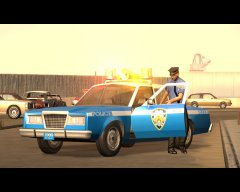 It's not, It's Driver Parallel Lines.. It's just a site glitch and saying it's in the GTA V gallery, when it's actually in the Random Gallery.
 -
Considering the picture was taken from here - http://gtaforums.com/topic/672592-found-some-noose-officers-taking-a-break-lol/ it's not a mod. they're just standard NOoSE peds doing whatever they're doing. it was taken in GTA Online so god knows what they were doing.
-
I believe there are a few people currently (or planning to) convert their models from IV into V, so we will eventually get Holden Commodores, Ford Falcons etc in GTA V. As for right now, there are a few Australia Police based textures for the vanilla cars floating around on www.gta5-mods.com. as for uniforms, i haven't see nany apart from these. https://www.gta5-mods.com/player/project-actpol-act-policing That being said, there will be more Australian based mods eventually. keep an eye out on this thread here, they have released some screenshots of GTA V related mods - http://gtapolicemods.com/showthread.php?98-Australian-Emergency-Textures/page844
-
If you know it's in the wrong place, then report it and we can move it =) This topic has been moved to the appropriate forum. Please post in the correct location in the future.


