




CouthInk4
Members
-
Joined
-
Last visited
Everything posted by CouthInk4
-
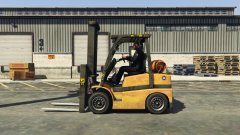 stick an LED lightbar on it and it'll look exactly like a Vapid Interceptor.. not it won't, stick a lightbar on it and it'll look and preform even better than the Vapid Interceptor.
 -
You can have a look at some Razer headsets, they're pretty badass. I used Razer Carcharias for a while, they're only 2.1 surround sound but the sound quality is pretty awesome (with a bass option), Kraken Pro are good, they're 7.1 (haven't used them myself). If you can afford it.. i'd go with Razer Tiamat 7.1. they're bulky, but their sound quality is also awesome, they have options for bass aswell. the Kraken and Tiamat are expensive, but they're definitely worth it.
-
I could be wrong, but i'm pretty sure you can already mark peds as wanted. (haven't played LSPDFR since the GTA V update so i'm not certain).
-
Please post in the correct location in the future.
-
No, mainly because the international forum is generated on a per-person basis. we barely get anyone that only speaks Russian here, not to mention we don't have any Staff members who speak Russian to moderate it. That's why we have a French and German forum since we there are heaps of people who only speak those languages, and we have people on the Staff team to moderate it
-
This topic has been closed by LCPDFR.com staff as it is a support topic concerning an unsupported version of LCPDFR. We do not support old versions of LCPDFR, and recommend you use and download the latest version (http://www.lcpdfr.com/files/file/4607-lcpd-first-response/) If you feel that this topic has been closed in error, please report this post.
-
Yes, although unless the original authors put a DMCA takedown request nothing can be done with that site. considering it's adware, it's not really something law enforcement spend time on, they're mainly concerned with the viruses that hack your computer and steal data like ransomware. adware just creates revenue, that's all it does so technically it's not a virus. that's the difference between malware and adware.
-
What you have done is downloaded a model from their site, and somehow they've put adware into your computer. I'd remove that mod immediately just incase it infects your computer again. Only downloaded from trusted sources, not from sites like that as they do contain stolen mods and are filled with adware. Not entirely sure how contacting his local authorities would help.
-
Considering he wants it to work on a model/done through zmodeler, MoreControlV would be useless.
-
Your first question: You can change your keybinds in GTA, that might stop your lightbar from turning off/on. Or you can wait until you're able to change the keybinds in LSPDFR (not sure if this will be implemented or not). As for your second question, you can't be part of the Development Team since i believe only Sam and LMS work with LSPDFR just for security reasons, however you can use the API and create callouts and what not. For that you can check out the API section on the forums to find out more about this.
-
This topic has been closed, as it has been previously answered on LCPDFR.com - We require all members to thoroughly investigate whatever question they might have before posting. You can find the search function here: http://www.lcpdfr.com/search/ If you feel this topic has been closed in error, please report this post.
-
-
Hello there -- welcome to LCPDFR.com and thanks for trying out LCPDFR! Please do the following: Make sure you aren't using a crack - We don't support cracks or people using pirated softwareUpdate GTA IV to 1.0.7.0 (the latest version of the game, or 1.1.2.0 for EFLC) - These patches are needed. Make sure that you run the game as an administrator.Make sure that your GTA IV root folder (and every subdirectory) is not set to "read-only"Ensure that AdvancedHook.dll, ScriptHook.dll, ScriptHookDotNet.asi and Dsound.dll OR Xlive.dll are in the GTA IV ROOT folderEnsure that there is a folder titled 'LCPDFR' in the ROOT GTA IV folder.Check that all the above files exist, if they do not, reinstall LCPDFR with the MANUAL installation.Ensure that you are using up to date versions of every LCPDFR dependency and LCPDFR itself.Install these: https://www.microsoft.com/en-us/download/details.aspx?id=30653 , https://www.microsoft.com/en-us/download/details.aspx?id=30679 In some cases, your issue is resolved after following the above steps. If it did help, please let everyone know in the topic that your issue is resolved. If you do have to post a topic, do the following; Give a clear, detailed description of the problem.Explain any circumstances surrounding the problem.State what solutions you have tried.Post ALL relevant logs (LCPDFR.log, Scripthook.log, ScriptHookDotNet.log, AdvancedHook.log).Include as much information as possible.Post your system specifications.Post what other mods you are using. This includes car and script mods.Post a screenshot of your GTA IV or EFLC game directory. Please note that failure to follow these instructions may cause this thread to be closed.
-
It's most likely caused by your mods, try running a vanilla game with just LCPDFR, Every mod you add makes the game more unstable resulting in a crash.
-
Also, just as a tip, rather than making a topic about it.. You can simply report your file then we can handle it that way :D author changes are a common glitch, so we can just fix it when you report it.
-
It's against our Community Guidelines to share original files or link to a site that has them, it's considered piracy. To retrieve the original files you'll need to get them from your backup (which you should've created BEFORE you started modding) or repair/reinstall your game.
-
There is no way to do this, However this will change when 0.3 is released, the Police interceptor will be called in as backup alongside the Stanier and Buffalo
-
Your topic has been moved to GTA V Support, this is not LSPDFR related. Please post in the correct location in the future.
-
The mods folder doesn't need removing, you just need to create a new one as all your mods in there uses the Updates folder.. which needs replacing with the new one from your directory. It's not that much of an effort once your get to know what you're doing. plus the mods folder is worth it since you don't need to backup your files as you're not modding any vanilla files.
-
Gaming laptops go for $1000 - $2000, you won't find a gaming laptop under that price (unless it's second-hand or on sale)
-
If you're wanting a specific vehicle in a different slot, for exxample if you want to install the Crown Vic in a sheriff position but it's for an LSPD position, just rename the file, so it might be originally for police2 rename it to sheriff (or whatever the name for the sheirff cruiser is).
-
This topic has been moved to the appropriate forum. Please post in the correct location in the future.
-
Yes.. i chose Antarctica in the poll, not to be a troll because i felt where i live is more Antarctica than Australasia. I live in Tasmania.. the bottom of Tasmania, where we get warmth for like 3 months.. the rest? all rain. We're the Aussie version of the UK... not to mention it's always cold =(
-
This topic has been moved to the appropriate forum. Please post in the correct location in the future.
-
Please stick to your original topic - http://www.lcpdfr.com/forums/topic/55543-help-to-edit-weapon-sound-mod/#comment-371690 If you feel this topic has been closed in error, please report this post.

