




CouthInk4
-
Joined
-
Last visited
Everything posted by CouthInk4
-
editing ped models is still encrypted, the only thing you can do is edit the peds texture.
-
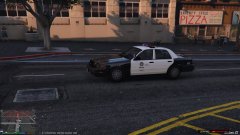
From the album: CouthInk4's LSPDFR Gallery
action shot of 1-LINCOLN-12 in a pursuit -
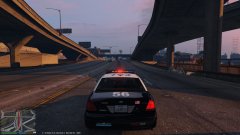
From the album: CouthInk4's LSPDFR Gallery
Code 3 on a stolen police vehicle -
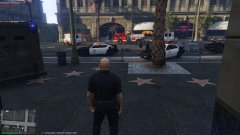 I have that, My Game was crashing a lot so i did the repair option and removed my mods to se eif it fixed it (it did) this is just on a modless game session.. gold and silver badges is one of the first things i normally put in :D
 -
Your topic has been moved to LCPDFR Support Requests. Please post in the correct location in the future. Hello there -- welcome to LCPDFR.com and thanks for trying out LCPDFR! Please do the following: Make sure you aren't using a crack - We don't support cracks or people using pirated software Update GTA IV to 1.0.7.0 (the latest version of the game, or 1.1.2.0 for EFLC) - These patches are needed. Make sure that you run the game as an administrator. Make sure that your GTA IV root folder (and every subdirectory) is not set to "read-only" Ensure that AdvancedHook.dll, ScriptHook.dll, ScriptHookDotNet.asi and Dsound.dll OR Xlive.dll are in the GTA IV ROOT folder Ensure that there is a folder titled 'LCPDFR' in the ROOT GTA IV folder. Check that all the above files exist, if they do not, reinstall LCPDFR with the MANUAL installation. Ensure that you are using up to date versions of every LCPDFR dependency and LCPDFR itself. Install these: https://www.microsoft.com/en-us/download/details.aspx?id=30653 , https://www.microsoft.com/en-us/download/details.aspx?id=30679 In some cases, your issue is resolved after following the above steps. If it did help, please let everyone know in the topic that your issue is resolved. If you do have to post a topic, do the following; Give a clear, detailed description of the problem. Explain any circumstances surrounding the problem. State what solutions you have tried. Post ALL relevant logs (LCPDFR.log, Scripthook.log, ScriptHookDotNet.log, AdvancedHook.log). Include as much information as possible. Post your system specifications. Post what other mods you are using. This includes car and script mods. Post a screenshot of your GTA IV or EFLC game directory. Please note that failure to follow these instructions may cause this thread to be closed.
-
Your topic has been moved to GTA V Support, this is not LSPDFR related. Please post in the correct location in the future.
-
This topic has been moved to the appropriate forum. Please post in the correct location in the future.
-
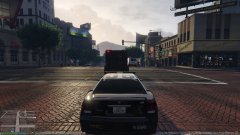
From the album: CouthInk4's LSPDFR Gallery
Heist was Code 4, Units heading back to the station for some coffee -
From the album: CouthInk4's LSPDFR Gallery
Coming out of a bank heist, surprised i didn't die -
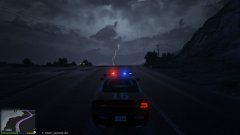
From the album: CouthInk4's LSPDFR Gallery
Changing some settings/checking out how my card goes on increased graphics.. captured this. Woah! i now love my game -
Your topic has been moved to GTA V Support, this is not LSPDFR related. Please post in the correct location in the future.
-
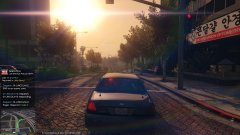
From the album: CouthInk4's LSPDFR Gallery
Rolling code 3, I do like this screenshot, it's pretty -
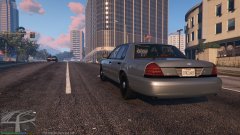
From the album: CouthInk4's LSPDFR Gallery
LSPD Detective patrolling Downtown LS -
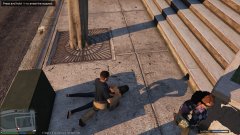
From the album: CouthInk4's LSPDFR Gallery
fuel thief cuffed and is ready to be taken to the big house -
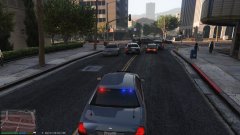
From the album: CouthInk4's LSPDFR Gallery
Secondary unit in a pursuit regarding the fuel theft -
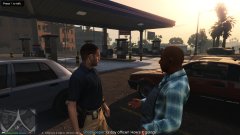
From the album: CouthInk4's LSPDFR Gallery
Getting an ID from a shopkeeper of a suspect who stole fuel -
From the album: CouthInk4's LSPDFR Gallery
-
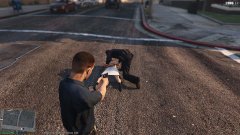
From the album: CouthInk4's LSPDFR Gallery
Covering a fellow uniformed officer while he cuffs the suspect -
This topic has been moved to the appropriate forum. Please post in the correct location in the future.
-
This topic has been moved to the appropriate forum. Please post in the correct location in the future.
-
Not really a crazy name.. Although when using the FCRP cheat in LSPDFR, i came across my character from FCRP. http://steamcommunity.com/sharedfiles/filedetails/?id=483248348 (Jack Sims was me)
-
Your topic has been moved to GTA V Support, this is not LSPDFR related. Please post in the correct location in the future.
-
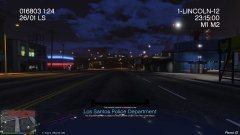
From the album: CouthInk4's LSPDFR Gallery
catching up to a pursuit.. until my game crashed =( -
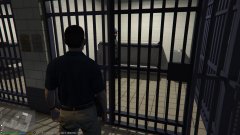
From the album: CouthInk4's LSPDFR Gallery
probably gonna be someones bitch too.. don't drop the soap buddy -
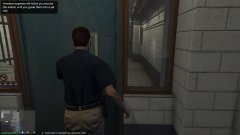
From the album: CouthInk4's LSPDFR Gallery


