


Sgt.Kanyo
Members
-
Joined
-
Last visited
Everything posted by Sgt.Kanyo
-
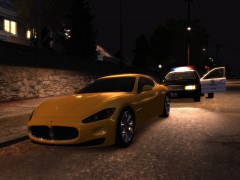
From the album: LAPD
Crown Vic is released now, awaiting approval -
 Well LAPD doesn't really use pushbars on their police cars. Some of them do have it, however I don't think that specific rambar has been made, and if it's not the exact same pushbar, I won't add it, since it's not realistic enough :D
 -
- This is a Ford Crown Victoria P71 from the LAPD with a Code 3 MX-7000 lightbar. - This car trys to be as close to the real one as possible. - ELS v5 settings: E-1R and C-01 - ELS v8 settings are included - This model is unlocked, and you may edit it, as long as you provide the credits listed here.
- 12 comments
- 9 reviews
-
-

- 1
-
-
Awesome thanks, it seems I have a problem with GPM, I can only open it with a proxy site or whatever.
-
Alright this is hopeless, does anyone by any chance have the unlocked police computer? That's the only thing that's missing on my car, and I promised a release lol
-
God damnit, GPM is always down when we need it the most lol. Thanks for the reply, I'll check it out as soon as I can open it.
-
Put it only in EFLC/pc/models/cdimages, then go to EFLC/common/data and edit the images.txt and add this to the end of the list: platformimg:/models/cdimages/spotlight 0 No need to do anything with gta.dat
-
Alright so my car is almost ready, all it needs is a police computer, anyone know where can I get an unlocked model? I don't want to use the GTA IV lcpd computer, because let's be honest it's rubbish, and I want to make my car as real as possible.
-
Copy Paste? lol Also I think 1 will do in EFLC/pc/models/cdimages, and then ofcourse you have to edit the gta.dat as well. Also any updates?
-
Yeah it's my currently WIP 2003 LAPD, you can find more pics on GPM in the WIP thread. It's almost ready for release. Also I'm using laser and flashlights for all weapons mod, so there are no coordinates, it's automatically generated. You can find that on gta4-mods.com
-
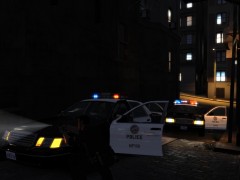
From the album: LAPD
-
When will you release the updated spotlight, also my other question is where will you announce it? (which thread)
-
well you can adjust the steering angle, but it'll mess up the cornering performance. Right now it's on 33, and I think it's alright.
-
Well sorry to say, you installed them wrong. Make sure you didn't delete any other lines or I dunno.
-
Awesome! I can't wait for it.
-
First, second and about 5th (which is my 3rd) posts contain the handling lines. And I just mentioned up there how :P
-
@Original Light Why did he get banned anyway? @Jorge So any chance for a newer version, or is there a way to enable the spotlight for the coquette and every other car? I tried adding it in the .ini file, but it didn't work.
-
Ah I have made handlings for all of those vehicles. I don't make handling for helicopters though... Also I'm not really good with videos, also if you use a handling editor, most of the stuff is explained there. As far as I can tell the only thing I need to add is vehicle "velocity" doesn't define how fast your car goes, it only changes the gear ratios. Higher the number the longer the gears are. Most of the stuff can only be learned by trying out stuff. For example you can't define 0-60 times, you have to fiddle with the acceleration force and the tyre grip (sometimes even suspension)
-
!!! SOLUTION !!! For those who cannot get the spotlight work on different vehicles, make sure your vehicles.ide's ingame vehicle names are actually police (or police2 etc.). I had coquette written for every cvpi I have (since that's the closest sound to the crown vic v8 sound) and that's why it didn't work. Can you fix this in the next version, that it doesn't check in game name, but instead .wft name or something like that? Or will it work if I add coquette to the spotlight.ini?
-
Yeah ofcourse, just tell me which ones you need handling for, also please a link to the car.
-
What you could also do is, add the rambar to the traffic advisor, and whenever you want the rambar, you just turn on the traffic advisor. Obviously you'd have to add it 2 times at least, or another solution would be if you turned on H-03 in traffic advisor pattern. This way you won't have traffic advisors, but you'd have a rambar option at least.
-
@Michael Yes I did, like I said I used the original settings and also the given settings (which has to be correct), and the lights just don't show up. Also I always make sure by opening all car doors, bonnet and the trunk, and also lift the car in the air, so I can see where the spotlight is, but it's just not there.
-
I still have the same problem as before. Only polmav and police2 works, none of the others show up. This is what my ini file looks like:
-
Well what I did was lift the car up in the air with airbreak, and I was using the default values on the original gta iv police cruiser. With the same coordinates the light works on the police2 (even though it's a car mod) The light doesn't work on the noose either, it is a modded car, and had the same values as the cvpi.
-
My problem is even though I installed it perfeclty, the spotlight only show up on the polmav and the police2. I tried to fiddle around with the ini, like changing the turn on button or change the position, but no, it doesn't wanna light up, no matter what I do. Also is there a way to decrease the brightness?

