


Sgt.Kanyo
Members
-
Joined
-
Last visited
Everything posted by Sgt.Kanyo
-
Actually velocity isn't used for top speed, it's used to alter the gear ratios. The higher number you give, the longer the gear changes will be. 5 Speed transmission + 305 Km/h velocity = 100 Km/h in 1st gear.
-
Yeah unfortunately the AI's been optimized for default handling, and also they generally suck at driving (late braking etc.) Anyway when I started doing my handlings I found GTA IV Handling Editor really useful, but now I just simply open handling.dat with notepad, and modify the numbers myself.
-
Try checking your vehicles.dat and look for the car's handling id in there, which has that bug.
-
That's a handling.dat issue, and it only happens if the car in question use a non-existing handling line. I think you miswrote something in your handling.dat or vehicles.ide. Say for example vehicles.ide tells the game you are using POLICE handling line in handling.dat, but there's no POLICE handling line in handling.dat. Then that will happen.
-
/sarcasm mode on Nope mate, it's gravity /sarcasm mode off Ah I don't really know what you mean. You mean the tyres are too grippy, or when you jump the car it doesn't wanna stay in the air?
-
Alright managed to come up with something. Unfortunately noone is crazy enough to mount a camera harleys and drive fast. Anyway handling is on the 1st page.
-
Well I'm not too good with bikes, but yeah. Although can you link here which HD bike you want?
-
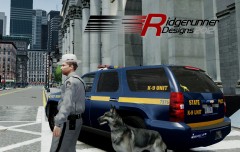 Can we have a link for the dog? Google can't seem to find it.
 -
-
Well all I can say is epic job :D It looks kickass.
-
Oh wow awesome, I'll be sure to redownload it.
-
I know it's there, but I hate to turn on the traffic advisors in els, because it's kinda buggy and you have to hold it down. Sometimes doesn't even work. And also I want to enable steady burns with a push of a button, and that can only be done if yakadafi adds it to the traffic advisor extras.
-
Hey, your LAPD impala is sick, but could you fix the white paint at the wheel arches, and add steady burns to all the traffic advisor extras? LAPD usually uses only their steady burns and the traffic advisor, when they stop at a scene. EDIT: Also this is how the rear part of the Arjent looks like when the primary lights are on: Maybe if you added the traffic advisor as wig-wags (extra 5 for the 2 side parts and extra 6 for the middle), it could work like that.
-
Added new handlings for bugz's tahoe, and also updated the 2001 Suburban's handling. The one optimized for bugz's suburban was based on the 2007 model, but now it's the correct 2001 era subbie.
-
I already made 1, optimized for Yakadafi's 2012 NYPD charger. Also I optimized the Tahoe handling for Yakadafi's new ATF Tahoe. It's in the first post.
-
My god that ATF tahoe is my favourite unmarked vehicle so far, however can you fix mainly the front indicators (since they don't light up) and also make the lights, light up like the real one? 2007-20'' Chevrolet Tahoe / Suburban: ============================= Front lights: http://www.usedchevytahoeeverett.com...et-Tahoe-5.jpg Tail lights: http://0.tqn.com/d/s.../C/-/-/Rear.JPG Brake lights: (at around 0:35) Indicators: http://4.bp.blogspot.com/_oP5v7hYcqZ...tahoe-hero.jpg No idea about the rear indicators, but I'm guessing it's the same as the tail light Also handling mod optimized for your Tahoe is en route :D EDIT: Also it looks like once again like with a lots of mods the wheels are pushed inside the body. That just looks weird, this is how the tahoe's wheel positions look like: http://desmond.imageshack.us/Himg230/scaled.php?server=230&filename=dsc011344zi.jpg&res=medium
-
Ford F-150 handling is released.
-
-
I wasn't talking about those, I was talking about the ones on the trunk, next to the license plate. Those square looking ones. Anyway I already posted at the 2012 F-150's DL page, but I'll post it here too, that the link is dead. Can you guys reupload it? I'll make a handling for the F-150 if I get my hands on it.
-
I don't really like the lights set up tbh on the rear, especially those huge ugly lights on the trunk, but other than that, it's okay.
-
It's SgtKanyo5 for you :D Anyway small little update, I released all my handling mods that I had optimized for original GTA IV cars. I know the Vapid Cruiser is not exactly a 2003 CVPI, but hell...
-
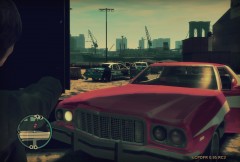 Very nicely done. Even the timecyc has this yellowish old look. I like it.
 -
I did my steady burns like add it to every single traffic advisor extra (extra7, extra8 and extra9) and I also added the steady burn lights to both left and right wig-wags.
-
Sorry for not writing, but my computer died and now I'm trying to get it back together, so since this computer doesn't have EFLC nor IV, I can't do it right now. As soon as my computer is fixed, I'll be able to do the handling, which should be like 1 or 2 days, unless my video card died too.
-

