


Stealth22
Friends of LSPDFR
-
Joined
-
Last visited
Everything posted by Stealth22
-
 Make sure you've got the latest version of Luke's callouts. I think its anything before v0.2.5a, there is an issue where his callout plugin doesn't let any other callouts load.
- 423 comments
- 73 reviews
-
Which callout is this? And are you running any other mods? (If you have Keep Calm, any version prior to 0.5.1 has issues)
-
I haven't thought that far yet. I wanted to get the first version out as quickly as I could with the four initial callouts. Adding more callouts is going to be my next project.
-
Thanks for all the kind words and reviews, guys! Make sure to follow this thread on the forum for future development plans!! http://www.lcpdfr.com/forums/topic/52452-rel-code-3-callouts-add-a-new-layer-of-realism-to-lspdfr-screenshotsvideo-added/ EDIT: Oh for god's sake... In my excitement to release Code 3 Callouts, I forgot to include some dispatch audio files! At this time, you can only customize your unit type to be either "ADAM" or "LINCOLN", which are the LAPD codes for 2-man and 1-man patrol units. The other unit types will be in the next release. (Its not as simple as just adding the files, there are code changes involved) Sorry, folks!
- 423 comments
- 73 reviews
-
Plugin has been released!
-
Code 3 Callouts "Attention all units, officer needs assistance. Shots fired. All available units, respond Code 3." This is a plugin that I have been planning for ever since I started writing scripts for LSPDFR. Now that the LSPDFR API has come out, this idea has now become a reality! The focus of this plugin is to create a realistic experience where the player needs to do some actual police work. Police work is not always about flicking on the lights and sirens and flying down the road at 100 MPH. Nor is it always about pulling out an AR-15 and emptying a clip on a suspect. In fact, most of the time, police work is all about dealing with people. Hearing both sides of the story. Figure out who is lying, and who isn't. Sometimes you have a helping hand when you have an eyewitness, and sometimes not. Or sometimes you will get eyewitnesses who contradict one another. Bob says the bank robber's car was blue. Jane says the car was red. Turns out, Jane was on her cell phone, and wasn't paying attention. Oh, and Bob was in the bathroom, so he didn't actually see anything. You later find out that the car was actually green. The first version has four different callout scenarios. Each will have their own degree of variation, so you will not have exactly the same situation every single time! Code 3 Callouts is designed to work alongside other callout plugins, to create the most exciting and realistic experience possible. It is YOUR job to determine what actually happened based on the evidence. Its time for your shift, Officer. Gear up, and move out. Requirements You MUST have the latest version of Rage Plugin Hook installed, as well as a legal copy of GTA V. YOU MUST HAVE VERSION 0.39 (OR NEWER) OF THE RAGE PLUGIN HOOK! This plugin has been tested on v757.4 of Grand Theft Auto V, but will work with newer versions. You must have at least v0.3.1 of LSPDFR Features TEN different callout situations, each with their own varying scenarios. Fully integrated dispatch audio, to create a realistic experience. Requires the player to investigate each call, and do some actual police work to determine what ACTUALLY happened. Remember, just because someone called 911 to report something, does not mean that's precisely what happened. Altered suspect behaviour based on the response of the officer NEW - AMBIENT EVENTS! NEW - INTEGRATION WITH LSPDFR COMPUTER+! Credits A very special thank you to... @LukeD - Lots of helpful advice, and helping me get comfortable with the API! Plus working together to ensure our callouts can work alongside each other! @FinKone - Same as above, plus testing and showcasing the plugin for me! Erwi - For helping me out with some code issues! @DCP1293, @LtFlash, and @Straysify - Testing earlier versions of Code 3 Callouts for me! Thanks a lot! @Albo1125 - For graciously sharing some of his code with me, helping me out with the CAD popup windows, giving me the idea for the new suspect vehicle search logic, and for helping me testing this version! @JFavignano and @Bayareabuggs - For being my guinea pigs... I MEAN testers, and giving me lots of useful feedback! Both of you have contributed a lot towards the success of this plugin, whether it be testing things for me, or just showcasing the callouts! Your guys' videos gave me lots of ideas for things to fix and improve!! @Zachary Houseknecht and @Polecat324 - Thanks a lot for showcasing the callouts, and for testing beta versions for me!! I really enjoy watching your videos! @goigle - For giving me the idea of the Assault observation window...which in turn led me to think of the CAD popup idea! Thanks a lot! @MulleDK19, along with all the other dev's on the RPH IRC channel - For being patient, and helping me out with code issues that I had difficulty with, plus testing things out for me!! My sincerest apologies if I missed anyone! Callouts Most of these callouts are "Code 2" calls, meaning, they do NOT require a "Code 3", or "lights and sirens" response. Part of police work is to actually drive at normal speeds, and obeying traffic laws and red lights while driving to a call! If you're stuck in a traffic jam, you can use your lights to get yourself through an intersection, and then resume driving normally. But be careful about using the siren...you don't want the suspect to know that you're coming, do you? See the PDF documentation for more information on all of the callouts included. Future Development Follow this thread on the forum for future development plans! http://www.lcpdfr.com/forums/topic/52452-rel-code-3-callouts-add-a-new-layer-of-realism-to-lspdfr-screenshotsvideo-added/
- 423 comments
- 73 reviews
-
-

-

- 60
-
-
-
Updated the first post with more details, as well as a couple of screenshots! Coming soon to an LSPDFR folder near you!! FinKone has done a video demonstrating an early version of Respond Code 3, and watch for a video (coming soon!) by Jeff Favignano as well! EDIT: Changed the name to Code 3 Callouts. Thanks to FinKone for the suggestion!
-
 I can check, but I don't think there is a way to control the AI in this manner. Its sort of based on the attitudes of the drivers. Just yesterday, I had pulled over a vehicle on the freeway and limited the speed to 20 MPH. The traffic was really congested, but the cars in my lane were moving over to the other lane when there was a gap in traffic. I guess its based on how the AI is feeling that particular day, lol.
- 338 comments
- 46 reviews
-
Version 0.5.1 has been released. This version of Keep Calm ignores pedestrians on foot, imposing the "calming" effect only on peds that are in a vehicle. This is to minimize interference with callout plugins for LSPDFR.
-
There is plenty of content in the other threads. Although I suppose it could help to have it centralized. Check out the API example project by LukeD.
-
 Its CTRL + H to remove the nearest one, and CTRL + SHIFT + H to remove them all, so you can just hit CTRL + H and that will take care of it. Thanks for the suggestion about the radius of the roadblock. I'll take a look at that after I've got my callouts plugin going.
- 268 comments
- 44 reviews
-
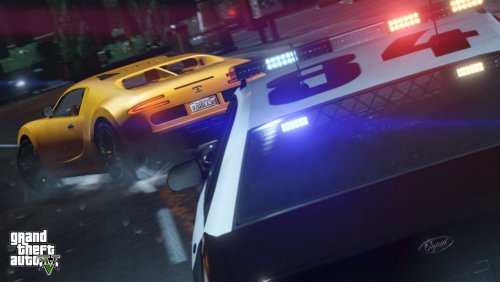 Played this for the first time today. God. Damn. You scared the living SHIT out of me on that gang call. Jeeeeezus. I must have called in the entire Los Santos Police Department on that one. Everything worked great. I didn't get a chance to try the Fight in Progress call, but I got all the others. Was a little pissed at LSPDFR because it takes like 10 shots to kill someone now (I'm looking at you, mugger who died and then got up!), but that isn't your script haha. Great work, man! Looking forward to playing more!
- 76 comments
- 23 reviews
-
-
- 3
-
-
Yup. I updated my GTA V to v393.4, and played for a while over lunch. Current version works just fine. Unfortunately, that's just the drivers of Los Santos, lol. But to combat that (at least on traffic stops), you can angle your vehicle in such a way that it protects you while you're dealing with the subject. There's also FinKone's Police Radio, which will let you put down barricades, and... (shameless plug incoming!) my Traffic Control plugin.
- 268 comments
- 44 reviews
-
-
- 1
-
-
I found a temporary fix...I made Keep Calm ignore any peds that are on foot, and set that flag to true for any peds that are in a vehicle. CouthInk4 tested it for me, and I just played LSPDFR over lunch. It seems to work fine. It remains to be seen if it will interfere with any vehicle related callouts.
-
Many thanks to CouthInk4 for testing this latest build for me! Version 0.5.1 has now been released...it will only "calm" peds that are in vehicles, and will ignore any pedestrians on foot. PLEASE ENSURE THAT YOU UPDATE TO RAGE PLUGIN HOOK v0.20.641.4077! A BUG WITH THE "GETALLPEDS" FUNCTION OF RPH WAS FIXED LAST NIGHT, AND THIS FUNCTION IS USED BY KEEP CALM!!
- 268 comments
- 44 reviews
-
-
- 1
-
-
Yeah, the end goal is to not have cars flying around killing anything in their path. So I'll probably release a hotfix that only applies the effect to vehicles, just as a temporary measure. I've already made the code change, but it needs to be tested, and I'm at work right now. (If any volunteers can test it in the next couple of hours, PM me please!!!) I'm just worried about how that will affect callouts involving vehicles though...not pursuits, those won't be affected, I don't think, anyway. I wish there was a way to call the LSPDFR API and disable Keep Calm if there is a callout in progress. That would solve everything. But right now, you can only access the LSPDFR API from the context of a callout.
- 268 comments
- 44 reviews
-
So is there a way to do this at all? I just found out last night that my Keep Calm plugin (which now works), interferes with callouts. How, you ask? Well, I've been testing my callout plugin, and I was pulling my hair out wondering why my callout peds were so timid, and were not doing much of anything. The answer was, Keep Calm. It was setting Ped.BlockPermanentEvents to true, which was intended to keep them from panicking in the event of gunfire. Unfortunately, that meant that peds would block out ANY kind of event. It basically takes away their ability to think and react...they do only as they are told, and thats it. Once I disabled Keep Calm and tested my callouts again, everything was fine. Basically, I'd like to have Keep Calm detect if a callout is active, and if so, disable that plugin until the callout is over. Doable?
-
Glad to hear that it works. The bad news is, I just found out last night that Keep Calm is interfering with my callouts plugin, which is still in development. It takes away the peds' ability to think, so if you use any callout plugins now, expect it to interfere. It doesn't cause any performance issues, but it just makes the peds really timid, so they don't react to...anything. The peds will strictly do only as they are told. In other words, the peds will only do what they are programmed to do, nothing else. Looking for a workaround to the problem...perhaps I might have to ignore any peds that are on foot, and only "calm" peds that are driving a car. But that still won't 100% fix this problem. It may still interfere with callouts that involve vehicles. At least for now, it works. I'll probably release another temporary update that only applies the calming effect to peds that are in a vehicle.
- 268 comments
- 44 reviews
-
Honestly, don't bother with Script Hook V. If you want to do anything LSPDFR or police related, stick to Rage Plugin Hook. There is a bit of a learning curve, but once you get the hang of it, things get easier. As FtDLulz said, download Visual Studio Community 2013. Its free, and it is "straight from the horse's mouth", so to speak. Its a Microsoft tool, and Microsoft makes the .NET Framework, which is what all these plugins are developed on. The Community edition does not have all the tools that the professionals use in the Premium and Ultimate versions, but honestly, it doesn't matter. Community has more than enough built into it...take it from someone who is a .NET Developer for a living. I make money and pay my bills doing this stuff, and I use Visual Studio Premium at work. I find that Community is more than enough for stuff I want to do with LSPDFR scripts. Now, all that said...DON'T LOOK AT ANY RAGE/LSPDFR CODE YET!! Don't do it! I know you're looking at LukeD's Example API project in the other thread...its tempting, isn't it? Well, don't download it! I'm watching you... Okay, seriously...I would strongly suggest looking up some tutorials online on how to code in C#. Learn about the basic concepts...learn what a function is, what a variable is, what a loop is, etc. Start by making a program in C# that opens a Command Prompt (DOS) window and writes "Hello World!". You can do that one in about 5 minutes...literally. Hint: Console.WriteLine("Hello World!"); Once you're done that, and you're comfortable using Visual Studio, then follow the Rage Plugin Hook Getting Started guide in the Rage Documentation. And you'll be off and running! At that point, download LukeD's example API project from this subforum. If you take even just one or two days to learn some basic C# concepts, then you'll be far better off, and you'll be able to read and actually understand the example code that Luke has written. (Keep in mind that Luke's example is for developing an LSPDFR callout plugin...the guide in the Rage Documentation is for developing a script mod for GTA V...two different things!) Feel free to post in this forum if you need help. Good luck!
-
Version 0.5.0 has been released. I did not have a chance to give this to anyone for testing, which is something that I wanted to do, in an ideal world. However, the version you guys have had up until now has not been usable at all, ever since v393.2 of GTA V was released. I wanted to get a fix to you guys ASAP. Fingers crossed, this should fix all of the freezing issues. In the testing I have done, I have not had any freezing at all in v393.2. Please note that I do not yet have the v393.4 update, so it has NOT been tested with the newest update. But from what I have read, that update removes a good portion of the "junk" code from the last update, so performance should be improved. Let me know if there are any issues. Enjoy!! http://www.lcpdfr.com/files/file/7969-keep-calm-beta-reduce-ai-panic-attacks-when-shots-are-fired
-
Version 0.5.0 has been released. I did not have a chance to give this to anyone for testing, which is something that I wanted to do, in an ideal world. However, the version you guys have had up until now has not been usable at all, ever since v393.2 of GTA V was released. I wanted to get a fix to you guys ASAP. Fingers crossed, this should fix all of the freezing issues. In the testing I have done, I have not had any freezing at all in v393.2. Please note that I do not yet have the v393.4 update, so it has NOT been tested with the newest update. But from what I have read, that update removes a good portion of the "junk" code from the last update, so performance should be improved. Let me know if there are any issues. Enjoy!!
- 268 comments
- 44 reviews
-
-
- 1
-
-
I doubt it (the API) was ever intended to do anything aside from triggering callouts. That's probably why you're seeing general weirdness like that. As for reloading LSPDFR, yeah, you're off duty, but you don't have to drive to the station. The "force duty" keybind is Space+F9. I had tried it, and thought it wasn't working. But just yesterday I read on the forum that you have to do it while running. Then you hit Space to jump, and then while in the air, hit F9. Your character transforms into a cop, lol.
-
To my knowledge, LSPDFR plugins are only triggered by a callout being dispatched. If there's a way of calling LSPDFR functions from a normal Rage plugin, then you could do it. But I'm not sure if that's possible.
-

