


Stealth22
Friends of LSPDFR
-
Joined
-
Last visited
Everything posted by Stealth22
-
I don't know how I didn't notice this post. Sorry about that. I haven't heard about this from anyone else. That being said, the log clearly states that its a problem with my callout. I'll see if I can add some more error checking into that callout for the next update.
-
I've started on a module that would read an XML file just like the one you posted there. Basically, you would give it a ped, and based on the models defined in that XML file, it would return you a description object, if it found anything. I've just discovered a major flaw though. A ped model can have multiple ethnicities, can't it? Like, if you turn your ped into a cop or a highway patrol officer, each one of those two ped models has like 2 or 3 different heads and hands, each of them being a different ethnicity. Might have to specify an ethnicity for each component, but I'm not sure if that makes any sense. Any ideas, @Dante666?
-
-
How will installing that mod affect custom vehicles, or vehicles with custom-made lightbars?
-
 I don't see anything in that log pertaining to Code 3 Callouts. I'm thinking the crash was caused by another plugin. See if you can reproduce it. (Hit the X key to force a callout, do that until you get Police Impersonator, and try again)
- 423 comments
- 73 reviews
-
Exception message: Could not load type 'Stealth.Common.Scripting.Peds' from assembly 'Stealth.Common, Version=1.2.0.0, Culture=neutral, PublicKeyToken=null'. That would do it...you've got an old version of Stealth.Common.dll. You need to copy Stealth.Common.dll from the zip file into your root/main GTA V directory. Code 3 Callouts v0.4.0 requires v1.3 of the Common DLL.
- 423 comments
- 73 reviews
-
Yeah, but then the suspect makes no attempt to get away, even if there is no traffic in front of him. He just drives around at a leisurely pace, as if nothing is going on.
-
Version 0.7.1 has been released, and includes a fix for this issue. (Thanks for the help, LMS!!) Mods, this topic can be locked.
-
VERSION 0.7.1 HAS BEEN RELEASED!! The 'slow pursuit' bug has been fixed!! Credit/kudos to @LMS for helping me with this issue.This version requires at least RPH v0.24, and the packaged Stealth.Common DLL (compatible with the current versions of Code 3 Callouts and Traffic Control)Many thanks to Jeff Favignano, alexguirre, DemNinjas, and DCP1293 for testing this version for me! ** IMPORTANT NOTE REGARDING THE ENTITY PERSISTENCE MOD!! **If you use the Entity Persistence mod by FtDLulz, you need to do ONE of two things...If ped persistence is enabled, ensure that it is set to only 'persist' dead peds, not live ones (this is the default setting, to my knowledge)OR...Disable ped persistence entirelyIf ped persistence is enabled, and set to 'persist' LIVE peds, then Keep Calm will have NO effect at all!! (Not to mention that you will have performance issues if you do that!) YOU HAVE BEEN WARNED!!!
-
 VERSION 0.7.1 HAS BEEN RELEASED!! The 'slow pursuit' bug has been fixed!! Credit/kudos to @LMS for helping me with this issue.This version requires at least RPH v0.24, and the packaged Stealth.Common DLL (compatible with the current versions of Code 3 Callouts and Traffic Control)Many thanks to Jeff Favignano, alexguirre, DemNinjas, and DCP1293 for testing this version for me! ** IMPORTANT NOTE REGARDING THE ENTITY PERSISTENCE MOD!! **If you use the Entity Persistence mod by FtDLulz, you need to do ONE of two things...If ped persistence is enabled, ensure that it is set to only 'persist' dead peds, not live ones (this is the default setting, to my knowledge)OR...Disable ped persistence entirelyIf ped persistence is enabled, and set to 'persist' LIVE peds, then Keep Calm will have NO effect at all!! (Not to mention that you will have performance issues if you do that!) YOU HAVE BEEN WARNED!!!
- 268 comments
- 44 reviews
-
This is a perfectly normal situation. The suspect stops to get the officer out of his car, and then takes off. It gives the suspect a head start, because the officer has to run back to his car before he can pursue the suspect.
-
I was going to mention this too. I couldn't remember if it was EnterVehicle() or CruiseWithVehicle() (or both?) that doesn't work when the ped isn't close enough (within 10 meters) to the vehicle. But now that I'm thinking it over again, I believe you are right. You have to make the ped move closer to the vehicle first. Is there a special task/native to make the ped jack the vehicle if it's occupied, or does EnterVehicle() do that automatically when you pass in -1 as the seat index? Just make sure you make the ped run to the car, not walk at a normal speed. He's running away from the police, after all.
-
Can you copy and paste the contents of your RagePluginHook.log file to http://www.pastebin.com, and post the pastebin link here?
- 423 comments
- 73 reviews
-
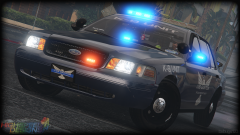 Oh, ok. I never would have guessed that, lol. I hope it's going to be "Ford" (or at least changeable?) in the released version. That would annoy the heck out of me, personally...no offence to you, @Bxbugs123.
 -
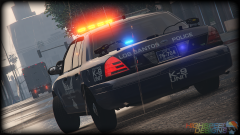 Unrelated, but I like how the website's censor bleeped out the "I-N-G" from @SerekgPL's comment, but not the four letters before it.
 -
I don't get it...
-
On the keyboard, I believe its the Q key.
-
This, plus an online solution like Crashplan or Backblaze. That is all.
-
-
The DLL file goes in Plugins\LSPDFR. LSPDFR will load the plugin automatically.
- 423 comments
- 73 reviews
-
Ok, cool. Sometime today or tomorrow, I'll create the project in TFS and send you guys the details.
-
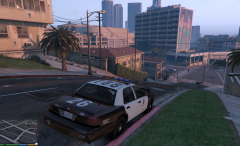 Looks awesome, man! Can't wait!!!
 -
So I can't disclose too much information out here in the public, but here goes... I've been approached to create a set of LSPDFR callouts that follow a certain theme. But with everything I have going on, I don't have any time to dedicate towards it, aside from maybe doing a couple of things here and there. I wanted to see if anyone would be interested in helping me out with this project. I would be looking for up to 4 experienced developers. And when I say experienced, I mean that you have at least one popular/high quality RPH plugin (or callout plugin) released out there. This would not be open source, so we can't use GitHub as a code repository, as private GitHub repos are not free. We would be using TFS (Team Foundation Server), which is provided for free by Microsoft on their Visual Studio Online website. It is free for up to 5 users. Visual Studio has tools built-in to connect to TFS Team Projects, and when your changes are done, you simply check them in to the server. For those familiar with VSO and TFS, there would be Work Items (think Issues in GitHub) assigned to each developer to complete. There's no deadlines or anything; we're not a software company, haha. Its just to track who is doing what, that's all. So, anyone interested? I know @FinKone is busy these days, but anyone else? @Albo1125? @alexguirre? @LtFlash? @FtDLulz? @Straysify? @LukeD? Sorry for all the tags, haha. I just wanted to make sure that you guys specifically saw this. Anyone else is free to express interest too. Don't be afraid if you're new to the LSPDFR API. I would just prefer to have at least two experienced dev's working alongside any newer guys. I just tagged a few dev's above that I know. Anyone else is free to come forward. Once we've got enough people, I'll start a private messaging chain and give you the details. Thanks!
-
Yeah, I forgot RPH had that GetNearbyVehicles function. Its limited to 16 vehicles I think, but for your purposes, it will work just fine. Unless you want more than that. My code does the same thing basically, except theres no limit to the number of vehicles. If you want to find vehicles in front/behind the ped, you'll need to do some comparisons with the vehicle's position.
-
I apologize if this is a re-post. I did a (quick) search, and didn't find anything. I've installed the same SmartSiren mod that I use for the standard patrol vehicles into the audio slot for the FBI vehicles. But the siren sounds completely different when I drive an FBI vehicle. I found this somewhat-related thread: http://www.lcpdfr.com/forums/topic/54475-possible-to-change-siren-category-eg-from-police-siren-to-fib-siren Is that the only way to fix this?


