.png.22897c42e5e93c7e0d52995e3c33fb92.png)
Dippa
Members
-
Joined
Everything posted by Dippa
-
 @PeterUOk I've got the call again. Here is the log for it. RagePluginHook.log
- 546 comments
- 103 reviews
-
Thanks for responding @PeterU sorry I've been busy with school. I will play and wait for the call again and show you the log once I get a few mins to play.
- 546 comments
- 103 reviews
-
@PeterU I keep runnign to a issue with just a few callouts. For instance the vehicle losing their load callout, when I accept the callout I get errors saying all objects didn't spawn and the callout may not run properly. I would still have the route to the callout but once there nothing is there. Has anyone else reported this issue to you? Im RagePluginHook.log
- 546 comments
- 103 reviews
-
 Revert the game version back using Ragehook until further notice. Revert the game version back using Ragehook until further notice. Lets start with your name. We could use your "gamelogs". Ragehook game logs (post file not cut and paste) and screen shots of your plugin folder and plugin/LSPDFR folder. Noone can help you if we can see anything about your game.
- 3,646 comments
- 306 reviews
-
Question, is this the first time you ever installed and used LSPDFR? Second Question, is this the entire Ragehook Log?
- 3,646 comments
- 306 reviews
-
Can you post your Ragehook log? Please do not cut and paste the log, we need the entire log file. Also can you post a screen shoit of your GTA V main directory, Plugins folder, and your LSPDFR folder that is inside the plugins folder please. Can you post your Ragehook log? Please do not cut and paste the log, we need the entire log file. Also can you post a screen shoit of your GTA V main directory, Plugins folder, and your LSPDFR folder that is inside the plugins folder please.
- 3,646 comments
- 306 reviews
-
Pull up behind the car you want to stop. Press Shift, and a blip will appear for the car. Then, turn on your emergency lights, and they will pull over. If the suspect pulls over in an unfavourable place, honk your horn and they will attempt the pull over again. Follow the onscreen instructions; get out, approach on foot, and use the menu to interact with them. After the suspect has stopped, you can cancel the traffic stop by pressing Shift again. Also, If you are using ELS make you you have false enter on this line- "ElsTrafCtrlOn = false". Comfirm this process. If it is not working after this you need to go to the LSPDFR Support Forum as this is not a Traffic Policer issue. Give it another go and see what happens. Note you must turn your lights on to stage 3 before the pull over starts after pressing "Shift" or "A".
- 3,646 comments
- 306 reviews
-
-
It would help if you allow us to look at the log files too. Please post the Ragehook log file. Do not cut and paste the file information in the chat. Thanks.
- 3,646 comments
- 306 reviews
-
lol It shouldn't really. Try the first step with removing all others and just run albo mods and see what happens. that will tell you if you need to proceed further. You need to know this before you can fix the issue.
- 3,646 comments
- 306 reviews
-
I would try removing all other plugins and script mods and run it to see if it is in fact a Traffic Policer issue. Then add eeach mod one by one and run it each time to see where the conflict is taking place.
- 3,646 comments
- 306 reviews
-
What keys are you using when you attempt to mimic and are you directly behind them after you have turned your lights to stage 3 and sounded your siren? Where did you see this version at?
- 3,646 comments
- 306 reviews
-
Sound like you are using ELS. If so open the ELS ini file in your main GTA directory and make sure it says false under this "ElsTrafCtrlOn = false".
- 3,646 comments
- 306 reviews
-
-

- 1
-
-
I think he is confusing your mods with LSPDFR close roads feature. If not then I'm stumped too as to what he is talking about.
- 3,646 comments
- 306 reviews
-
-
-
Judging by your file, I would trim down a few plugins. You have one running that is not updated. I've never heard of "Vehicle Signal". Try removing Vehicle signal and code 3 (I love code 3 but it crashes my game) and give it a run and see what happens. A side note, callout manager uses many resources so keep that in mind also because a lot of memory being used can cause plugins to act funny and crash as well.
- 3,646 comments
- 306 reviews
-
This isn't a issue with Albo mod, it is an issue with your game memory runnning low. Try typing "CleanWorld" then true and shift 5 times in the Ragehook console to bring the memory back into the pool. If that don't work try reducing your plugins and or modded vehicles.
- 3,646 comments
- 306 reviews
-
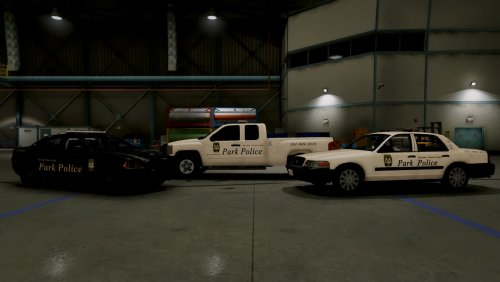 Great Work!
 -
-
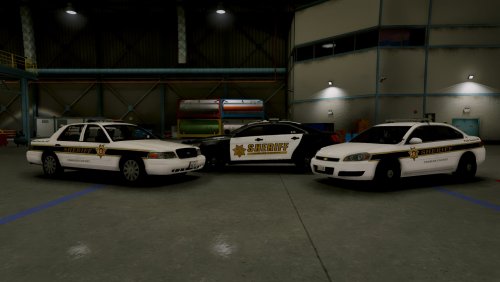
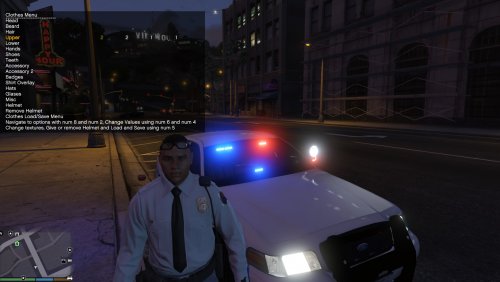 Which peds would you like to see with the PG Sheriff uniforms.. the city cops or the Sheriffs in game?
- 5 comments
- 1 review
-
Ok this is what I would suggest you do. Read over the LSPDFR instructions to make sure you are pulling the vehicles over using the correct buttons. I use a controller so I'm not really sure what keys are used on the keyboard to do so. Feel free to chirp in anyone if you know the answer to this. I will say trucks will ignore your siren and or lights if you are just moving thru traffic, however you can still pull them over (large trucks you have to pull them over close to the driver side door, then fall behind them). Make sure you have your ELS lights on stg3 otherwise; the vehicle will not pull over. Your siren has to be active with lights on stg3 then you will hear your siren chirp and go silent and you drive behind it until it pulls over. Try these things and see what happen.
- 3,646 comments
- 306 reviews
-
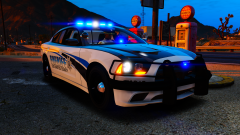 Bro this picture is fire! Very nice!
 -
No but I can see what I can come up with. lol I'm just seeing this message today bro, sorry for the late response as this was released a while ago. Let me know if you are still looking for it.
- 5 comments
- 1 review
-
-
- 1
-
-
.thumb.png.69333a247b9117caac821eda3fa59672.png)