




Iconography
Members
-
Joined
-
Last visited
Everything posted by Iconography
-
Yeah, its sort of cool what you sometimes find whilst rummaging through random game files.
-
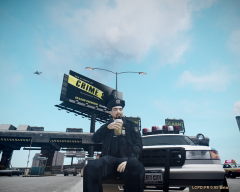 Odd spot for a coffee break but still a good picture. 5*
 -
 He was going to fire me instead. So I killed him.
 -
-
-
-
Please try 0.91 instead. That works 99% of the time without problem (just don't link your account with the installer).
-
-
Yeah that happens here as well but it will just take time.
-
Way to go, facebook.
-
-
Well you got this in the right section. Why couldn't you have just gone to GPM....? Sure their site is down about every 10 minutes but there's still plenty of time to download stuff...
-
Then there's no reason why he can't play multiplayer. " i cant play online for gta4" Well yes you can.
-
Doesn't Games for Windows live control multiplayer though?
-
Sounds like they're server is just messed up, nothing you can do about it. Remember though that Rockstar social network is a completely different program than Games for Windows Live. The password you use for one will not be the same unless you made them the same. If they're performing maintenance, chances are you will just need to wait.
-
-
Yeah, they seem to work fine for me as well. I believe that they happened to go down for a few minutes during an update or something and that caused a few people to post about it. I've been downloading a few random things every now and then to see if they do still work.
-
[betasupport] Please read pinned threads :sad:
-
Ok PM me we'll take over on TeamViewer. Request close. (A) Involves 0.95 (B) solved
-
You don't have C++, .NET or an ASI loader.
-
Umm..... Well, 0.91 and 0.95 both should... [betasupport] You sure you have C++ and .NET Framework? Please edit your posts from now on instead of double posting :mellow:
-
Despite the inclement weather, I'm going to stay here doing what I love best, helping others out. Until I lose power / internet. :whistling:
-
I almost got scared for a minute because I expected to hear "I know it would teleport you to a police station." Thank you for posting about 0.91 and not 0.95 So your version of EFLC is patched to 1.1.2.0, correct? You may have tried this already, but reinstall LCPDFR as an admin. i can tell this is going to end up being a very small problem that is easy to miss... Inside your root GTA folder, look for ScriptHookDotNet.txt and open it for me. Copy and paste the contents so I can see them. It would be nice if you encapsulated the contents in a spoiler BBCode by doing this: [spoiler]CONTENTS[/spoiler]
-
Can you describe exactly what is happening? To Dev / Mod: Should this be moved to support?
-
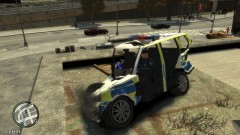 The police computer is still in perfect shape!

