




Iconography
Members
-
Joined
-
Last visited
Everything posted by Iconography
-
Read the "read this first" page on the announcements forum. Post the contents of ScriptHookDotNet.txt.
-
Why do people refuse to READ AND SEARCH THE FORUMS? For f*cks sake, I'll post this again: [betasupport]
-
Switch to dsound.dll instead. And then remove xlive.
-
No, multiplayer works fine in 1.0.7.0. Only using Xlive will kill multiplayer (kills Games for Windows Live).
-
[betasupport] You need to press Alt + P before they show up. If it still doesn't work, use 0.91.
-
If you have Simple Native Trainer make sure that in the trainer.ini file "KeyBindingsDisabled = 1".
-
There's a link to the keys in the discussion section. http://hub.lcpdfr.com/lcpdfr/wiki/keys. Please look thoroughly through the various forum sections and their respective announcements and stickies before making a post.
-
Okay, that one is more funny.
-
When you delete the scripts folder, do you take out all of the script hooks as well? http://www.lcpdfr.com/cops/forum/index.php/forum-20/announcement-5-need-support-read-this-first/ I swear, I need to put this link in my sig so I don't have to keep looking for the URL.
-
Yawn. Another boring, fake YouTube video fail. :down:
-
Interference, you have no reason to be posting the betasupport box yet. The "Invalid win32 application" error message will show up for 0.91 OR 0.95 when the downloads are NOT working. Download stability seem to be intermittent.
-
Added in cars WILL NOT spawn in game unless you add specific text entries into various data files in the game. There is a complete tutorial on this on GTA Police Mods. Any vehicles in slots OTHER THAN the default police car slots WILL NOT be in the selection of cars you may use upon starting LCPD:FR.
-
Are you talking about "PhoneChecksDisabled?" I believe this message will show up on 0.91 or 0.95, I remember seeing this a lot. As far as I remember, I have no problems with using the in game phone.
-
Using multiple car mods can crash the game. I have used the Unmarked FCV pack and it did not crash for me but I have a powerful system. Not every mod will work on every computer. If the Unmarked FCV pack doesn't work, do not use it.
-
You do NOT need a new game disk.
-
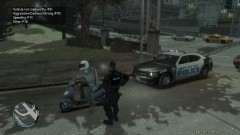 "All units, we have a moped breaking the speed limit you better call in SWAT cuz he must be breaking the laws of physics somehow."
 -
Hmm okay try reinstalling the mod; it may be a hardware thing (being a laptop video card) but I have seen low end computers manage to run the mod.
-
I feel like I'm out of the loop :sad:
-
What are your system specs? Try reinstalling as well.
-
Why post in Greek?
-
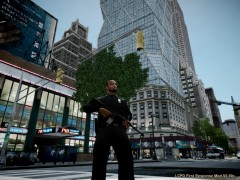 V0.90c? That's ancient!
 -
-
I have the exact same problems Sniper. Even for posts I can't center, and having like 3 lines will give a 5 line warning on a sig. EDIT: I'm just curious, but why are there only 4 minutes that an average member can edit their post?
-
Downloads section not working again?
-


