matt1008
Members
-
Joined
-
Last visited
Everything posted by matt1008
-
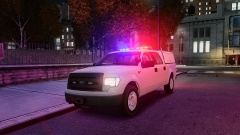 What programs you used to convert this model?
 -
Your welcome
-
here this is how to do it
-
-
do i credit you for the handling ?
-
Can you make a 2000 Chevrolet silverado 1500 handling line by bxbugs123 http://gtapolicemods.com/downloads.php?do=file&id=1870
-
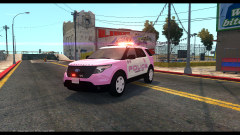 Looks good
 -
-
Your welcome
-
I like it it looks good great job
-
Please post your computer specs soo I can see them
-
does any one know where to get zmodeler 2.2.4 build 981 paid version?
-
It is extra 5 and 6 if you need help you can wacth this video https://www.lcpdfr.com/page/tutorials/index.action/_/vehicle-modification-tutorial/tut-how-to-make-els-headlight-wig-wags-r39
-
-
-
Please delete this topic
-
hi I installed els v7 and els v8 and I get a gta fatal error mma10
-
You have to import as png and export as dds change the texture where it should say texture when u export
-
You should take a look at this video https://m.youtube.com/watch?v=tF9q_wFm6A8&list=PL1tBufjQt5HTSYyjxOMpKIjTgBt30dNo6 It helped me
-
-
-
that is just what i do
-
HI i am going to show you how to edit gta4 handling lines today go to Grand Theft Auto Iv folder Then common/Data Then find handling.dat Rigth click and Make sure Read-Only is not check. If so uncheck Read-only Apply and ok Now download Notepad++ if you dont have it. After That go to the handling.dat and rigth click and Find edit with notepad++ Now it is time to change the handling line POLPAT delete every thing in that one line. NOw go find a handling line a copy it and paste it in that line . But be sure to POLPAT extact name When you are done go to file and save at the top of the screen And Make sure you space the numbers out with the line above And Rigth Click LaunchGTAIV.exe and click Run As adminsitrator Be sure to Not to set Read-Only in notepad++
-
Go to /Rockstart Games/GrandTheftAuto Iv Then Common/Data then a file called handling.dat then rigth click then go to properties and make sure that the Read-only is not check Now Click the handling.dat and find the opion to edit with notepad++ Then go to your vechile you want to change handling now after that delete everything from that one line And now go and find a new handling from the other models in the notepad++ Lets say that the model was a POLPAT Put that exact name then go to file save and then go back to where u install the game and launch the game By LaunchGTAIV.ex Download Notepad++ You will need to Click Ok And Apply
-
Hi can some body help me please i added this FedsigVector ELS v8 and when i go in game it does not look rigth i added a photo