


matt1008
Members
-
Joined
-
Last visited
Everything posted by matt1008
-
 Ok I'll look
 -
Where do u get that truck that said rapid plowing
-
Thanks who do I give credit
-
Do u have a handling line for this car '?do=embed' frameborder='0' data-embedContent>>
-
Make sure your lights files are under chassis-L2
-
![Pintsch Bamag Zirkon RLP Version [WIP]](//s3-gallery.int-cdn.lcpdfrusercontent.com/gallery/album_597/sml_gallery_27558_597_1225.png) Looks cool
Looks cool -
Can u post a picture
-
'?do=embed' frameborder='0' data-embedContent>>
-
Mabye use different grill ligths
-
There should be some Extras in grill lights look again go to were the led file is In zomdeler and click the plus and then u should see extras
-
First drag all the extras from the led top of police.wtf And your beacon to Go to modify attach then attach all the extras to the beacon make sure that they are the same extra name And one more thing too is that you can't have the same name of the extras you will get a error
-
Mabye try attaching extras
-
-
You Tryed that one I linked search on YouTube how to install gta4 snow mod
-
http://www.gtagarage.com/mods/show.php?id=5740 This one works
-
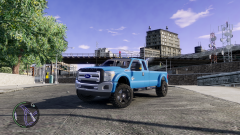 i like this truck great job
 -
will he relased it to the public
-
yes you should
-
I send it to you in the inbox
-
Yes you have too but it might work out ok
-
Maybe try dsf cvip 3.0 I had not issues with 3.0 version try that
-
Can I have a in game picture
-
Check your wheel col file in zmodeler
-
What model using I don't think it would be I would use a dsf cvip
-
It looks like you have chaissie LO and L1 but not l2
![Pintsch Bamag Zirkon RLP Version [WIP]](http://s3-gallery.int-cdn.lcpdfrusercontent.com/gallery/album_597/sml_gallery_27558_597_1225.png)

