




Sniper296
Friends of LSPDFR
-
Joined
-
Last visited
Everything posted by Sniper296
-
Locked, PM me or another mod to unlock.
-
Why not just cheat the campaign? With Simple Native Trainer you can use the options in the "Mission Help" menu to speed through, I did that when my save got corrupt.
-
Try learning C♯ before going to the easier VB, and as unr3al said try learning other languages first, the similarities in some will help you in the others. I learned HTML, CSS, PHP, ActionScript 2, JavaScript, ActionScript 3, NSIS, C♯; in that order, and am in the progress of learning C++.
-
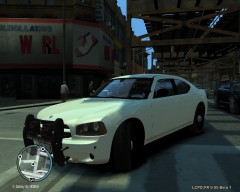 It has been released http://www.lcpdfr.com/cops/forum/index.php?showtopic=1735 At least you two can have shadows, if I enable them my computer will melt. :nuke:
 -
-
Better than mine. :thumbsup:
-
1) If you do go with an SFX archive, use 7zip, it has better compression. 2) NSIS has some good examples with the download and here. 3) The LCPD:FR devs used to use NSIS, but they made their own installer, mostlikely written in C♯, that is harder to learn than NSIS, but still rather easy if you find some good C♯ tutorials.
-
Here http://hub.lcpdfr.com/lcpdfr/wiki/TestingKeys
-
[betasupport]
-
*cough* http://www.photoshop.com/tools?wf=editor *cough*
-
Here are their current prices, sorry their in GBP it autodetected my location. Adobe Photoshop elements 9:
-
All of these over excited testers just killed the server! ☢
-
Install this.
-
00d:06h:00m:00s:00ms The countdown is to Midnight GMT+1 (BST) by the way.
-
This belongs in Media, some nice textures by the way. :thumbsup:
-
I am now fed up of that basic blue police computer in the original cars and the downloaded cars, so I made a new one. On the bottom screen is an ANPR/ALPR application and on the top screen is the WatchGuard GUI. I will release the bottom one sometime tomorrow, the top one will need the permission of the vehicles original authour. vehicle_generic_interior.png goes in vehshare.wtd in vehicles.img this is for the default police vehicles. laptop.png replaces the laptop screen image used in some custom police vehicles, you may need to resize it to fit. NOTE: It is highly recommended that you use OpenIV so that you can change the laptop.dds to A8R8G8B8 rather than DXT1, this will keep the laptop at a higher quality.
-
In trainer.ini find the line KeyBindingsDisabled=0 and change it to KeyBindingsDisabled=1
-
Do not enter your login, that dosen't work at the moment.
-
Well yes, it is easy, in C? that would be something like: Blip blip = Blip.AddBlip(Vector3 Target); blip.Color = BlipColor.Grey; blip.Icon = BlipIcon.Building_Garage; blip.Name = "Motor pool"; blip.ShowOnlyWhenNear = true; blip.Display = BlipDisplay.ArrowAndMap; that might be wrong, I havent used blips in a while. That would be something like get player position, get blip positions, if player within x distance of y blip, repair player vehicle. That is for the devs to decide, it is a simple quick script, but the rule generally is "If Simple Native Trainer can do it it isn't a priority."
-
Yes, it works fine, the only difference is the location to install it to, but the installer should find it anyway.
-
Nice, I would love to play GTA IV with the Logitech G27 and TrackIR 5, what CVPI was that?
-
Just copy trainer.ini and trainer.asi to your root folder, it works with the scripthook.dll included with LCPD:FR.
-
And if you are having trouble chosing a patrol location or hotspot you could go by this map: http://socialclub.rockstargames.com/widgets/common/widget_manager/flash_manager.swf?pWidgetURL=http://socialclub.rockstargames.com/widgets/gtaiv/lcpd_blotter/main.swf&pLanguage=en&pPlatform=1&pWidgetHeight=&pWidgetWidth=&debug=false&pServicesURL=https://socialclub.rockstargames.com/RockstarWebServices/ You might need to login to R*g sc to see the above content correctly :(
-
Looks like you are either missing or have a broken .Net2.0, try install this.
-
Not sure if it will change ELS light but you could try editing \common\data\visualSettings.dat # car.siren.color 1.00 0.20 0.00 car.siren.color.red 1.00 car.siren.color.green 0.20 car.siren.color.blue 0.00 # car.siren.color2 0.00 1.00 2.00 car.siren.color2.red 0.00 car.siren.color2.green 1.00 car.siren.color2.blue 2.00 car.siren.intensity 20.00 car.siren.falloffMax 14.00 car.siren.innerConeAngle 30.00 car.siren.outerConeAngle 60.00

