Sniper296
Friends of LSPDFR
-
Joined
-
Last visited
Everything posted by Sniper296
-
-
And it does not have a publisher that will fuck over it's customers for more money. In fact, no official publisher at all! They are independent!
-
My first choice would be LMS, he is the one behind AdvancedHook and helped with ScriptHookDotNet.
-
One lightbar or a few unmarked lights are sufficient, if the flashing lights and loud siren are not getting your attention then you are not fit to be driving! Exsessive lights are even more pointless than .
-
Finally! A little bit less spam to dig through.
-
It might be possible, but very difficult. It would probably have to be a C++ script and involve a lot of memory hacking. No natives of functions exist to control what a vehicle is recognised as.
-
-
-
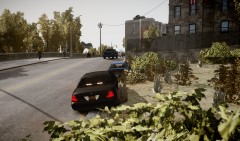 This one with replaced plates: http://www.lcpdfr.com/files/file/134-
 -
-
-
From the album: Screens
© Copyright © 2012 Sniper296, All rights reserved.
-
By did you pay for it we mean did you yourself exchange money for the goods in question(Zmodeler2). As in, is it cracked/pirated/torrented/somewhere other than zmodeler2.com?
-
http://www.zmodeler2.com/ News item on 8.Nov.11
-
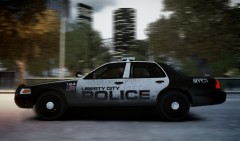
From the album: Screens
© Copyright © 2012 Sniper296, All rights reserved.
-
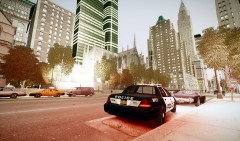
From the album: Screens
© Copyright © 2012 Sniper296, All rights reserved.
-
They can be opened with SimPe or S3PE as appropriate, I believe you can then export the meshes to Milkshape. You might want to consider asking him for permission first though as he claims to have received permission from the original model creators, something that most GTA modders could not give a fuck about!
-
A BSOD is not a reason to reinstall your OS! That is always the last resort. I probably should have explained specifically what I wanted, unfortunately? I have not got any BSODs on any computer at the moment so I cannot explain in detail what I am after. If you right click your latest .dmp in the tool you should have the option to generate a HTML report, the info in that should help. Also there is an option to Google the bug and driver, that might help you also.
-
They would say yes, hypocritically. Just like LCPDFR, they complain when they don't get a new version, then when they do they complain about bugs! And as for those saying they want to test. Have you maybe considered that being a tester in a closed beta is generally a privilege NOT a right! You generally have to earn that privilege, not demand it.
-
You could use a crack, but that is illegal under UK law, which this site is governed by. Keep such discussion off of the site please.
-
Post the info from this tool. http://www.nirsoft.net/utils/blue_screen_view.html
-
See all of the above answers.
-
Is it still being flagged?
-
I did open a ticket about this, but I think it was dismissed ad "un-reproducable".
-
Congratulations Norton, I hope you are having fun ruining independent, free and open source software with your paranoid fuck wit detection. Edit: I have submitted it to their white-listing facility but it can take "a number of weeks", anyone who wishes to report it or any other software as a false positive can do so here: https://submit.symantec.com/dispute/