Sniper296
Friends of LSPDFR
-
Joined
-
Last visited
Everything posted by Sniper296
-
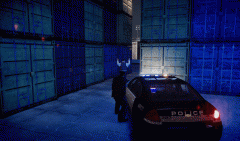
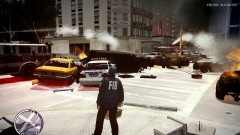 In this particular case: Someone bumped my car, so I shot-gunned theirs until it caught fire.
 -
From the album: Screens
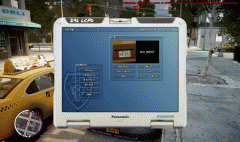
The FDLC are always busy when I am on duty. -
In no favouritism order, and simply because they are the two I have had and one getting next, in that order: German Shepard Border Collie Siberian Husky
-
Keep in mind that if this does mean V is coming to PC, and until R* say actually announce that, it should be treated as a rumour. This is a job advertisement for R* Leeds, who have worked on Liberty City Stories, Vice City Stories, Chinatown Wars and the PC port of LA Noire. Not R* Toronto, who ported IV & the Episodes titles.
-
Just wait a decade for a PS3 emulator to be on the same development level as PCSX2, then buy the game second hand. That is what I will do. I refuse to buy a console or exclusive to console game as I will then be contributing to the "fuck it that will do" pc ports and "console is the lead platform" attitudes of developers.
-
W810i "Smart" phone users, let's have a battery competition. Like taking candy from a sleeping, paralytic, dead baby.
-
One console down, one more to go, then the desktop can reclaim it's rightful place on the throne. Then we will never have to see another abomination of a port to PC game again.
-
Not gonna trawl through car photos, but here's Sussex Police's air unit: An MD902, Callsign: Hotel 900, Tail#: G-SUSX
-
-
-
Updates, previews and teasers for mods in testing.
-
-
The exe edits the files rather than replacing them with a modified stock file, any existing edits should remain unaltered.
-
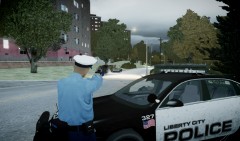
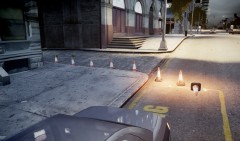
GTA Policing Tools 1.1 Changelog 1.1 * Fixed language loader * Fixed non-loading models * Fixed typos * Added more installer logic * Seperated installer license pages * Added missing weaponinfo.xml Features: Spotlight Spike strip Road flares Speed radar ALPR Download: Installation: XP users simply run the exe and follow the on screen instructions. Vista/7/8 users with UAC enabled(default) may need to right click the exe and click “Run as administrator” even if your account is an “administrator”. IMPORTANT If you installed the alpha version follow the instructions in the spoiler below. I WILL NOT TOLERATE ANY BITCHING OVER YOU NEEDING TO REINSTALL YOUR GAME BECAUSE YOU CAN'T READ! Known issues: Closing the game will give you this error: This is ignorable.
-
I remember there being an issue with my traffic cop when I added the "suse", I cannot for the life of me remember exactly what it was, think it was something in the .ide. You do need the blank/box suse, that is the one that spawns as the empty one. Make sure that the number next to the model name is correct, it is the count of variations(9 lines, 9 next to model): M_Y_COP_TRAFFIC, 9 #slot geometry BULK JOB SUNNY WET MAT1 RES1A RES1B RES2A RES2B AUDIO ID feet, 0, 0, 1, 0, 0, 0, -1, -1, -1, -1, 1 head, 2, 0, 1, 0, 0, 0, -1, -1, -1, -1, 10 head, 0, 0, 1, 0, 0, 0, -1, -1, -1, -1, 6 head, 1, 0, 1, 0, 0, 0, -1, -1, -1, -1, 6 uppr, 0, 0, 1, 0, 0, 0, -1, -1, -1, -1, 1 lowr, 0, 0, 1, 0, 0, 0, -1, -1, -1, -1, 1 suse, 1, 0, 1, 0, 0, 0, -1, -1, -1, -1, 0 suse, 0, 0, 1, 0, 0, 0, -1, -1, -1, -1, 0 p_head, 0, 1, 1, 0, 0, 0, -1, -1, -1, -1, 0 end
-
http://lmgtfy.com/?q=gta+iv+model+hash
-
Object Spawn Menu -> Spawn Object by entering model hash or name -> wi_wt_hose [OR] wt_hose
-
Looks like pc/maps/data/east/bronx_w2.img/wi_wt_hose.wdr pc/maps/data/east/bronx_w2.img/wt_hose.wdrIt was created using SNT's animation list. I had to disable all .Net scripts due to a bug, hence the taxi "bug". Installation instructions are in the file.
- 22 comments
- 15 reviews
-
- LCPD
- Traffic
- Officer
- Traffic Officer
-
Tagged with:
From the graphics alone(note the disappearance of "not final graphics" in videos) I think this is another case of the previous attempt at SimCity 5, just not as bad. SimCity 4 was the most successful one in the series, and it will probably remain that way knowing €A's track record. SC4 may have old, trimetric orthographic, graphics and many restrictions on what it can do, but it has hundreds of thousands, if not millions, of -->FREE<--(directed at £A) and outstanding mods. One of the many things that makes me think civilisation should be wiped out and re-started, second to me and ~6bln others being "suspicious" for not having Fuckbook accounts: "It was however criticised for the difficulty of gameplay and computer performance." - Wikipedia0x124(WHEA_UNCORRECTABLE_ERROR) "This bug check indicates that a fatal hardware error has occurred." This could be one of many things: Failing hardware Overheating Weak PSU Bad overclock Loose wire Out of date BIOS Out of date drivers The first things to try are make sure your PSU wattage is sufficient, make sure the components are not overheating, updating your drivers & BIOS (HP so chances are the latest BIOS is ancient), reset your BIOS (HP so chances are it is neutered anyway).As if it is not bad enough they put those two technological pieces of junk before the PC, let's throw that joke of a console into the mix! R* need to get their shit together and put the proper platform first and think about the loyal PC customers first, then think about the console gamers and their parent's dirty money.An .asi is a C++ .dll, C++ can not be decompiled into C++, you can get assembly code from it but it is often so optimised that it would take as long as re-writing the hole C++ code to just convert that assembly into C++.Is it me, or are there wing-mirror lights on the SUVs?