




CrossFire
Members
-
Joined
-
Last visited
Everything posted by CrossFire
-
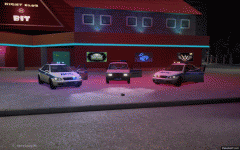 What? Most departments do have strobes.
 -
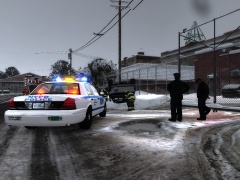 I think that this is a map mod, I don't recognize this part of LC.
 -
From the album: CrossFire's Pics V2
More to come! -
From the album: CrossFire's Pics V2
More to come! -
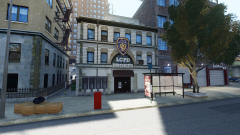
From the album: CrossFire's Pics V2
More to come! -
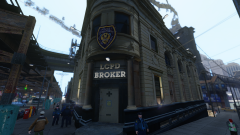
From the album: CrossFire's Pics V2
More to come! -
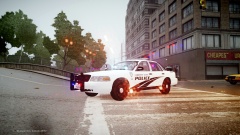 He can just change the enbbloom.fx and it won't happen.
 -
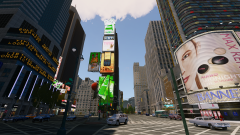
From the album: CrossFire's Pics V2
I'm finally back in LC! Try watching a 1080p video on YouTube, updating Skype, and uploading a 4MB picture all at once. -
The point of this thread is? If people have problems, they can create a support topic about it and then you can post that.
-
![Foward's 2012 Caprice! [WIP]](//s3-gallery.int-cdn.lcpdfrusercontent.com/gallery/album_2938/sml_gallery_25138_2938_1645086.png) So you have proof that Kevin and Foward are the same person? I would love to see it.
So you have proof that Kevin and Foward are the same person? I would love to see it. -
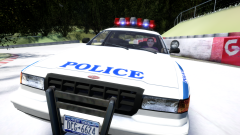 Liberty City, New York lol
 -
From the album: CrossFire's Pics V2
Today at Liberty Track, LCPD allowed people to drive some of their cruisers around the track! (For a $10 fee) To raise money for their buying of new Next-gen Vapid Interceptor. -
"big" and "aggressive" are my keywords there, they mean the opposite of coward. You still contradicted yourself, i'm just pointing out that you used the wrong wording there.
-
Okay. You just contradicted yourself then, you say he looks like an animal (Which I guess you're saying he's big and strong), and then you say he's a coward, which is he?
-
Before I get upset at your post, who are you referring to as 'a coward'?
-
They will. There is really no difference between cars that were made while V7 was out and cars that were made after V8 came out.
-
If you had read what he changed you would have seen that he didn't change anything noticeable, he just added L1's and L2's which makes the car more HQ from far away.
- 12 comments
- 1 review
-
-

- 1
-
-
He's showing that he added L1's and L2's, which makes you able to see the car from farther away without it going full LQ.
- 12 comments
- 1 review
-
-
- 1
-
-
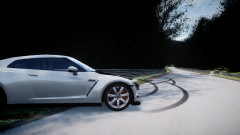
From the album: CrossFire's Pics V2
A German driver from Liberty City, Chris Kämmerer, was visiting family in Germany earlier this week and deciding to go on the word-renowned racing track Nurburgring. As he was driving his Nissan GTR around a corner, he decided to do a common driver move called 'drift', as he did that, he lost control of his car and spun around twice, the front of his car was damaged from hitting a barrier, a minor injury was reported. -
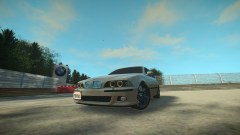
From the album: CrossFire's Pics V2
-
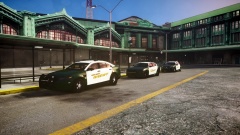 What do you mean?
 -
Very NOIIICCCE Chris!!
-
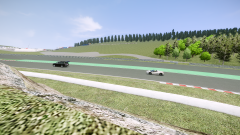 lol I couldn't find a ped that looked like Jeremy so I improvised
 -
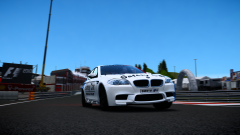
From the album: CrossFire's Pics V2
Shoutout to JokerMods for his love of BMW's and his German awesomeness!!! -
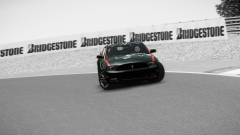
From the album: CrossFire's Pics V2
Some fuckin' awesome black and white pictures. The following is BY FAR the best picture i've ever taken.

![Foward's 2012 Caprice! [WIP]](http://s3-gallery.int-cdn.lcpdfrusercontent.com/gallery/album_2938/sml_gallery_25138_2938_1645086.png)
