




CrossFire
Members
-
Joined
-
Last visited
Everything posted by CrossFire
-
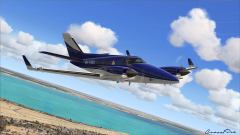 I was at an airport in America, Mobile Regional Airport in Alabama. I guess that's just the Livery, or I didn't bother to change the registration.
 -
At the time, I was using REX 4 Weather, and that plane addon.
-
From the album: Flight Simulator X
Decided to do some private flying in Mobile, AL (Hi Gump), and I shit you guys not, this picture was not intended to be taken. I think it looks good enough to be a professional picture! :) -
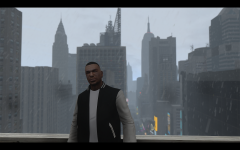 Woah. They look almost identical!
 -
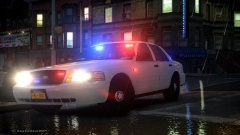 Thank you. I was asking because every .163 ENB looks similar. And there are more and more .163 ENBs everyday.
 -
-
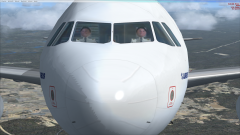
From the album: Flight Simulator X
KBHM to KMCO, discovered dem modeling skillz. -
Now I don't understand that.
-
Do you mean those red/blue vertexes by the rear doors, or the TIR3's on the fender? The red light, or the blue light?
-
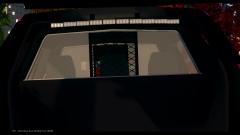 Please don't use the same bodyguard twice. On the one behind the rear seats, go in vertex mode and delete the netting, then combine the two glasses together, trust me, it looks better.
 -
Isn't that for PoliceHelper, or is the the QAM too?
-
Congratulations, you're that one guy.
-
He's pretty much asking for people to download all of those files, compile them into one, and then upload the compilation for him to use in his clan.
-
Different departments have different "code-names" for things.
-
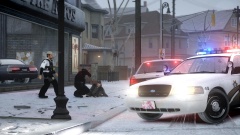 No, I do not have that ped.
 -
It probably means they have an open mic.
-
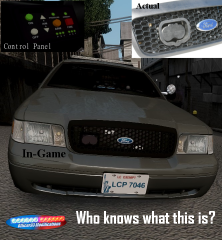 You ninja'd me sir, GG.
 -
A tracking device if officers have to call off the pursuit.
-
Can you not upload the files yourself? Or at least get someone in your clan to upload them for you?
-
It's a Mobile Spike Strip System.
-
If you would like to play Multiplayer with others, please post >here. But before you do, please read the first post by NicolaiB.
-
He's using the "tactical" uniform from >here, and a uniform from a pack that a deactivated member uploaded.
-
When is this issue occurring? While you're starting your game? Or in the middle of playing IV?
-
Do you have to post in Comic Sans and in a larger size?
-
How old is your computer?


