


IronicRainbow
Members
-
Joined
-
Last visited
Everything posted by IronicRainbow
-
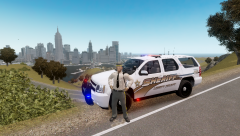 Haha, yes he is.
 -
Hmm. >Looks familiar.
-
There's really no telling what FPS he is going to get until he puts it together and tests it himself. My system is fairly powerful (AMD FX-6300 overclocked, Radeon R9 280X) and I get ~25 fps on average. OP, you build looks pretty solid for an entry system, but a better graphics card wouldn't hurt if you have the extra cash.
-
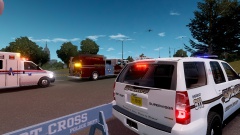
From the album: IronicRainbow's Pictures
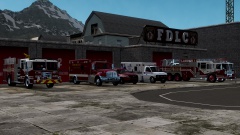
Today a memorial parade was held, which included all branches of the Liberty County first responders, that went all the way through Liberty County to remember those lost and wounded in the Boston Marathon bombings, and to note the first anniversary of the tragedy. The parade stopped on Highway 1, facing southeast, in front of the Great Wolfe Lodge. A gathering was held at the lodge and a moment of silence was taken. "We hope a tragedy such as the one that happened one year ago never has to happen again," quoted Liberty County Mayor, John Guerrero, "it bestows tragedy and heartbreak among all of us as a nation, but we are strong, and have to fight through it." The following photographs were taken after the memorial parade had stopped in front of the lodge. -
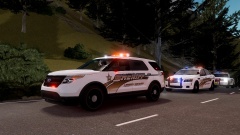
From the album: IronicRainbow's Pictures
Today a memorial parade was held, which included all branches of the Liberty County first responders, that went all the way through Liberty County to remember those lost and wounded in the Boston Marathon bombings, and to note the first anniversary of the tragedy. The parade stopped on Highway 1, facing southeast, in front of the Great Wolfe Lodge. A gathering was held at the lodge and a moment of silence was taken. "We hope a tragedy such as the one that happened one year ago never has to happen again," quoted Liberty County Mayor, John Guerrero, "it bestows tragedy and heartbreak among all of us as a nation, but we are strong, and have to fight through it." The following photographs were taken after the memorial parade had stopped in front of the lodge. -
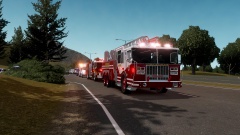
From the album: IronicRainbow's Pictures
Today a memorial parade was held, which included all branches of the Liberty County first responders, that went all the way through Liberty County to remember those lost and wounded in the Boston Marathon bombings, and to note the first anniversary of the tragedy. The parade stopped on Highway 1, facing southeast, in front of the Great Wolfe Lodge. A gathering was held at the lodge and a moment of silence was taken. "We hope a tragedy such as the one that happened one year ago never has to happen again," quoted Liberty County Mayor, John Guerrero, "it bestows tragedy and heartbreak among all of us as a nation, but we are strong, and have to fight through it." The following photographs were taken after the memorial parade had stopped in front of the lodge. -
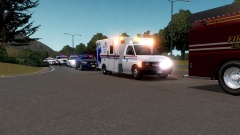
From the album: IronicRainbow's Pictures
Today a memorial parade was held, which included all branches of the Liberty County first responders, that went all the way through Liberty County to remember those lost and wounded in the Boston Marathon bombings, and to note the first anniversary of the tragedy. The parade stopped on Highway 1, facing southeast, in front of the Great Wolfe Lodge. A gathering was held at the lodge and a moment of silence was taken. "We hope a tragedy such as the one that happened one year ago never has to happen again," quoted Liberty County Mayor, John Guerrero, "it bestows tragedy and heartbreak among all of us as a nation, but we are strong, and have to fight through it." The following photographs were taken after the memorial parade had stopped in front of the lodge. -
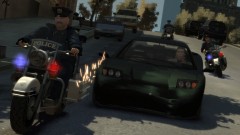 "*sigh*... Another day in Liberty City."
 -
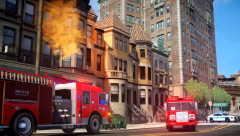 That firetruck skin is... Very bland. Nice screenshot, however.
 -
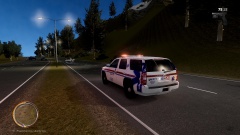 Thank you!
 -
 Obviously a 747-700 jumbo jet. Edit: Spoiler added for people who are noobs and can't guess.
 -
From the album: IronicRainbow's Pictures
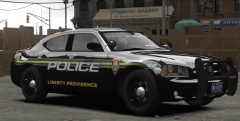
Been working on a skin for the LCAS Tahoe. One of my few staged pictures, just us messing around in game. Feedback is appreciated! -
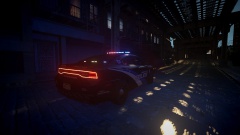 Looks very good, few 2013 Chargers with wraps, makes me sad :(
 -
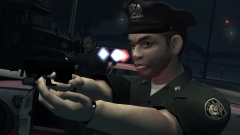 I didn't know which of these comments to upvote so I upvoted both.
 -
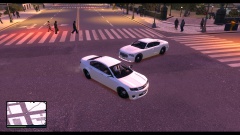 Cheval Fugitive: The closest thing the LCPDFR community will ever get to an unlocked Caprice.
 -
Awesome skin, looks pretty accurate. Might want to have used a hubby version of the CV though :P
- 9 comments
- 4 reviews
-
What is your zmodeler build? To my understanding zm 3 is not compatible with GTA IV files. I would recommend 2.2.4 build 980-something. It's what I use.
-
Not very accurate. Back text isn't arched properly, the blue isn't fully filled in, and the "POLICE" text is in the wrong font and not skewed.
- 2 comments
- 1 review
-
This is pretty messed up, spamming inboxes with ads. I am proud to say that we are not one of these communities. It's really a shame to see this happening. It just puts a bad rep out there on all of us.
-
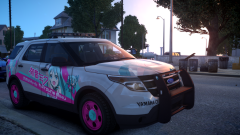 I love you.
 -
 Very true, but it would be nice to have the option to change it, maybe make black/white/grey/dark blue variants if nothing else.
 -
 Oh, the International skin? That one is also in use by the clan at the moment, but the same applies for it :)
 -
Or transparent, so we can pick the colour :P
-
It's for a clan i'm in, sorry. Created by me, so I may release it if we change skins. :P Here's a better look at it:
-
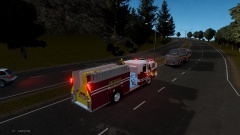
From the album: IronicRainbow's Pictures


